Rovema CMK Operator’s Manual
Section 5: Operator Controls
200246 CMK Operators Manual (02/06/2006) 5-2
HMI (Human-Machine-Interface)
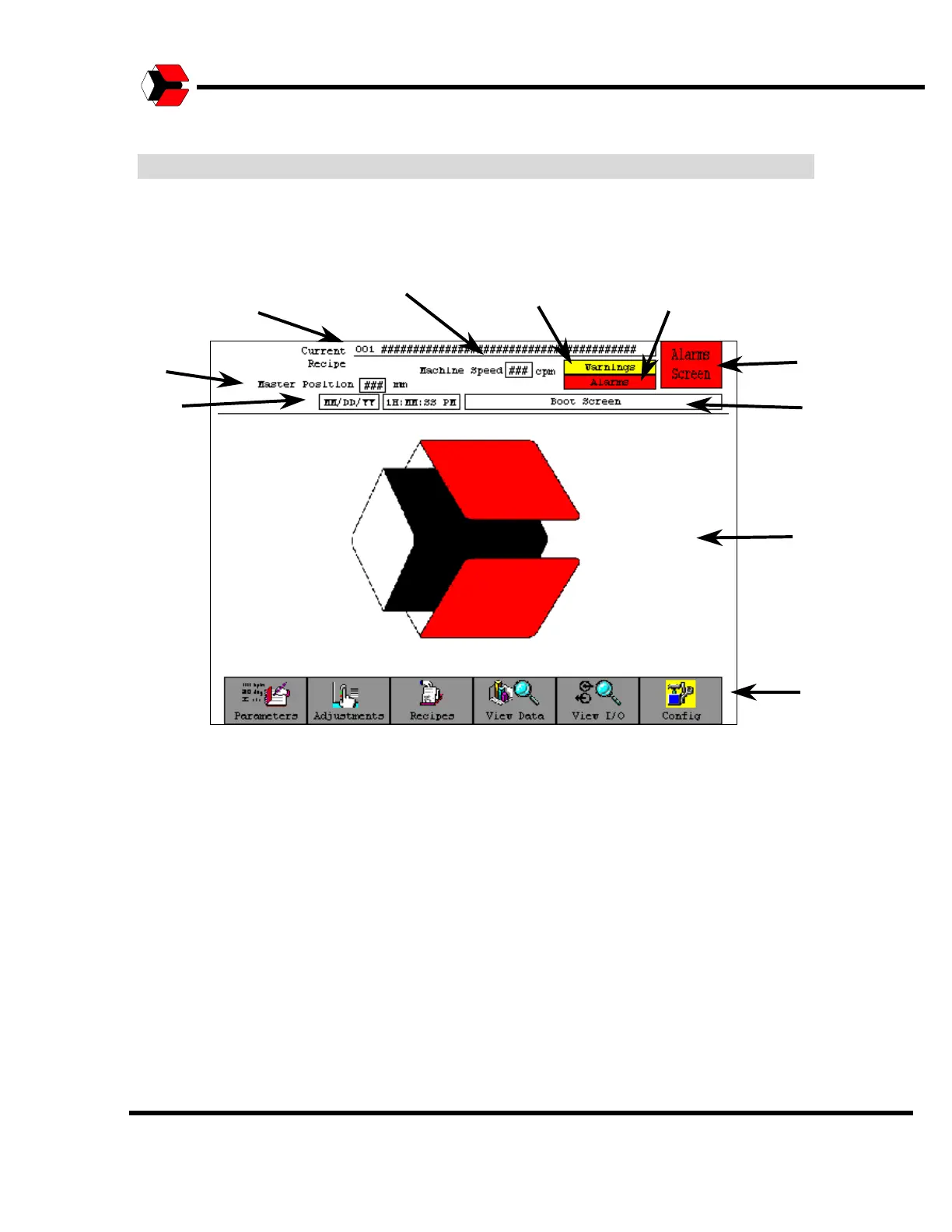
The HMI (Human-Machine-Interface) layout is designed for efficient movement
throughout the screens. This example shows the primary sections of the screens.
Figure 5.2
Introduction to the screen information.
Legend:
1. Current Recipe Number and Name
2. Master Position
3. Date and Time
4. Machine Speed
5. Warning Indicator
6. Alarm Indicator
7. Alarms Button (Access Alarms Screen)
8. Screen Name
9. Working Area
10. Menu Tree Bar
Only the working area and the screen name will change for each screen entered.
The other buttons and indicators will appear on each screen.
4
3
6
7
9
10
2



 To Next Page