Rovema CMK Operator’s Manual
Section 7: Working with Components
200246 CMK Operators Manual (02/06/2006) 7-20
Carton Chain
Chain Drivers Adjustments
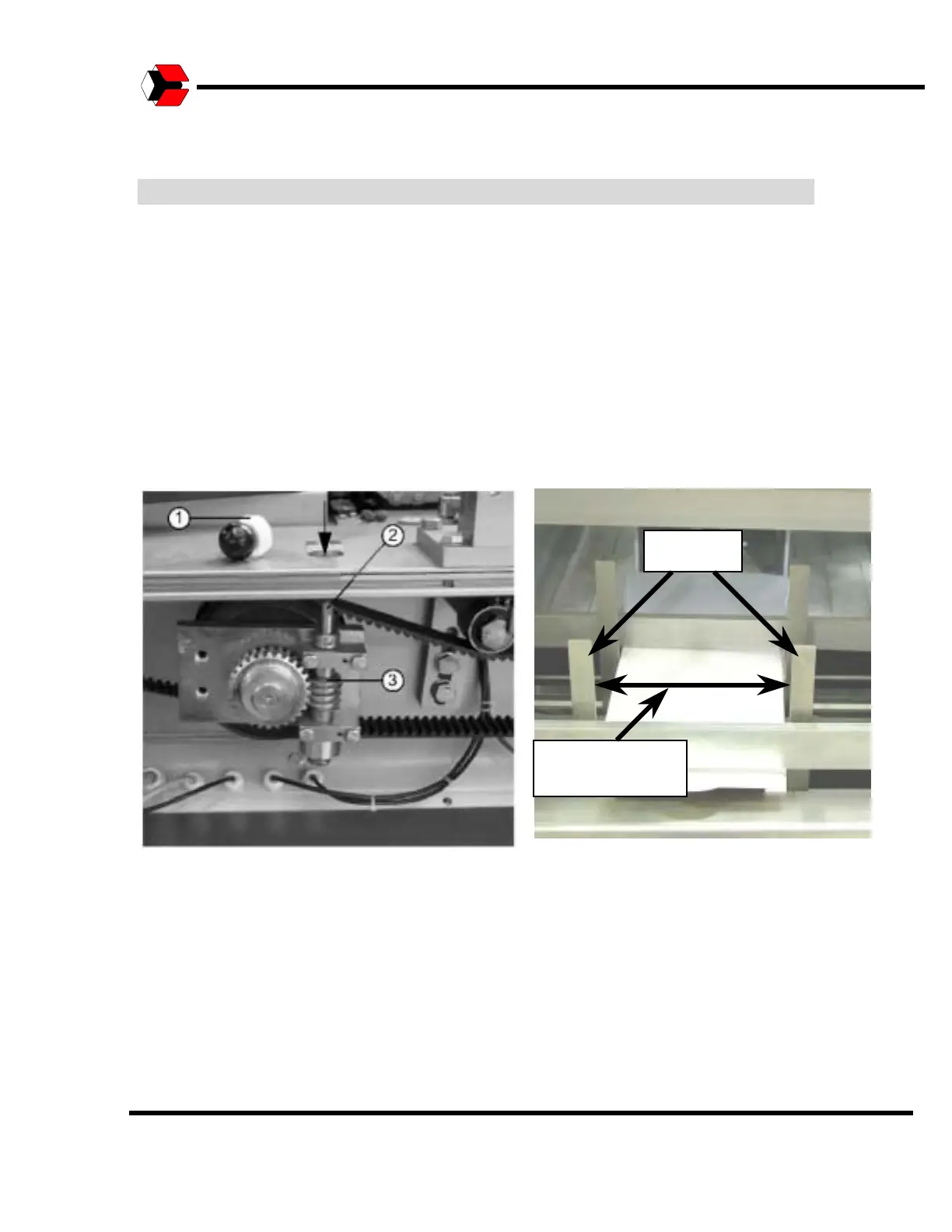
To adjust the carton chain drivers for a new carton size, the cap (1) in the chain
bar must be removed. Use JOG mode to rotate the adjustment bolt until it is
positioned under the opening so that the adjustment tool may be used on it.
After the bolt is accessible under the opening, use the adjustment tool to turn the
bolt until the required carton size is reached (distance between the drivers). This
setting does not have a dial, thus you need to check the distance between the
drivers with a measuring tape or sample carton. Run some test cartons in JOG
mode and make any required corrections.
Figure 7.12
Shows how to adjust the bucket width.
Adjust to Carton
Size
Flights



 To Next Page