Rovema CMK Operator’s Manual
Section 5: Operator Controls
200246 CMK Operators Manual (02/06/2006) 5-31
HMI (Human-Machine-Interface)
Batch Control Menu
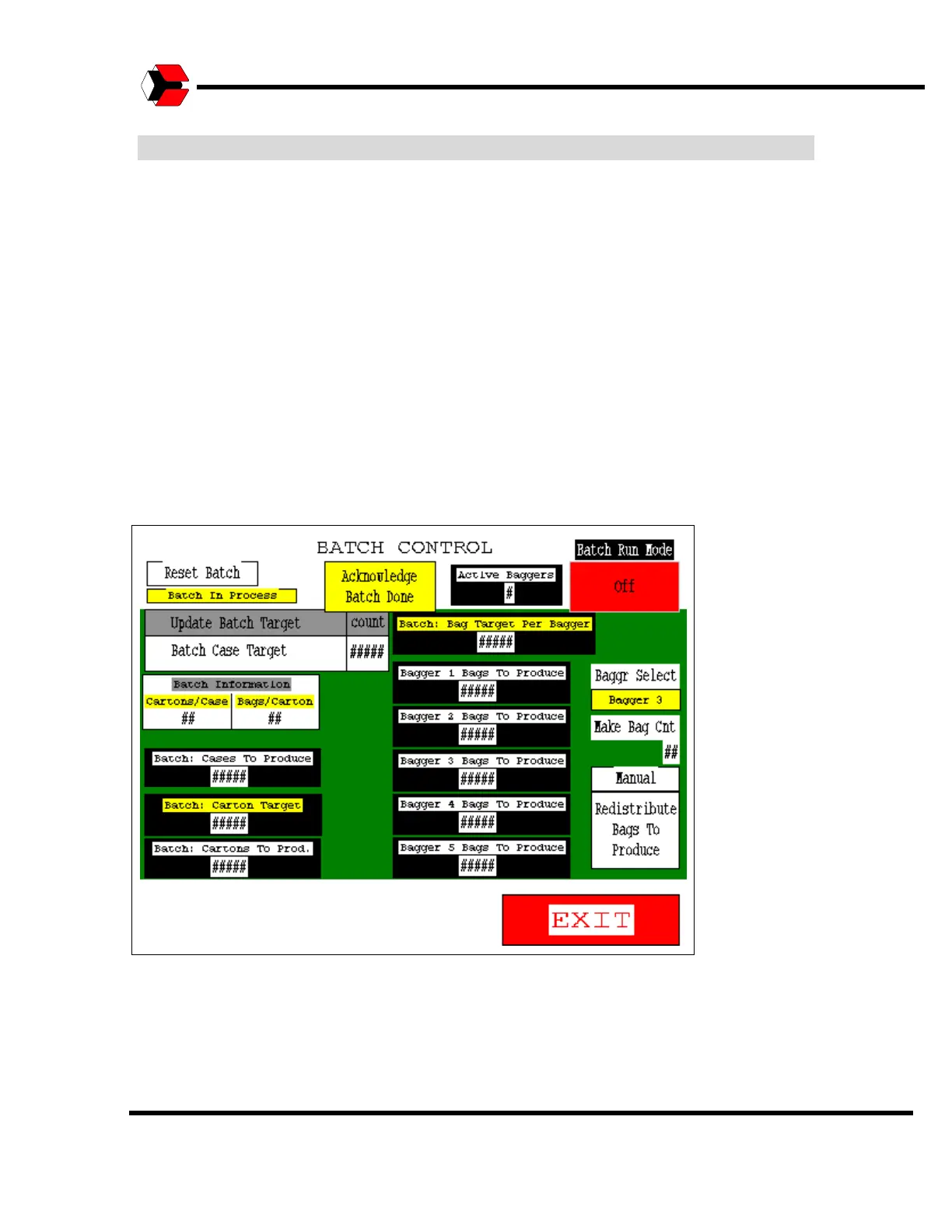
The Batch Control screen is accessed from the Adjustments screen. This screen
allows you to view batch information and determine if the machines will run in batch
mode.
The “Batch Run Mode” button is used is used to determine if the machines will run in
batch mode. This may be toggled to On or Off. In “Batch Run Mode” the system will
run until the target number of cases has been produced and then stop. Each piece
of equipment in the system stops when its “Product To Produce” count reaches zero
(0).
CAUTION: The machines only go into a “Standby” mode under these
circumstances. They will restart automatically if the “Batch Case Target” count is
updated on the CMK HMI screen.
Figure 5.37
Batch Control Screen



 To Next Page