113
11.1
11.11.
GC-2014
11 Creating an
Oven Temperature Program
11.1 [COL] Key Main Screen
11.1.1 Screen description
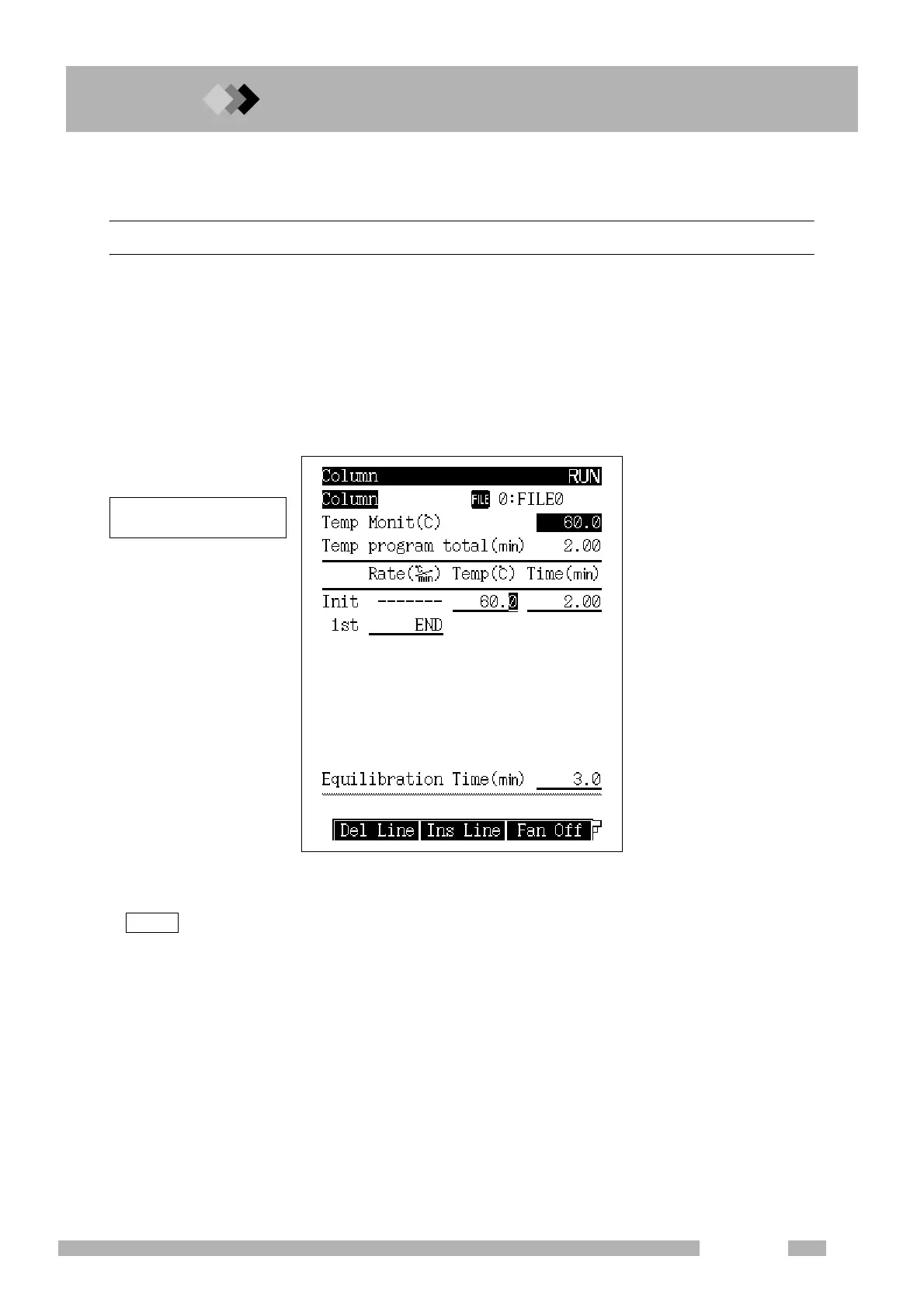
Press the [COL] key to display the column screen shown in Fig. 11.1.1. The oven temperature
program is set from this screen.
Enter a value other than 0 in the rate field displayed with “END”. Once a valid rate has been
entered, set the temperature (final temp) and time (hold time) for the line.
In addition to the oven temperature program, the equilibration time is set from this screen.
Equilibration time is the length of time allowed for the oven temperature to properly equili-
brate before the system is Ready.
Press the [COL] key, to move the cursor directly to the temperature portion of the ramp.
This facilitates program edits when only the temperature needs to be changed.
Fig. 11.1.1 [COL] key main screen
NOTE
Up to 20 temperatue increase/
decrease ramps can be set.



 To Next Page
 Loading...









