171
13 Detector
13.4
13.
GC-2014
13.4Background Compensation
If the baseline drifts considerably during programmed temperature analysis, the baseline drift can
be saved as a background baseline in GC’s waveform memory (background save). Afterwards,
the background can be subtracted from the signal (background compensation). The below is
background compensation procedures.
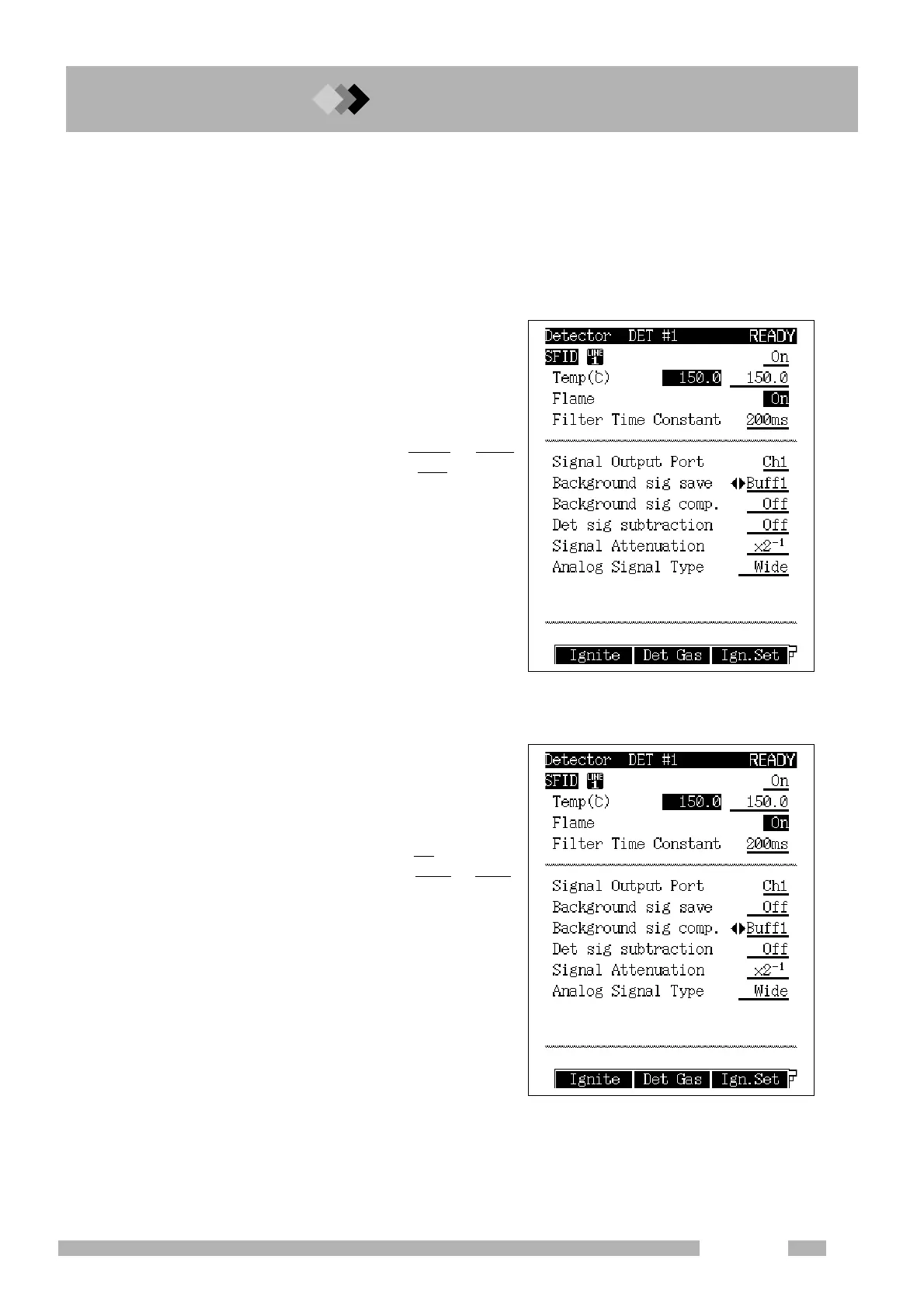
1. Set background storage.
Select where the background baseline
should be saved on the [DET] key main
screen. Either “Buff 1” or “Buff 2” can be
selected.
BACKGROUND SIG. SAVE
Buff 1 (or Buff 2)
BACKGROUND SIG. COMP. Off
2. Execute analysis without sample injection. Baseline fluctuation is saved in “Buff 1” or
“Buff 2” as background.
3. Set background compensation.
Set the background to be subtracted as the
baseline fluctuation on the [DET] key main
screen.
BACKGROUND SIG. SAVE Off
BACKGROUND SIG.
COMP. Buff 1 (or Buff 2)
4. Inject a sample and execute analysis. A signal after subtracting the background is
outputted.



 To Next Page
 Loading...









