12 Injection Port
12.2 Split/Splitless Injection System
139
GC-2014
12.2.7 Split ratio program
You can change the split ratio during a split analysis. In addition, you can set a split ratio
program after the sampling time has elapsed during splitless analysis.
The split ratio program and the gas saver perform basically the same operation. However,
the split ratio program is used for more general purposes.
12.2.7.1 Screen description
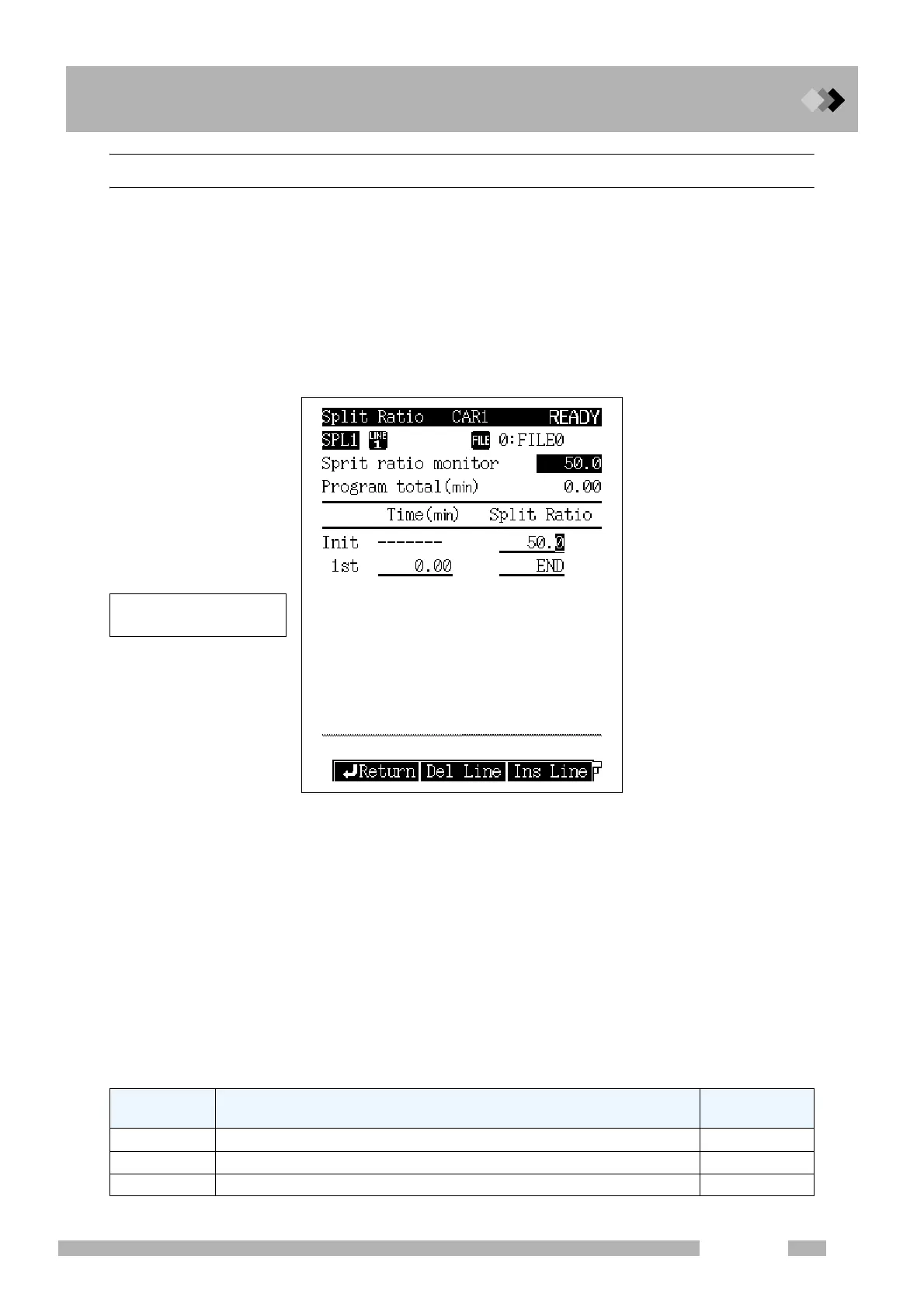
Select [Split Prog] (PF menu) from the [FLOW] key main screen when not in “DIRECT”
mode to display the Split Ratio screen shown in Fig. 12.2.12.
12.2.7.2 Parameter list
TIME
Range: 0.00−9999.99 min, Default: 0.00 min
Set this parameter to display the split ratio used previously in the Split Ratio column.
SPLIT RATIO
Range: -1.0/0.0−9999.9, Default: -1.0
Set the split ratio.
If the split ratio is set to “-1.0”, the total flow rate remains constant regardless of the
oven temperature.
12.2.7.3 PF menu
Fig. 12.2.12 Split ratio program setup screen
PF menu Description
Reference
section
Del Line Deletes a line at the current cursor position.
――
Ins Line Inserts a line in line at the current cursor position.
――
Print Prints the split ratio through to a Chromatopac.
――
A program can contain up to
7 ramps.



 To Next Page
 Loading...









