16 Special Functions
16.6 GC Configuration
238
GC-2014
16.6.5 Setting transmission parameters
16.6.5.1 Screen description
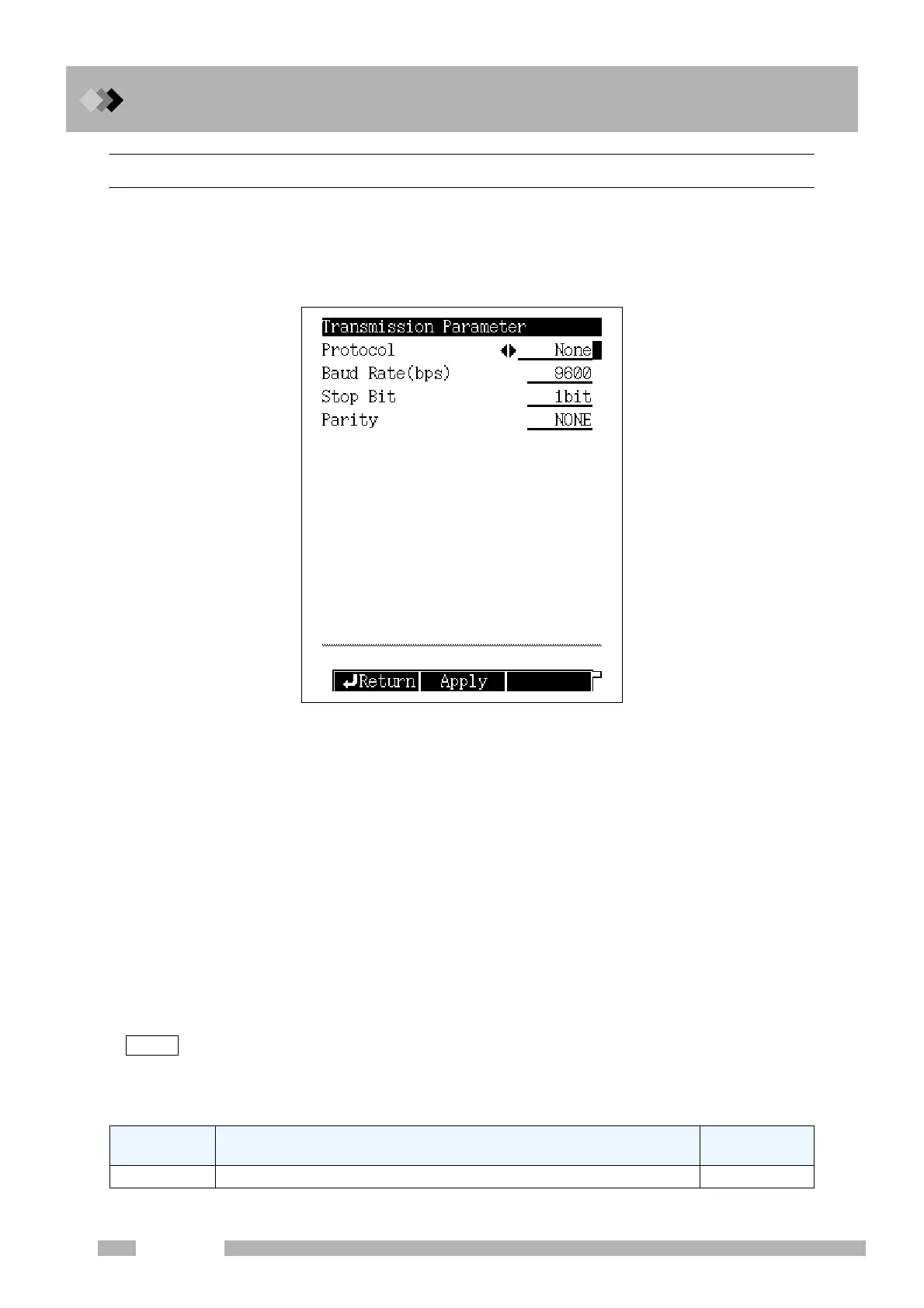
Select “6. GC CONFIGURATION” from the [FUNC] key screen, and then select “3.
TRANSMISSION PARAMETER”, to display the Transmission Parameter screen shown
in Fig.16.6.4.
16.6.5.2 Parameter list
PROTOCOL
Selection: None/LEVEL1/LEVEL2/LEVEL3, Default: LEVEL2
BAUD RATE
Selection: 2400/4800/9600/19200/38400/57600/115200 bps, Default: 9600 bps
Set the communication speed.
STOP BIT
Selection: 1 bit/ 2 bit, Default: 1 bit
PARITY
Selection: NONE/EVEN/ODD, Default: NONE
“STOP BIT” and “PARITY” can be set when “PROTOCOL” is set to “None” or “LEVEL1”
or “LEVEL2”.
Set to “EVEN” in case of connecting a Chromatopac.
Refer to
“2.3 Outputting Digital Signals to a Personal Computer” and “2.4 Connecting a RS-232C
Cable to the Chromatopac C-R8A”.
16.6.5.3 PF menu
Fig. 16.6.4 Transmission parameter setup screen
PF menu Description
Reference
section
Apply Down loads the parameters immediately.
――
NOTE



 To Next Page
 Loading...









