2 Before Use
2.1 Setting Analytical Flow Lines
19
GC-2014
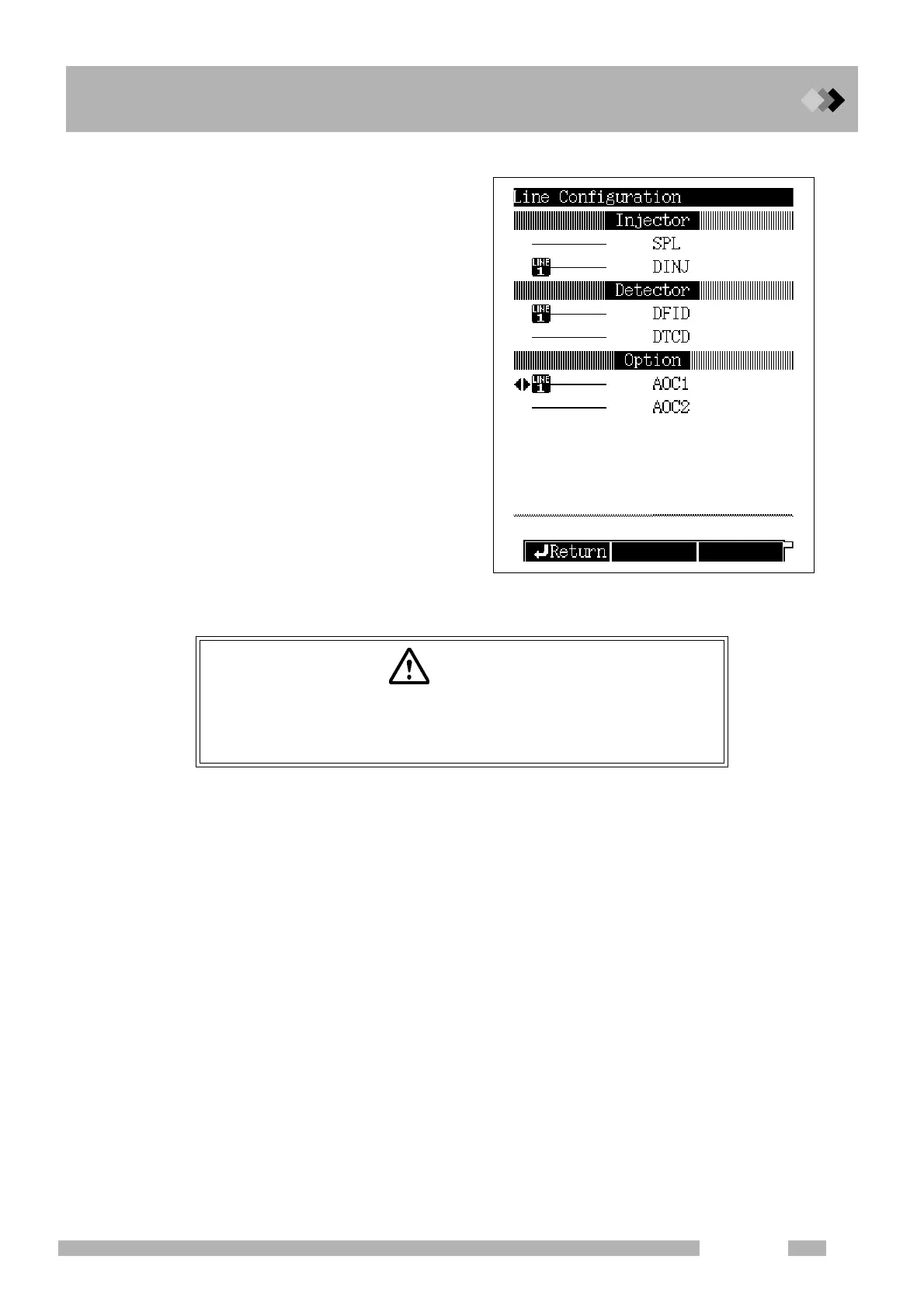
■ How to set lines
(1) Press the [SET] key then press the
[PF2] key (Line Config).
(2) Move the cursor to the unit to be set in a
line and select a line using [
Y ] [ Z ] keys.
Make sure to specify an injection port
and a detector to which a column is
connected in the same line. Any
number from LINE1 through LINE4 can
be selected.
■ Precautions for setting analytical flow lines
1. Specify units to be used as part of a line.
Only units specified as part of a line are temperature-regulated.
Gas is controlled only for injection ports (flow controllers) specified as part of a line.
Examples
• If an injection port that a column is connected is not specified as part of a line, carrier
gas does not flow. If the column's temperature rises in this condition, the column may be
damaged.
• To keep feeding gas to units or maintain their temperature even though they will not be
used for analysis for a while, specify the units as part of a line.
2. Remove the units not in use from a line.
Examples
• If a detector without a column stays on a line, it may damage TCD filament or cause an
error such as FID ignition error.
• If the setting for the flow controller is turned OFF without removing an injector port
without a column from a line, an error is detected and the protection mechanism works
to lower the column temperature.
• If a split/splitless injection port (SPL) without a column is not removed from a line, an
error is detected and the protection mechanism works to lower the column temperature.
CAUTION
Set analytical flow lines correctly.
Incorrectly set analytical flow lines hinder the unit's normal operation
and may also damage columns or detectors at worst.



 To Next Page
 Loading...









