Vista Digital Mixing System
1-4 Introduction SW V3.3 Date printed: 05.08.03
1.1.1 Vistonics™
Vistonics™ allows color and shape of controls to be varied according to
good ergonomic practice. A given audio function is always associated with
the same color, and a parameter is always associated with the same icon
displaying values graphically – just as or even more intuitive than an ana-
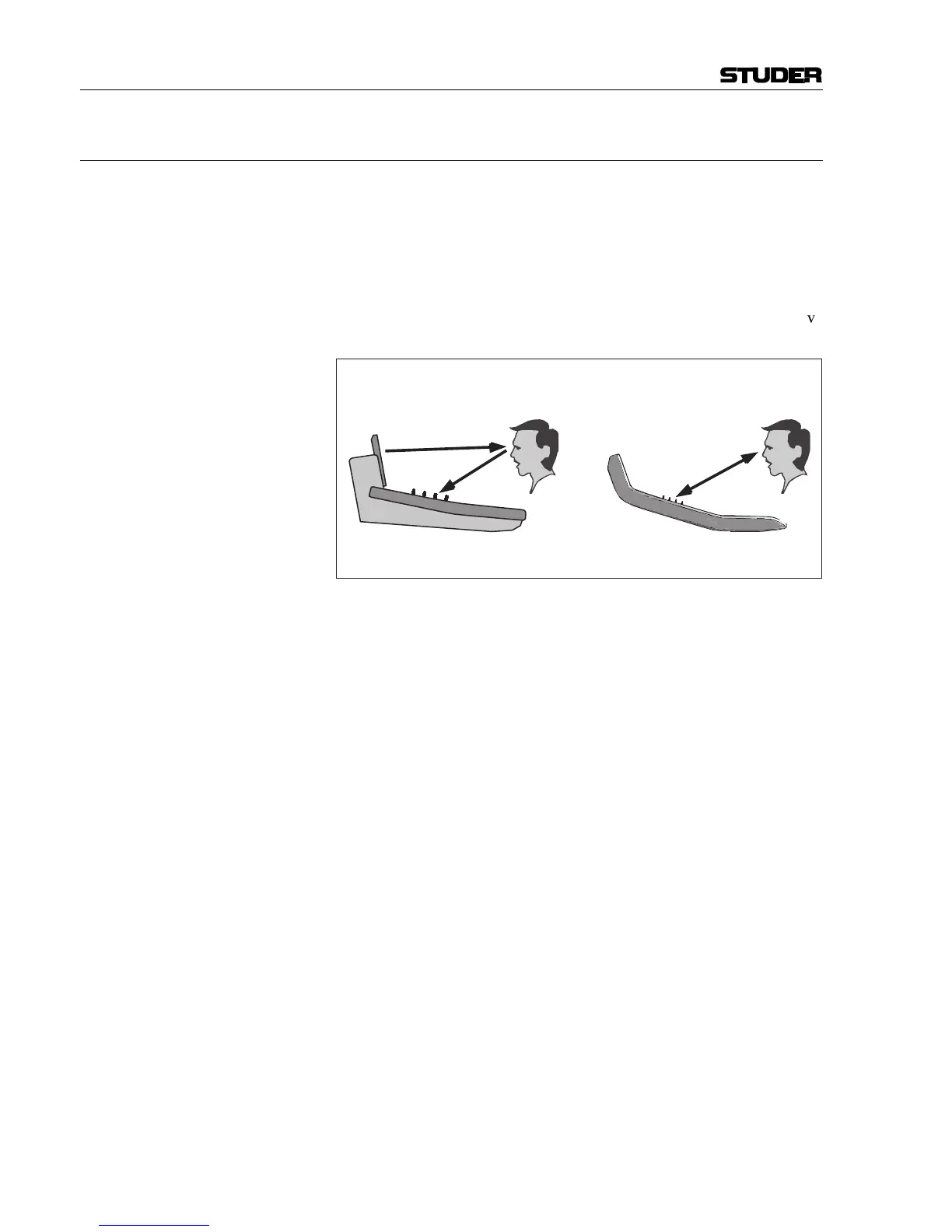
log console. Vistonics™ makes it possible to bring the location where you
can see a value to exactly the place where you control it. Therefore, tiring
translation processes between looking at a screen and finding the corre-
sponding hardware control somewhere else are not existing anymore, sav-
ing just a little time and energy a few hundred times a day!
Attention has been paid in order to make the current association clearly
visible. Color coding has been used to indicate families of audio functions
such as EQ, dynamics, etc. Consistent icons make the physical meaning of
an audio function obvious – e.g. bar graph-like icons indicate levels, time
adjustments are indicated by clock dials, etc. This way, it is easy to iden-
tify the currently associated function even from a distance.
The Vistonics™ module consists of two main parts: 40 rotary controls
with push buttons next to each of the them, as well as a touch screen area,
showing graphically the most important settings of each channel: Dynam-
ics, EQ and panning information. It is possible to change the association of
a rotary control to audio functions either globally or locally:
View = Control Location View = Control Location
Display
+ Controls
Conventional TFT Approach Vistonics Technology
Controls
Display
/



 To Next Page