Vista Digital Mixing System
8-50 Vista 8 Differences
SW V3.5 Date printed: 05.04.2005
Enabling COM Ports for Use with the ProBel Protocol
Ports that are to be used for ProBel need to be specified in the
D950System.ini in the [d950SerialPorts] section. This gives
the possibility to use non-standard data rates and parity settings.
[d950SerialPorts]
1= {p} COM1 baud=115200 parity=N data=8 stop=1
2= {b} COM6 baud=38400 parity=E data=8 stop=1
“b” is used to indicate ProBel use. Only the COM ports defined in this way
will be available in the ProBel set-up dialog.
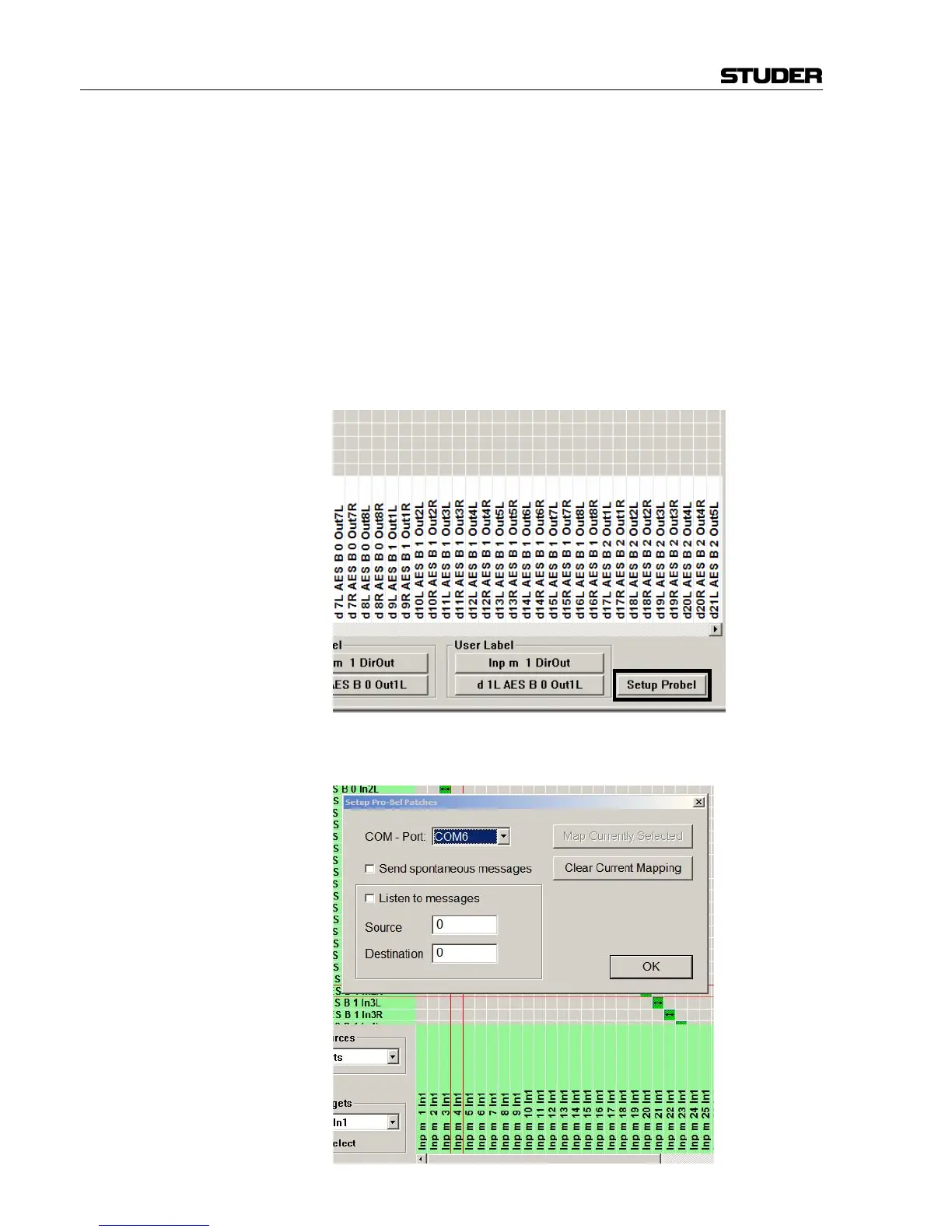
ProBel Set-up Dialog With Use Probel on General Patch enabled the General Patch displays an
additional button on the bottom right.
When clicking on this button the system brings up the set-up dialog and
enters ProBel set-up mode.



 To Next Page