Vista Digital Mixing System
Date printed:26.10.07 SW V3.3/3.5 Application Notes 9-5
9.2 Application Note 2:
Panning in a PA Environment (Vista 8 Matrix Buses)
Even though matrix buses can be used for a number of applications, a most
typical situation will be described here. A live venue has a number of
speakers and wants to use the console panner for positioning sound sources
within the given installation. The console’s panner is assuming the
speakers to be placed at standard angles and distances with respect to the
listener (such as, for the well known 5.1 format, left/right/center/left
surround/right surround/LFE). Let’s assume that the venue has 10
loudspeaker channels. Obviously there is a need to map the standardized
surround channels to these 10 speakers, depending on their placement
within the venue. This is done by configuring 10 matrix buses that can be
fed by the 6 master channels. Depending on a speaker’s position, the
operator adds signal from one or several master channels to a speaker
channel, in order to match the sonic impression in the venue with the
panner directions. It is also possible to add some DSP processing in the
matrix output channels, e.g. some delay or EQ.
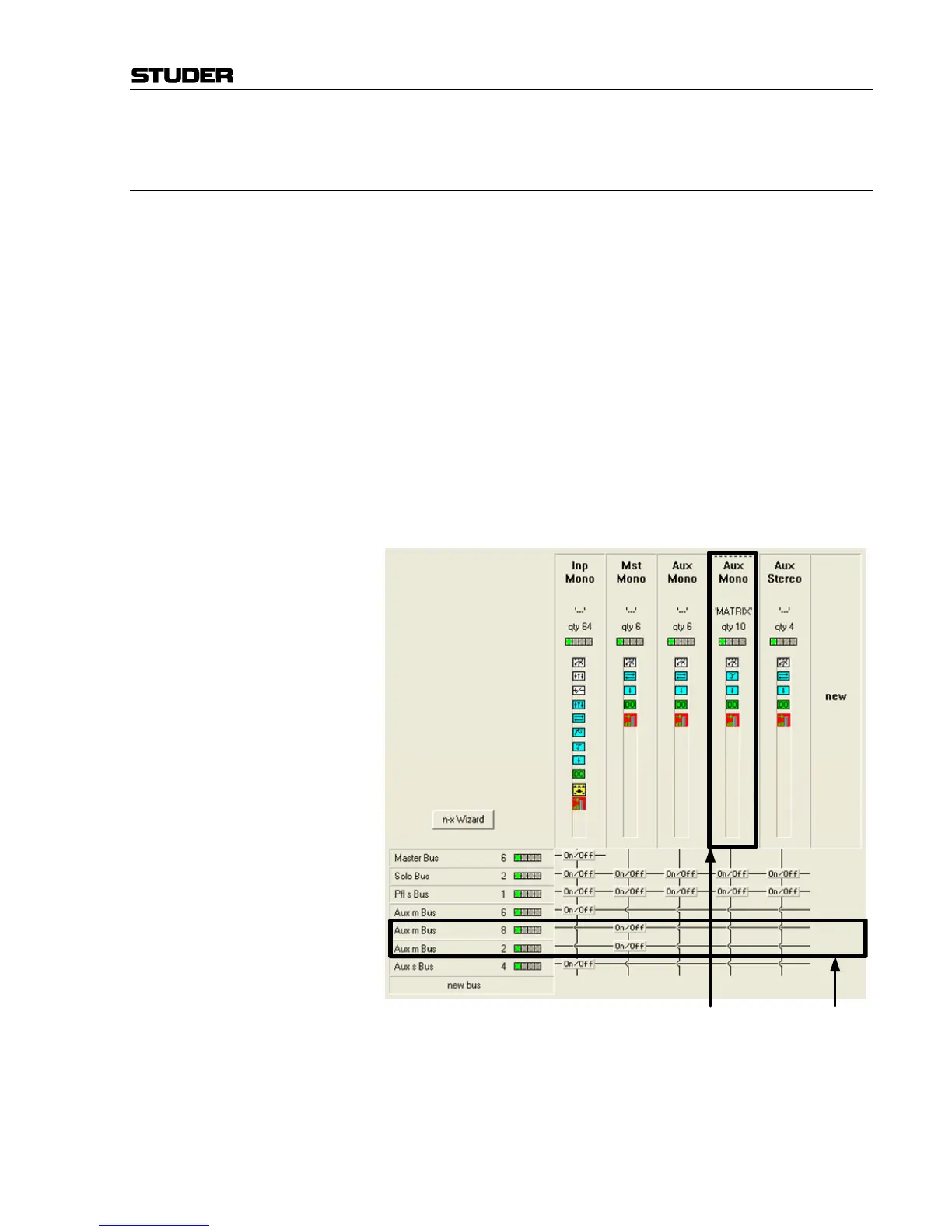
The Channel/Bus view of the Configuration Editor software could look like
this:
In this very simple example the matrix buses are only fed by the master
buses (such “short” matrix buses will not need the same amount of DSP
power as other buses in the system) The six master buses are used as
surround masters , and the multi-format pan on the input channels is set to
“5.1”.
When working in two-channel stereo or LCR (3 channel) mode, the same
principles apply. In this case, two or three master channels would be
Matrix Channels with their Matrix Buses



 To Next Page