STUDER 07. Mar. 2005 Release Notes Vista 3.5
8/21
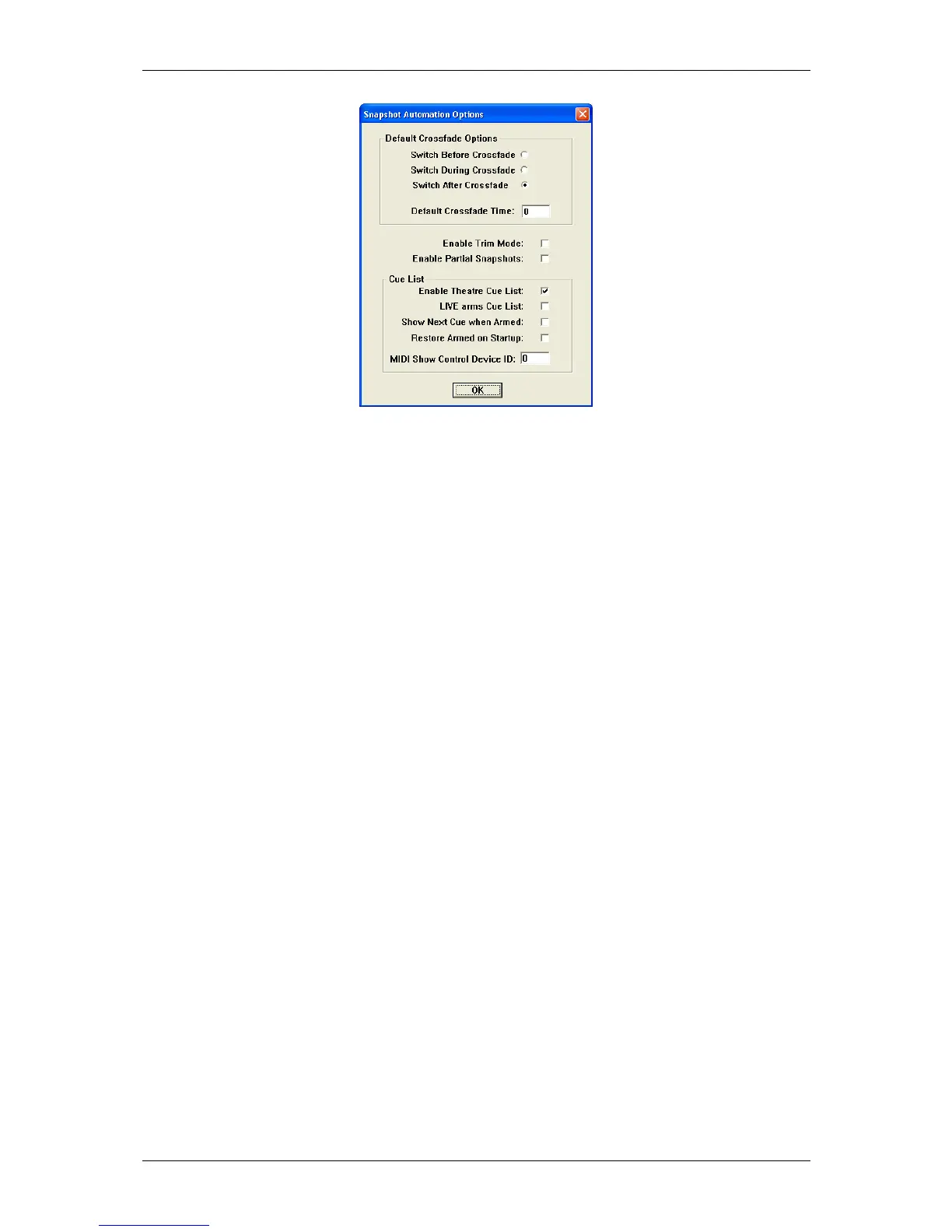
Default Crossfade Options:
The system allows cross-fading between two cues. It is possible to define the default values for
cross-fades. These values will be used whenever a new cue is created.
Switch options: Describes behaviour of switches (e.g. MUTE, EQ on/off etc.) when
cross-fading. They apply if a switch changes its state in the next cue.
They may change their state before, during or after the crossfade.
Default Crossfade Time: Set default value of crossfades when new cues are created.
Enable Trim Mode: When pressing-and-holding ISO button on the channel strip, followed
by touching individual controls (e.g. faders, rotaries), their state can
be set to being isolated from snapshot recalls. If this option is on, it is
possible to touch the particular parameter a second time. This will set
it into TRIM mode. In this mode all changes to that parameter since
the last snapshot recall will be applied relatively (!) to all upcoming
snapshot recalls. Thus, not altering them on disk!
Enable Partial Snapshots: Activates the "partial Snapshot" feature.
Enable Theatre Cue List: Enables the cue list functionality.
LIVE (ON AIR) arms Cue List: When pressing the "Live" button on the Vista 8 control surface, the
armed state of the cue list will change accordingly.
Show Next Cue when Armed: Defines, whether the currently active or the next cue should be
highlighted when the cue list is armed. This also allows to read
attached notes ahead during the live event.
Restore Armed on Startup: The system will switch the console into the stored "armed" state
whenever the software is started. This allows e.g. constant reception
of external MIDI commands for firing off cues.
MIDI Show Control Device ID: See below
Vista is a MIDI Show Control device
It is possible to control the cue list by using "MIDI Show Control" commands. Vista is acting as a
“slave” in this case. The following "MIDI Show Control" commands are supported:
Go, Stop, Resume, Load, Reset, Standby+, Standby-, Sequence+, Sequence-
Vista is designated as a Music Command Format (0x11). The MIDI device ID is set in the menu
“Option”, “Snapshot Automation”.
Examples:
Next Cue: F0 7F [Device ID] 02 11 01 F7 (Go command)
Previous Cue: F0 7F [Device ID] 02 11 12 F7 (Standby- Command), then
F0 7F [Device ID] 02 11 01 F7 (Go Command)
Recall Cue 3.5: F0 7F [Device ID] 02 11 01 33 2E 35 F7 (Go Command, with Q specified)



 To Next Page