STUDER 07. Mar. 2005 Release Notes Vista 3.5
7/21
B
l
a
c
k
o
u
t
e
v
e
n
t
(
O
n
/
O
f
f
)
Event Options
(when event selected)
A
t
t
a
c
h
i
n
g
N
o
t
e
s
S
e
n
d
o
u
t
H
i
Q
N
e
t
„
V
e
n
u
e
R
e
c
a
l
l
“
Preview mode
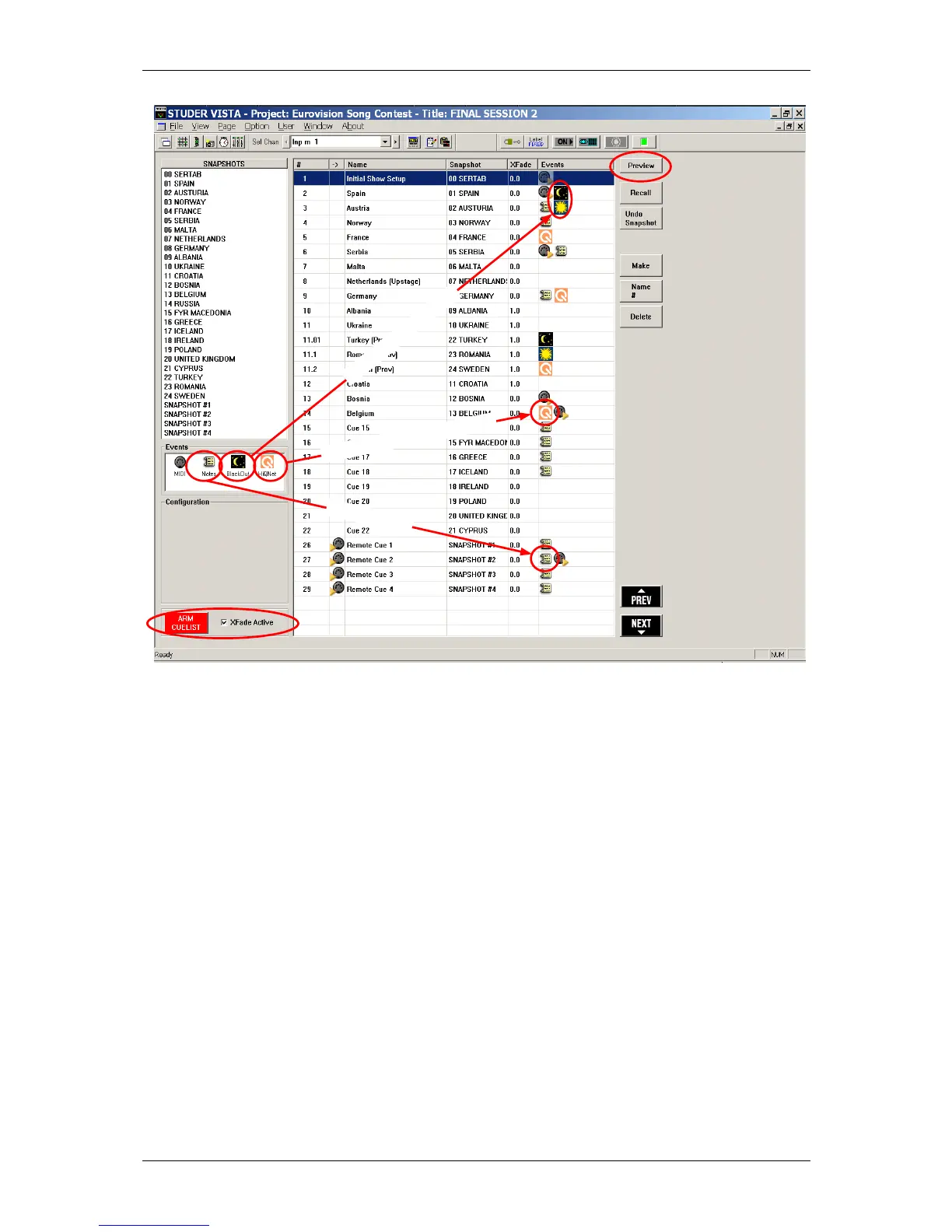
The snapshot/cue preview mode can be activated either by a hardware button or by clicking on the
software button located in the top right corner of the cue list window. When in preview mode, the
currently selected cue or snapshot (single click) is compared to the current audio settings. If there
is a difference, the Vistonics
®
shows both values at the same time, using a pink graphical indication.
When hitting the dedicated snapshot keys above the trackball, the preview mode is automatically
activated until the same key is pressed again.
Cue List Options
In the menu "Options", "Snapshot Automation" the following options are available:



 To Next Page