STUDER 07. Mar. 2005 Release Notes Vista 3.5
6/21
D
r
a
g
&
D
r
o
p
E
v
e
n
t
D
r
a
g
&
D
r
o
p
S
n
a
p
s
h
o
t
s
Blackout
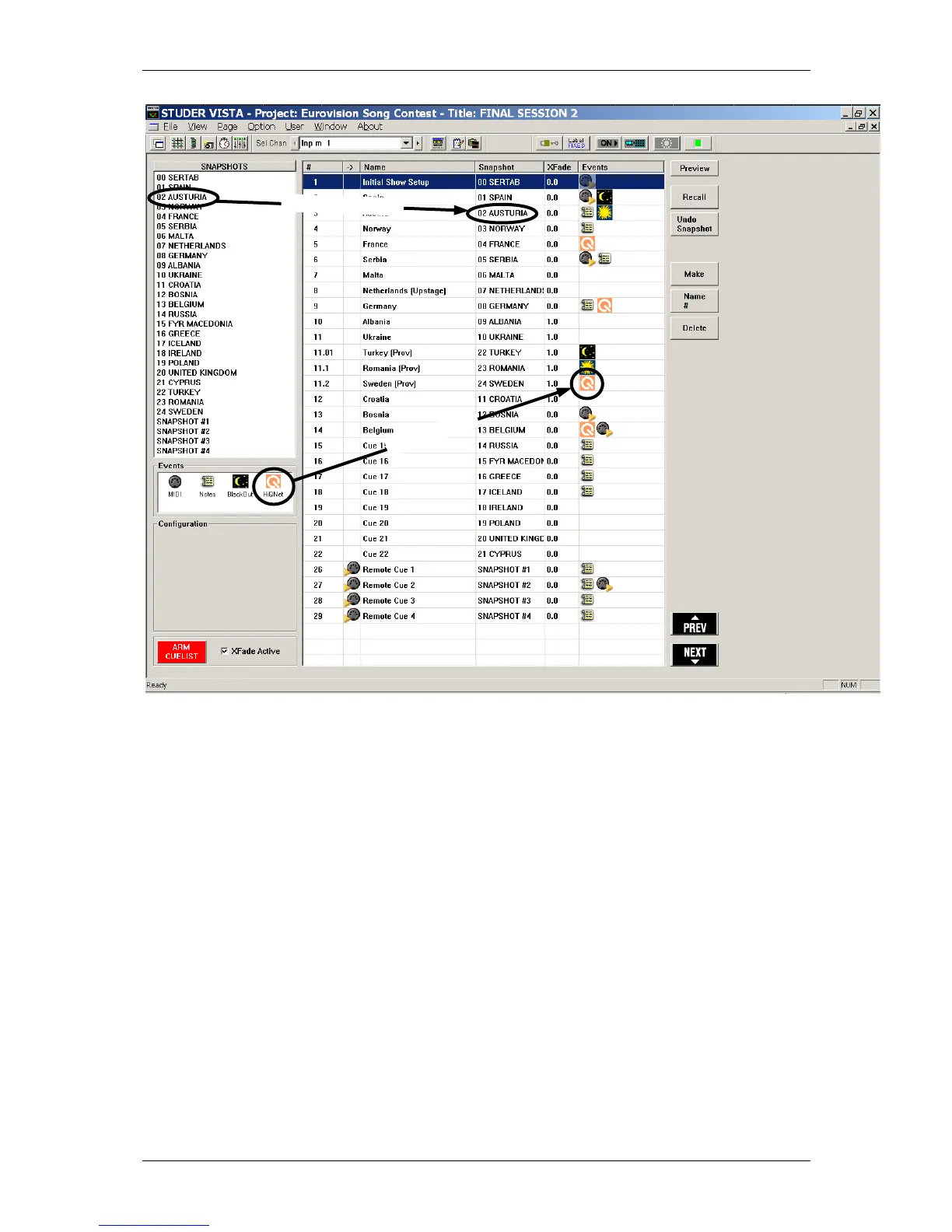
It is possible to make the whole console surface go dark. This function is useful in a case where
there should be absolute darkness e.g. in a theatre environment. The function also includes console
illumination. This function can only be activated if the cue list is "armed". The console lights come
back on again either by the next Blackout event (Parameter: OFF) or by hitting F3 on the console
surface. F3 may also be used to activate the blackout manually (if the cue list is “armed”).
Arm Cuelist
In order to avoid unwanted influence by external devices, it is possible to arm/disarm the cue list
inputs. When not armed, the blackout function, the MIDI IN events as well as the hardware buttons
"NEXT"/"PREVIOUS" on the console surface are disabled.
It is possible to set various options for this button using the menu “Option: Snapshot Automation”
XFade active
It may be useful to temporary disable cue crossfades (e.g. during rehearsals). This can be done by
un-checking this item.



 To Next Page