10/00
4-81
Phaser 790/DocuColor 2006
REP 8.32, REP 8.33
Repairs and Adjustments
Initial Issue
REP 8.32 Rear Belt
Parts List on PL 15.4
Removal
WARNING
To avoid personal injury or shock, do not perform repair activities with the power switch
on or electrical power applied to the machine.
1. Switch off the machine power and disconnect the machine Power Cord.
2. Remove the Duplex Tray Assembly. (REP 8.27)
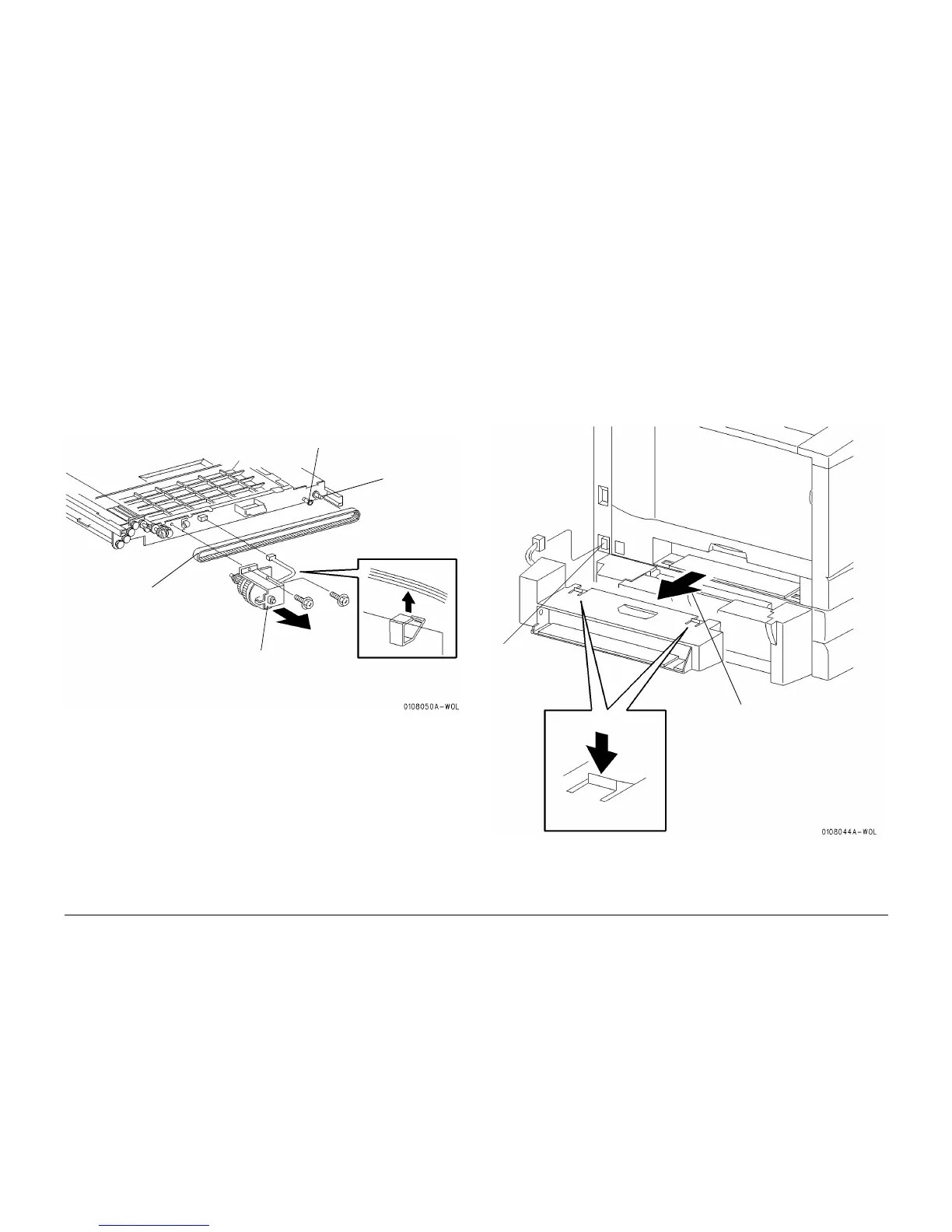
3. Remove the Rear Belt. (Figure 1)
Figure 1 Removing the Rear Belt
Replacement
1. Perform the removal procedure in reverse.
2. When installing the belt, make sure that the belt is dressed above the collar near the
Entrance Roll Gear (Figure 1).
REP 8.33 Inverter Upper Assembly
Parts List on PL 15.2
Removal
WARNING
To avoid personal injury or shock, do not perform repair activities with the power switch
on or electrical power applied to the machine.
1. Switch off the machine power and disconnect the machine Power Cord.
2. Remove the Inverter Upper Assembly. (Figure 1)
Figure 1 Removing the Inverter Upper Assembly
Replacement
1. Perform the removal procedure in reverse.
Collar
Entrance
Roll Gear
1
Remove the Duplex Drive
Clutch (REP 8.30). Do
not separate parts
2
Remove the Belt
1
Disconnect the
connector
2
Depress the release catches on
both the top and the underside
of the assembly
3
Remove the Inverter Upper
Assembly


 To Next Page