10/00
2-77
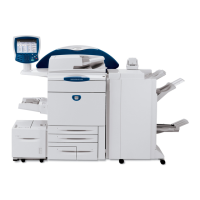
Phaser 790/DocuColor 2006
006-702
Status Indicator RAPs
Initial Issue
006-702 Platen Switch RAP
The Platen Switch circuit has failed to operate correctly.
Initial Actions
Visually check to ensure that the magnet that actuates the Platen Switch is securely in place.
Procedure
Remove the Rear Cover REP 6.4. Disconnect connector P/J 719. +5 VDC is measured
between P/J 719 pin 1 GND (DC Common).
YN
Go to Flag 1. Check for an open circuit or a short circuit to ground. If the wiring is OK,
replace the ICM Main PWB (PL 16.2).
Continuity is measured between J 719 pins 1 and 2 with the Platen Open.
YN
Replace the Platen Switch (PL 16.1).
An open circuit is measured between J 719 pins 1 and 2 with the Platen Closed.
YN
Replace the Platen Switch (PL 16.1).
Go to Flag 2. Continuity is measured between J 719 pin 2 and J130 pin 10 on the ICM
Main PWB.
YN
Repair or replace the wiring as required. If the problem persists, replace the Platen Switch
(PL 16.1). If the problem still persists, replace the ICM Main PWB (PL 16.2).
The problem may be intermittent. Go to Figure 1. Check for loose or damaged connections or
damaged wires. If the wiring is OK, replace the Angle Sensor (PL 16.1). Of the problem per-
sists, replace the ICM Main PWB (PL 16.2).


 To Next Page