10/00
2-85
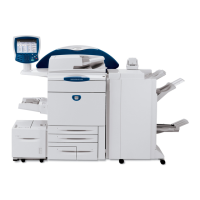
Phaser 790/DocuColor 2006
007-341
Status Indicator RAPs
Initial Issue
007-341 Inverter Motor Fail RAP
The Control Logic has detected an Inverter Motor Fail (H) +5 VDC signal.
Initial Actions
Ensure that the Upper and the Lower Inverter Assemblies are properly closed.
Procedure
Enter diagnostic code [DO-A0]. The Inverter Motor operates.
YN
There is +24 VDC from J 139 pin 9 to printer frame.
YN
There is +24 VDC from J 142 Pin 16 to printer frame.
YN
Go the Flag 2. Check the wires for an open or short circuit to ground. If the
wires are good, replace the MCU PWB (PL 11.2).
Go to Flag 1. Check the wires for an open or a short circuit to ground. If the wires are
good, replace the Duplex Controller PWB (PL 15.6). If the problem continues,
replace the Inverter Motor (PL 15.6).
There is 0 VDC from J 139 pin 7 to printer frame.
YN
Replace the Duplex Controller PWB (PL 15.6).
Go to Flag 1. Check the wires for and open circuit. The wires are good.
YN
Repair the wires.
Replace the Inverter Motor (PL 15.5).
There is 0 VDC from Inverter Motor J 147 pin 4 to the printer frame.
YN
Replace the Duplex Controller PWB (PL 15.6).
Check the Drive Mechanism, gears and pulleys for missing teeth and proper function. If the
gears are good, Replace the Inverter Motor (PL 15.5).


 To Next Page