8–72 Chapter 8: Configuration and Remote System Upgrades in Cyclone IV Devices
Remote System Upgrade
Cyclone IV Device Handbook, May 2013 Altera Corporation
Volume 1
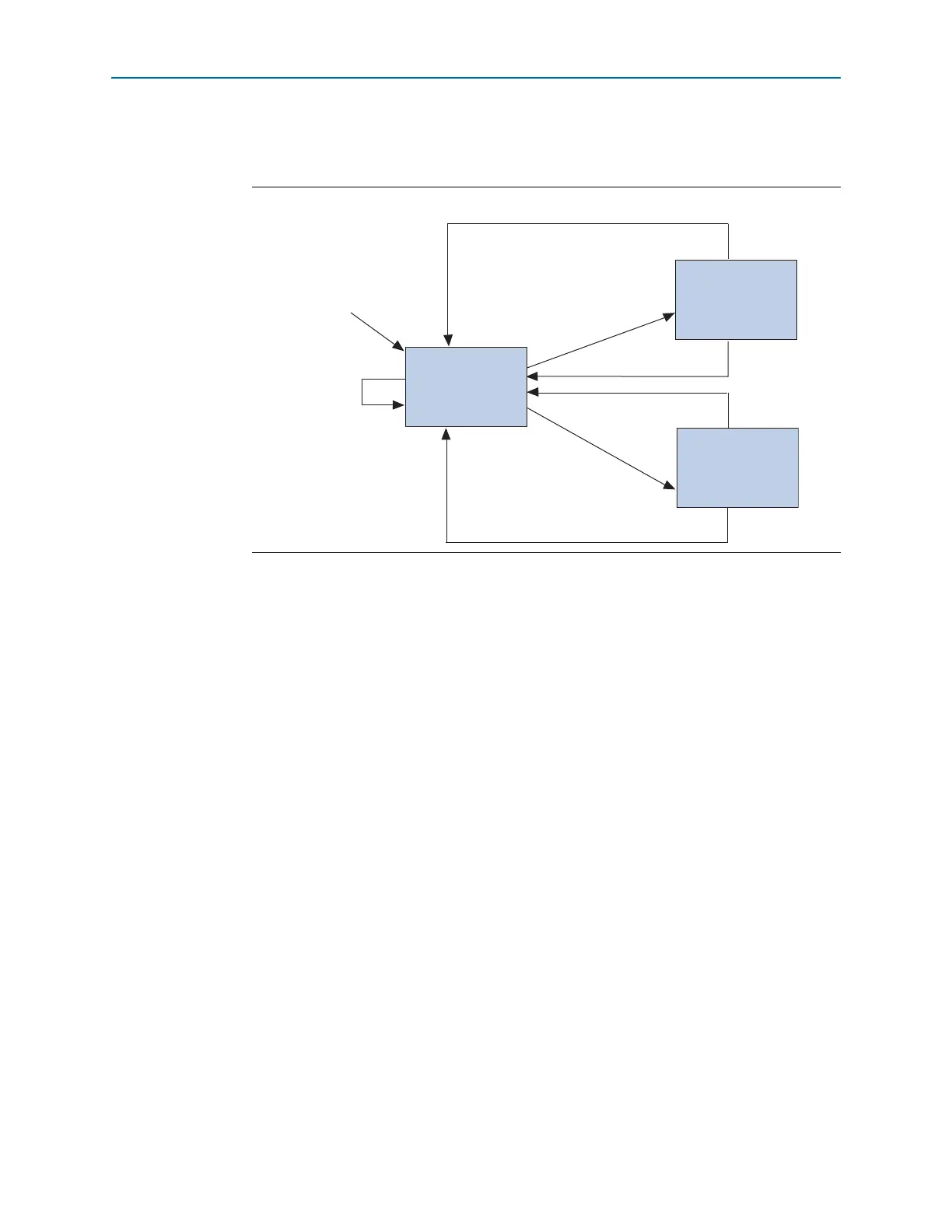
Figure 8–32 shows the transitions between the factory configuration and application
configuration in remote update mode.
After power up or a configuration error, the factory configuration logic writes the
remote system upgrade control register to specify the address of the application
configuration to be loaded. The factory configuration also specifies whether or not to
enable the user watchdog timer for the application configuration and, if enabled,
specifies the timer setting.
1 Only valid application configurations designed for remote update mode include the
logic to reset the timer in user mode. For more information about the user watchdog
timer, refer to the “User Watchdog Timer” on page 8–79.
If there is an error while loading the application configuration, the remote system
upgrade status register is written by the dedicated remote system upgrade circuitry of
the Cyclone IV device to specify the cause of the reconfiguration.
The following actions cause the remote system upgrade status register to be written:
■
nSTATUS
driven low externally
■ Internal cyclical redundancy check (CRC) error
■ User watchdog timer time-out
■ A configuration reset (logic array
nCONFIG
signal or external
nCONFIG
pin assertion)
The Cyclone IV device automatically loads the factory configuration when an error
occurs. This user-designed factory configuration reads the remote system upgrade
status register to determine the reason for reconfiguration. Then the factory
configuration takes the appropriate error recovery steps and writes to the remote
system upgrade control register to determine the next application configuration to be
loaded.
Figure 8–32. Transitions Between Configurations in Remote Update Mode
Set Control Register
and Reconfigure
Set Control Register
and Reconfigure
Reload a Different Application
Reload a Different Application
Application n
Configuration
Application 1
Configuration
Factory
Configuration
Configuration Error
Configuration Error
Power Up
Configuration
Error



 To Next Page