S820E UG PN: 10580-00343 Rev. H 3-41
Cable and Antenna Measurements 3-7 Measurement Setup
Select, Activate, and Place a Marker / Delta Marker
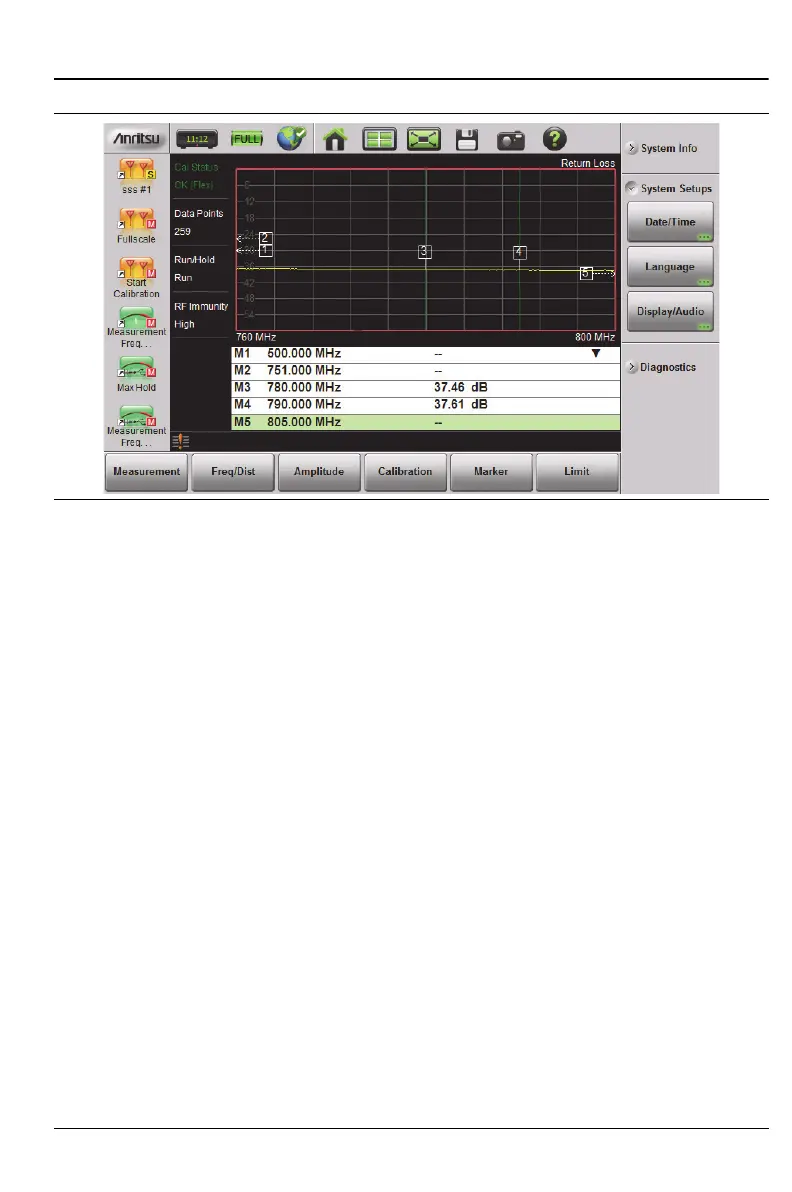
1. Press the Marker main menu key. One of the markers is automatically
selected. Select a different marker with the Select(1–8) button or the
touchscreen (refer to “Overview of Markers” on page 3-40). Press one of
the Marker buttons to turn the marker on and to make the marker
active. The active marker has a red vertical line.
2. Press the Edit submenu key, and use the Up/Down Arrow keys, the
keypad, the rotary knob, or the touchscreen to move the marker.
3. Markers 2 through 8 can be set as deltas to a reference marker. Use the
Type key to set the marker type as Reference or Delta marker.
Figure 3-24 on page 3-42 illustrates using a delta marker to estimate
the passband of a filter.
Figure 3-23. Markers 1, 2, and 5 are Out of Range











 To Next Page