3-42 PN: 10580-00343 Rev. H S820E UG
3-7 Measurement Setup Cable and Antenna Measurements
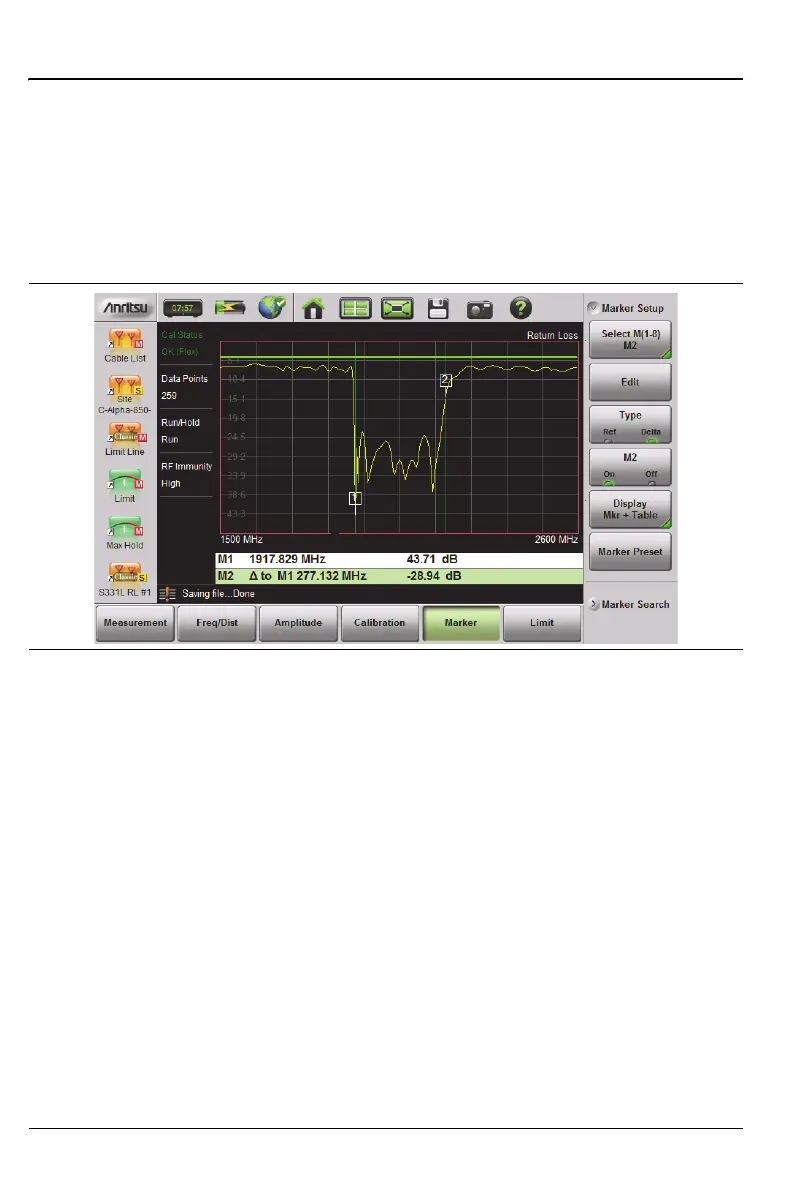
Marker Table
The Marker Table is displayed below the sweep window. The table is
automatically sized to display all markers that are turned on. The table
displays marker frequency/distance, amplitude, and delta information for
delta markers. To display the marker table:
Press the Marker main menu key then Display. Select Mkr + Table.
Marker Search
All of the cable and antenna measurements include markers that can
automatically find trace peak and trace valley.
1. Press the Marker main menu key then Marker Setup. Select the marker
to be used for peak or valley.
2. Press Marker Search.
3. Press Marker To Peak to set the marker to the peak of the measurement,
or press Marker To Valley to set the marker to the valley of the
measurement.
Figure 3-24. Delta Marker 2 and Marker Table











 To Next Page