S820E UG PN: 10580-00343 Rev. H 3-43
Cable and Antenna Measurements 3-7 Measurement Setup
Peak Between Markers
Another marker search option is to select the peak or valley between two
Markers instead of the entire displayed frequency or distance span.
Markers 5 and 7 can be used to find the peak or valley between Marker 1 and
Marker 2.
Markers 6 and 8 can be used to find the peak or valley between Marker 3 and
Marker 4.
1. Press the Marker main menu key and set the locations for Marker 3 and
Marker 4. Refer to “Select, Activate, and Place a Marker / Delta
Marker” on page 3-41 for details.
2. Select Marker 5.
3. Press Marker Search and select Peak between M1 & M2 or Valley Between
M1 & M2. Marker 5 then moves to the peak or valley between M1 and
M2.
4. In Figure 3-26 on page 3-44, Marker 5 moved to the valley bounded by
M1 and M2 instead of the lowest point (48 dB) to the left of Marker 1.
The valley search would also work if M1 and M2 were set and then
turned off.
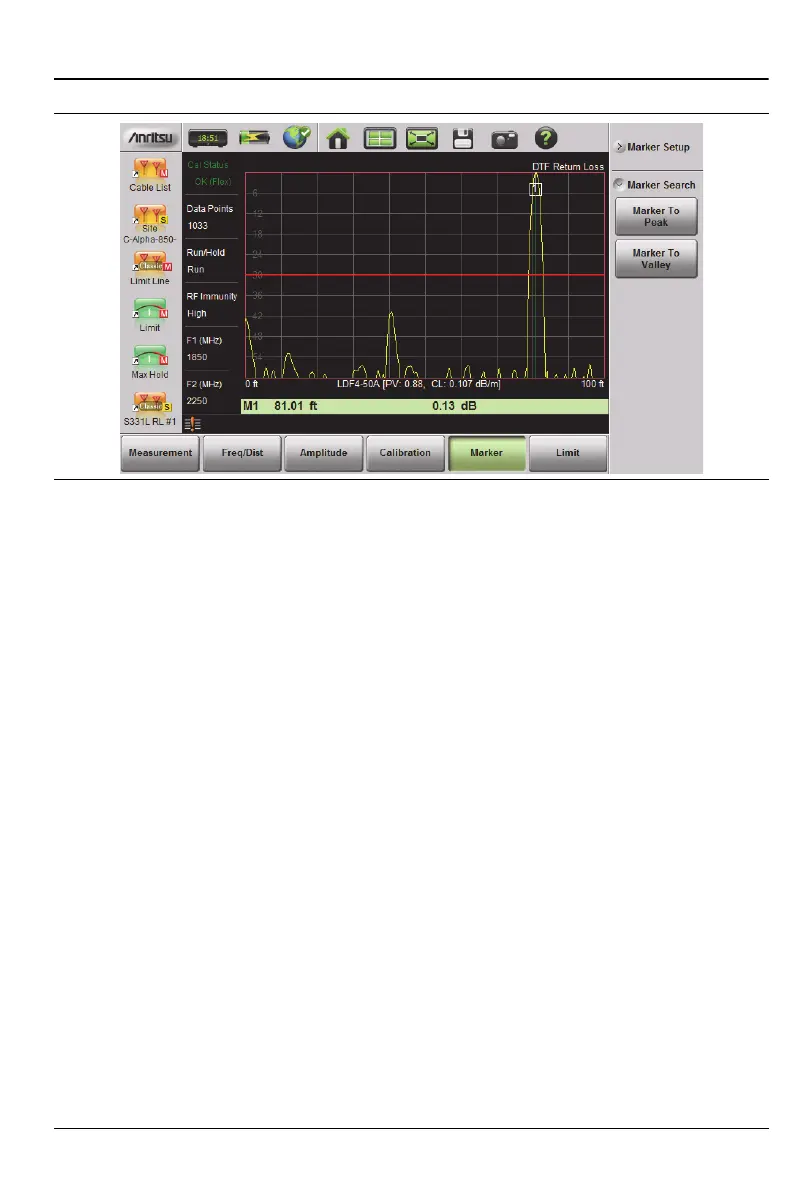
Figure 3-25. Marker Search, Marker 1 Set to Peak











 To Next Page