11-28 PN: 10580-00343 Rev. H S820E UG
11-9 Preset Menu System Operations
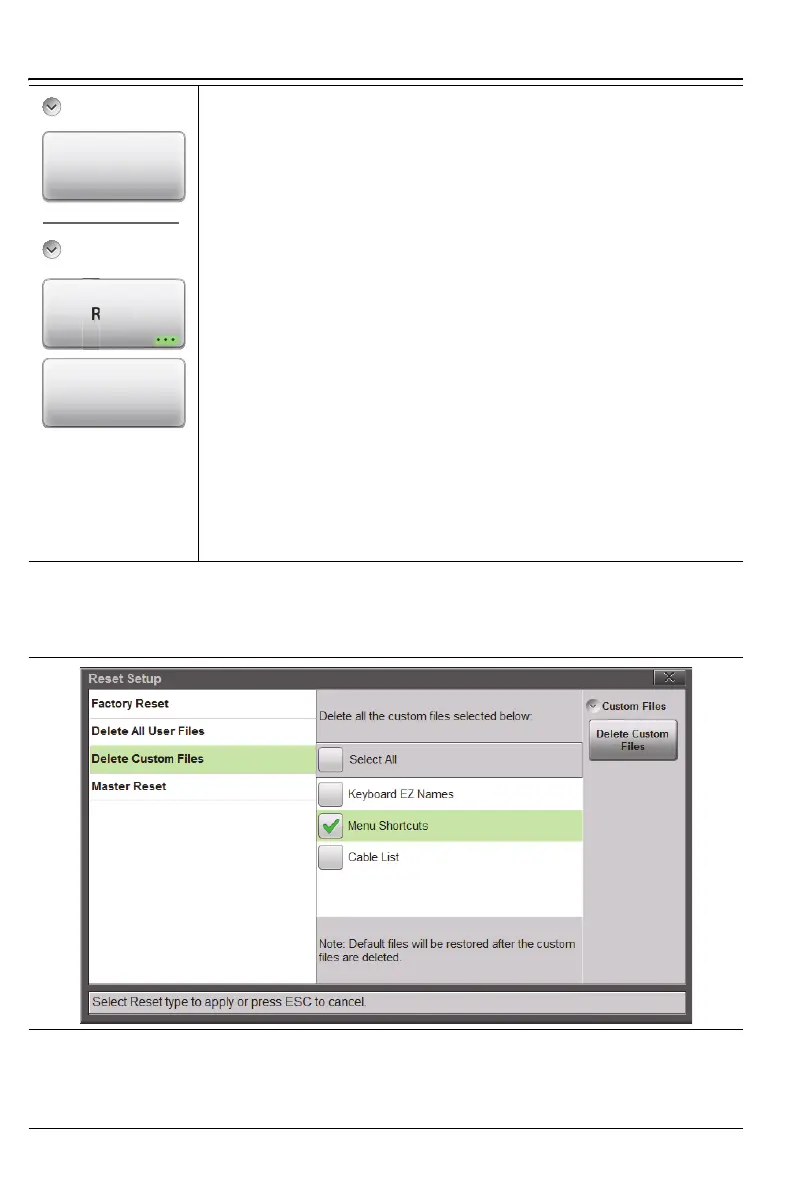
Delete Custom Files: Select the custom files to
delete including keyboard EZ names, menu shortcuts,
and custom cable types (Figure 11-27 on page 11-28).
Use the touchscreen to select the custom file types to
delete and press the Delete Custom Files button and
then press Yes to confirm.
Master Reset: In addition to the functions described
in Factory Reset above, all user files in the internal
memory and all custom files are deleted (Figure 11-28
on page 11-29).
Press the Master Reset button to initiate the Master
Reset and reboot the instrument, then press Yes to
confirm.
Update Firmware: Press this submenu key to update the
instrument operating system with a USB flash drive. Follow
the on screen instructions to update the firmware. Refer to
Section 11-5 “Updating the Site Master Firmware”
on page 11-10 for additional information.
Figure 11-27.Delete Custom Files
Figure 11-26.Preset Menu (2 of 2)
Update
Firmware
Preset
Reset











 To Next Page