S820E UG PN: 10580-00343 Rev. H 2-21
Instrument Overview 2-5 Touchscreen Display Overview
4. Touchscreen Lock icon. The Lock icon is displayed when the touchscreen
is locked (Touchscreen (0) > Lock) or (Touchscreen (0)>1). When
locked, the touchscreen will not register user input. You may lock the
screen in order to use the instrument exclusively with a USB mouse or
with the Arrow Cursor control.
Unlock by using the keypad only: Press (Touchscreen (0) > 1). When
the Touchscreen Control window is displayed, press the 1 key on the
number keypad to toggle the setting to Off.
The touchscreen could also be locked if it was registering unintended
input that was not resolved with a touchscreen calibration. This scenario
may happen after touchscreen damage. The Site Master can continue to
be used to make measurements and save files (even with touchscreen
damage) by using a USB mouse or turning on the Arrow Cursor control.
Refer to “Touchscreen Menu” on page 11-3 for additional information.
Caution
Use only Anritsu-approved batteries, adapters, and chargers with
this instrument.
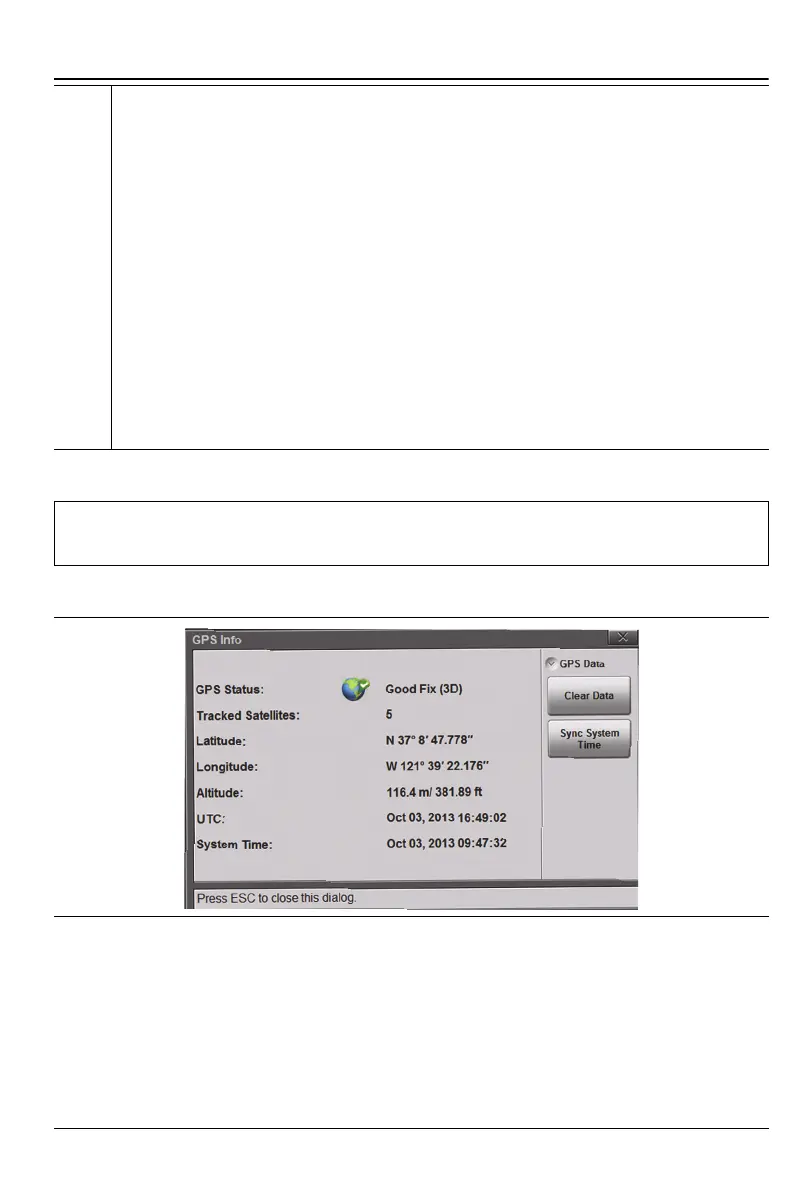
Figure 2-9. GPS Info
Figure 2-8. Status Tool Bar Icons (Continued)











 To Next Page