Initial Power-On
16 AX3000 Models 90 - User's Manual
The parameters are:
- Enable DHCP: two options:
- Yes: the DHCP protocol is run when the set-up is exited and the
thin client automatically obtains an IP address and various other
DHCP options (netmask, default router, etc).
- No: a Static IP address is required
- IP address: mandatory if DHCP is disabled.
- Default router: optional router IP address.
- 1st DNS Server IP Address: optional DNS server IP address
For more information about DHCP and DNS, please refer to appendices A.3
and A.4.
2.1.4 - Session Profile
This box allows the environment to be selected. This is done through the
'Session Type' and 'Connection Type' fields.
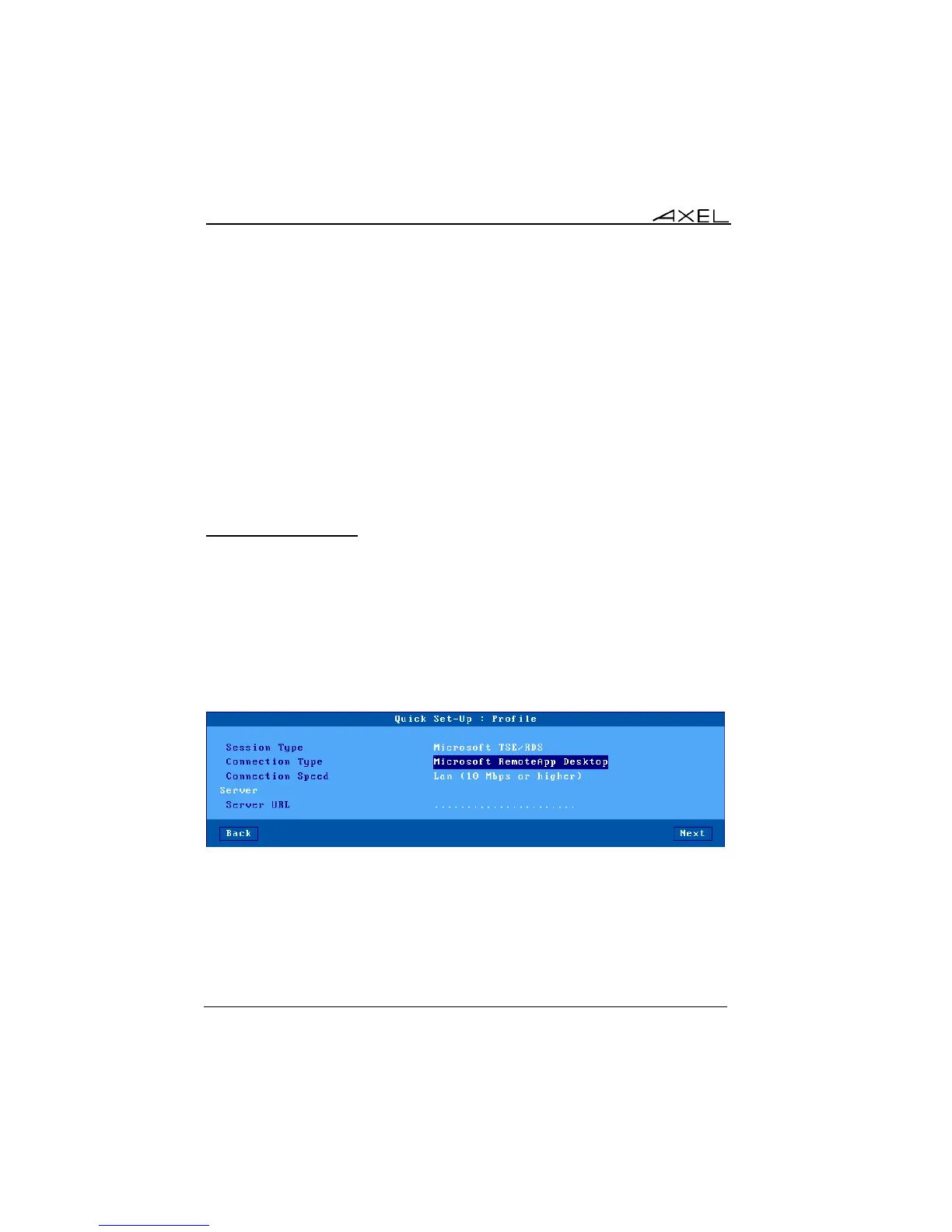
a) Microsoft TSE/RDS - RemoteApp Desktop
The RemoteApp desktop allows, after authentication, published application
icons to be displayed on the thin client’s local desktop. RDP sessions will be
created dynamically:
These parameters are:
- Connection Speed: network type selected trough a list.
- Server URL: syntax is [https://]server[:port][/config].
- https: optional use (default: http)
- server: DNS name of IP address of RemoteApp server
- port: optional TCP port (default: 80 for http and 443 for https)



 To Next Page