Interactive Set-Up
AX3000 Models 90 - User's Manual 55
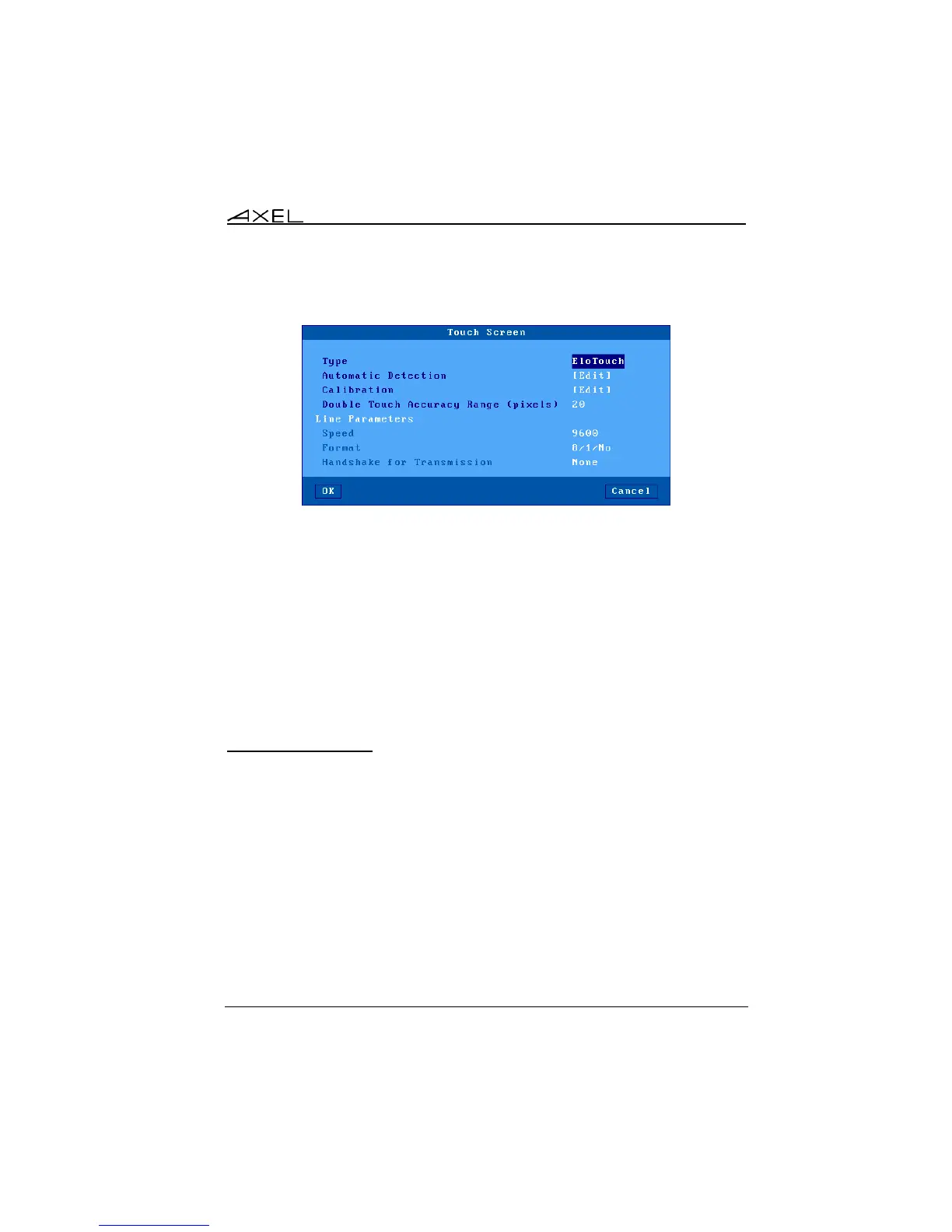
Serial Touch Screen: the following dialog box is displayed:
Available options are:
- Type: select the touch screen manufacturer: ELOTouch, MicroTouch or
Liyitec.
- Automatic Detection: automatically obtains the set-up parameters from
the touch-screen. To detect these settings the Axel thin client scans a
range of baud rates and data formats. When these match the touch
screen settings the serial line parameters are updated.
- Calibration: displays a dialog box for calibration. (Follow the instructions
and touch the screen where '*'s are displayed).
- Double Touch Accuracy Range (pixels): same explanation the USB
touch screen.
3.2.3 - Local Desktop
When no session is connected a specific screen is displayed. This is the 'Local
Desktop'.
The thin client local desktop configuration provides:
- The theme (colors, logo, character size…),
- The taskbar settings,
- Hot keys to flip between sessions.
The use of the local desktop is described in Chapter 4.2.



 To Next Page