Interactive Set-Up
34 AX3000 Models 90 - User's Manual
3.1.1 - General Parameters
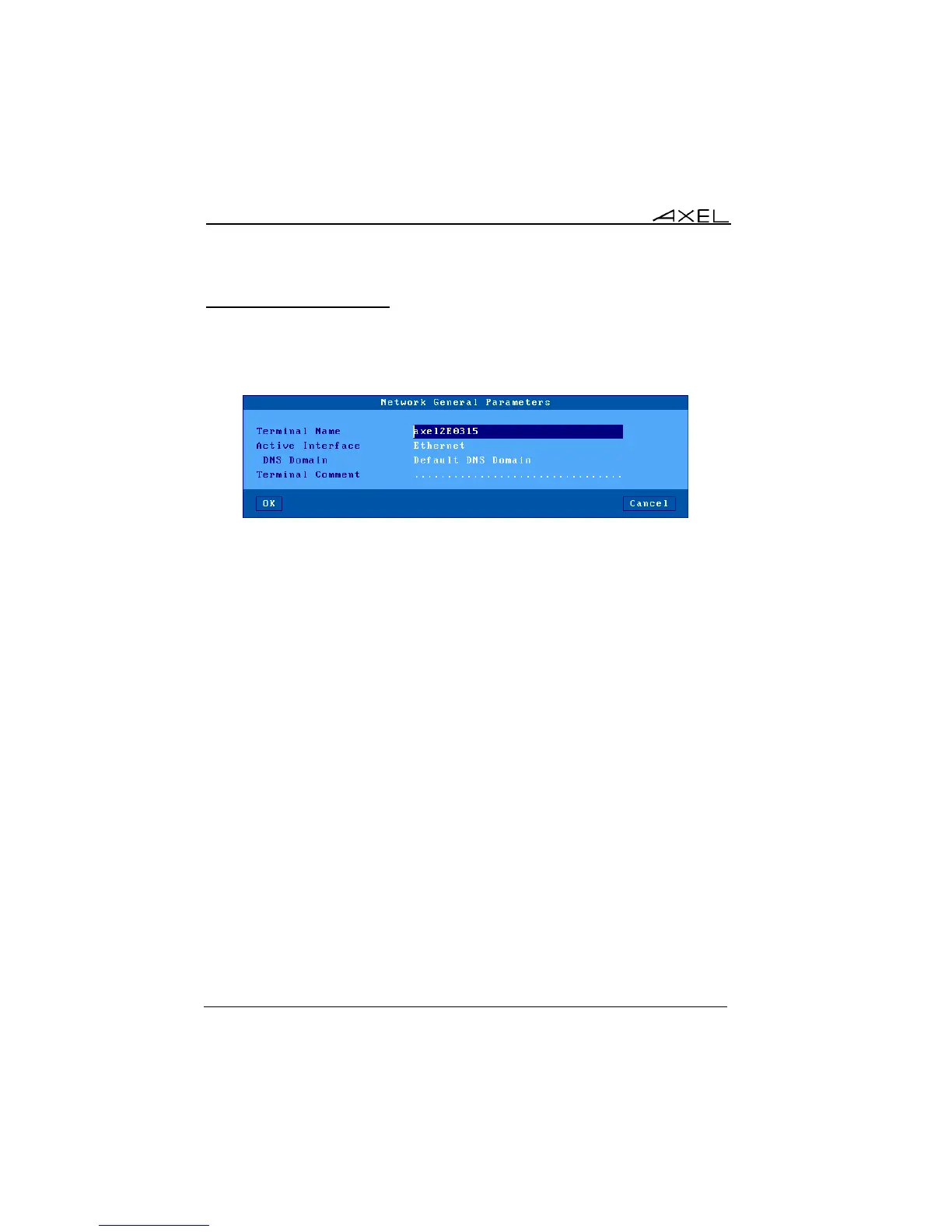
To set the AX3000 interface and the thin client identification select the
[Configuration]-[Network]-[General Parameters] menu. The dialog box below
is displayed:
a) The Terminal Name
A thin client name is mandatory – though need not be used. By default the thin
client name is set to 'axel' suffixed by the last part of the MAC Ethernet address.
For example 'axel200002'. This ensures all thin clients have a unique default
name.
The same name is given to the default connection name for RDP or ICA
connections, though this can be changed.
If the thin client name is to be used as a DNS name (i.e. registered to a DNS
server) an extension is required. This extension is called "DNS domain". For
example 'paris.axel.fr'.
Registering an entry with the DNS server requires an FQDN. (Fully Qualified
Domain Name) If the "DNS Domain" parameter is empty, the "Default DNS
Domain" (supplied by the DHCP server) will be used. If "Default DNS Domain"
is empty, the name won't be registered.
The name registration can be performed by the DHCP server or by the thin
client itself. For more information see the next chapter and the appendix A.4.3.



 To Next Page