©2020 Baxter International Inc. 3- 27
Home Screen
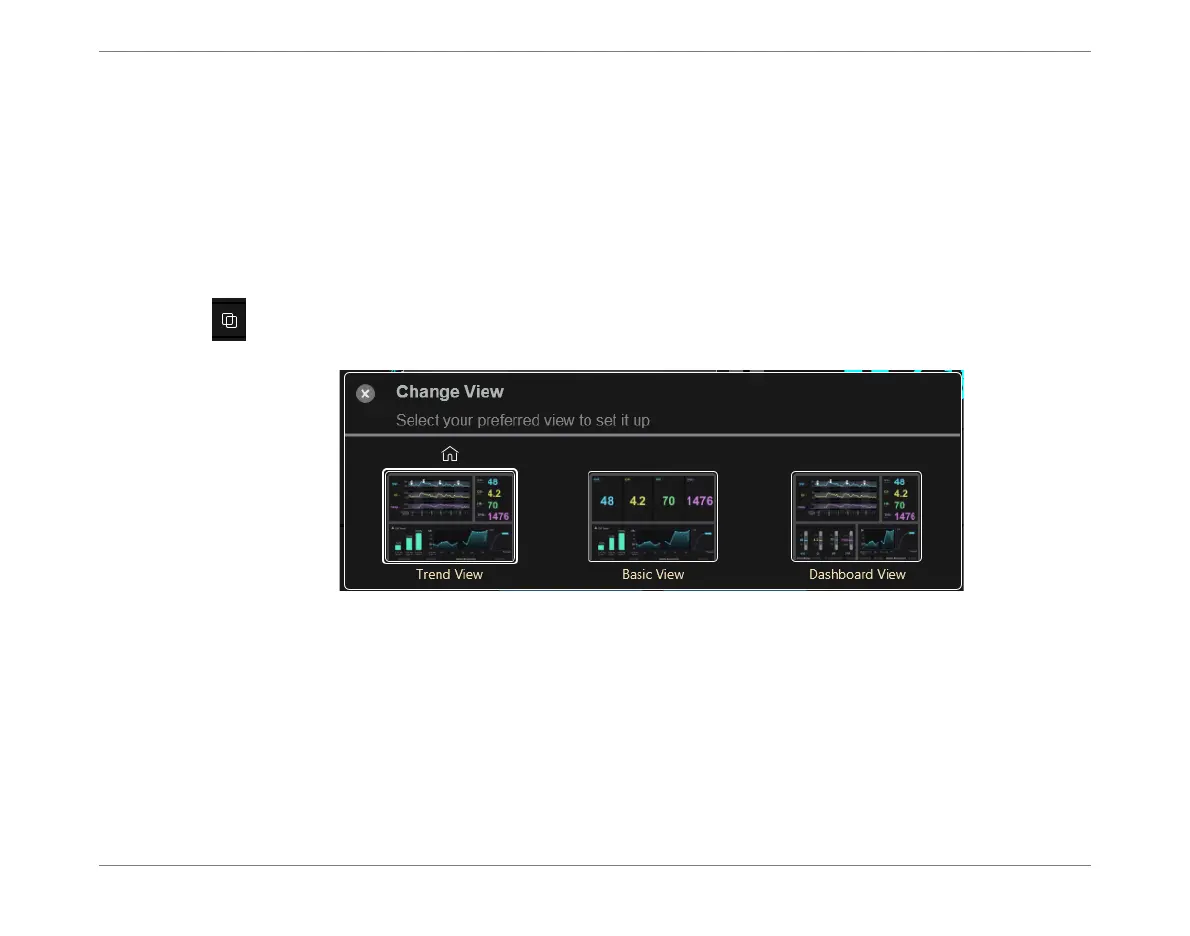
Changing the Home Screen Display Layout
In addition to the default appearance of the Home Screen (shown in Figure 3-2), the user has
the option to change the overall layout of the display by selecting one of the different
(predefined) layout options, as preferred.
For this purpose, choosing one of the predefined Home Screen layout templates enables a
quick switch to the preferred template (
Trend View, Basic View,
or
Dashboard View
).
Note
The Change View option is not applicable to the Session Browser Window.
On the Controls toolbar(Figure 3-4), tap the View options button to access the Change
View template options (see below), then select the required view.
Note
The Home screen icon indicates which template is currently set as the default view.
Whenever system shutdown has been performed, at the next system startup, the Home screen will
automatically be displayed with this view.
Should the user require any modifications to the available templates, or to change the Default
template option, contact Baxter Technical Support for assistance:
email: starling_rma@baxter.com
Tel (worldwide): +1 360-828-8685
Figure 3-22 Change View - Predefined Home Screen Layout Options













 To Next Page