©2020 Baxter International Inc. 4- 5
Positioning the Starling Monitor
Attaching the Starling IV Pole Mount Connector
To Mount the Monitor on an IV Pole
1. Make sure the Monitor is in shut-down mode and that the AC Power cable has been
disconnected from the system.
2. If currently connected, disconnect the Starling Patient Cable, NIBP air hose and SPO
2
cable.
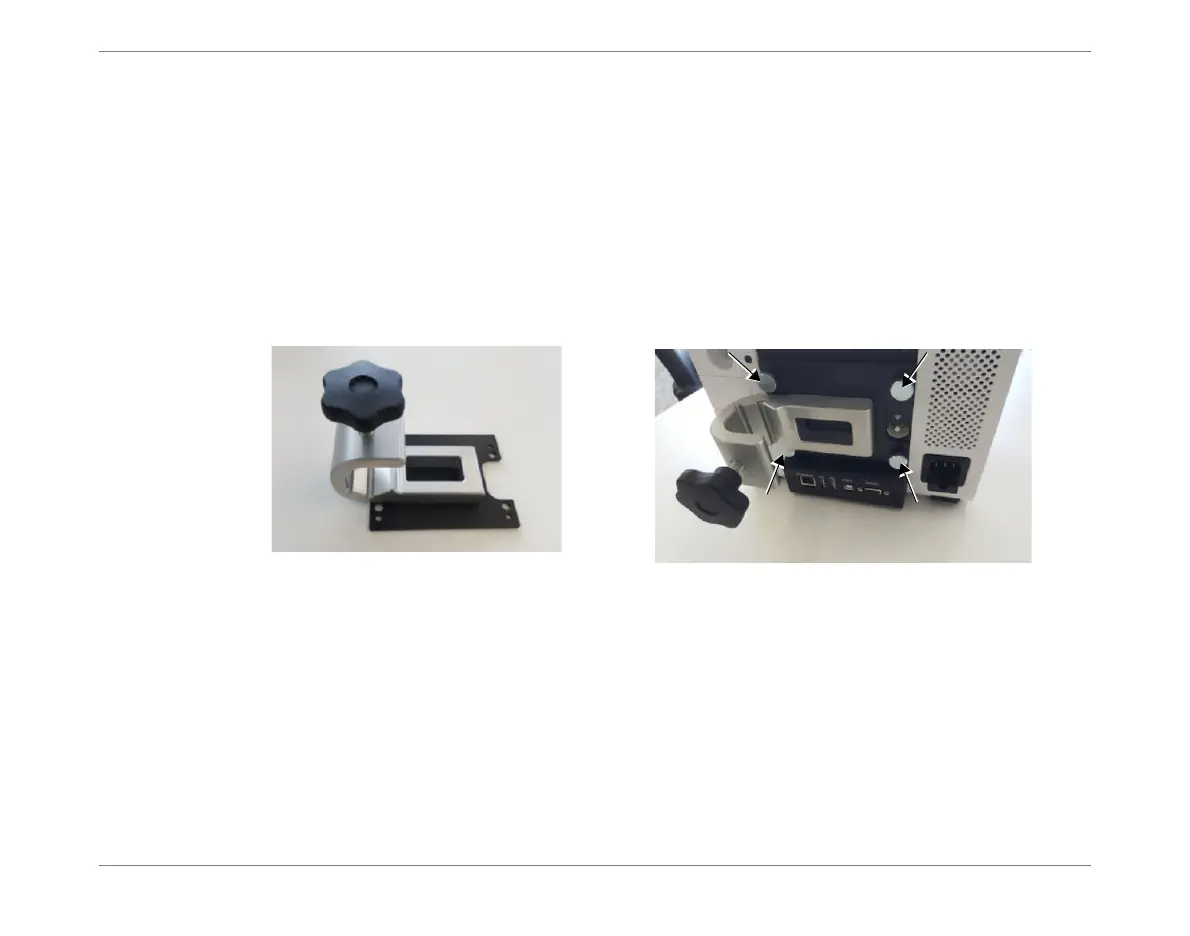
3. Using the 4 screws provided, attach the Starling IV Pole Mount Connector to the
Monitor rear panel, as shown in Figure 4-3.
4. Lift the Monitor and holding it carefully, attach the Connector to the IV pole at the
appropriate height. Then, tighten the securing knob to fasten the Monitor in position.
5. Ensure the Monitor/IV pole assembly is positioned in accordance with the
Recommended Guidelines for Monitor Positioning.
6. Proceed to connect cables to the Monitor, as required.
Figure 4-3 Starling IV Pole Mount Connector Attached to Monitor
Connector (includes 4 mounting screws)
Connector attached to Monitor rear panel













 To Next Page