5-20 Starling Monitor - User Guide
Monitoring a Patient
Choosing an SPO
2
Source
To Choose an SPO
2
Source
1. Make sure the SPO
2
parameter is selected for display.
Note
Refer to the instructions provided in Chapter 3 for selecting parameters for display in the Trends area,
Real-time Values area, Numeric display, or from the Main Menu SPO
2
sub-menu, as applicable.
2. Access the Main menu, then from
Session Controls & Settings
(SPO
2
sub-menu)
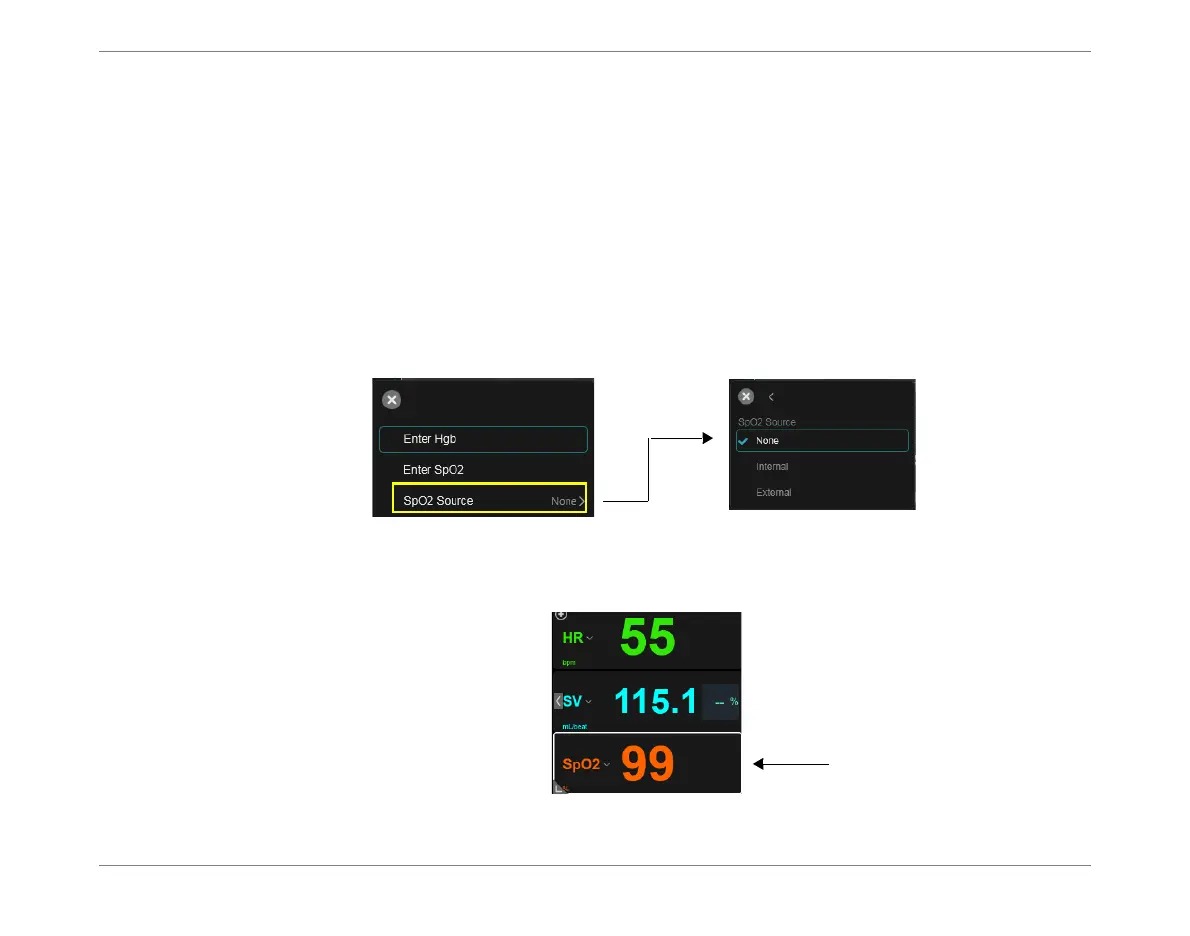
choose SPO2 Source
OR
From the SPO
2
drop-down menu, tap SPO2 Source see Figure 5-18.
3. Select the required option -
Internal
,
External
or
None
.
If set to Internal or External, SPO
2
measurement results will be now be acquired in
accordance with the selected option.
Note
DO
2
I results will be received if the Hgb measurement was entered before the SPO
2
measurement.
Figure 5-18 Choosing an SPO
2
Source
Figure 5-19 SPO
2
Results Displayed













 To Next Page