4-10 Starling Monitor - User Guide
System Startup Procedure
Connecting the Starling Patient Cable
Note
The
Starling
Patient Cable is connected to the
Starling
Monitor using an ODU-type connector to
avoid the risk of disconnection during monitoring.
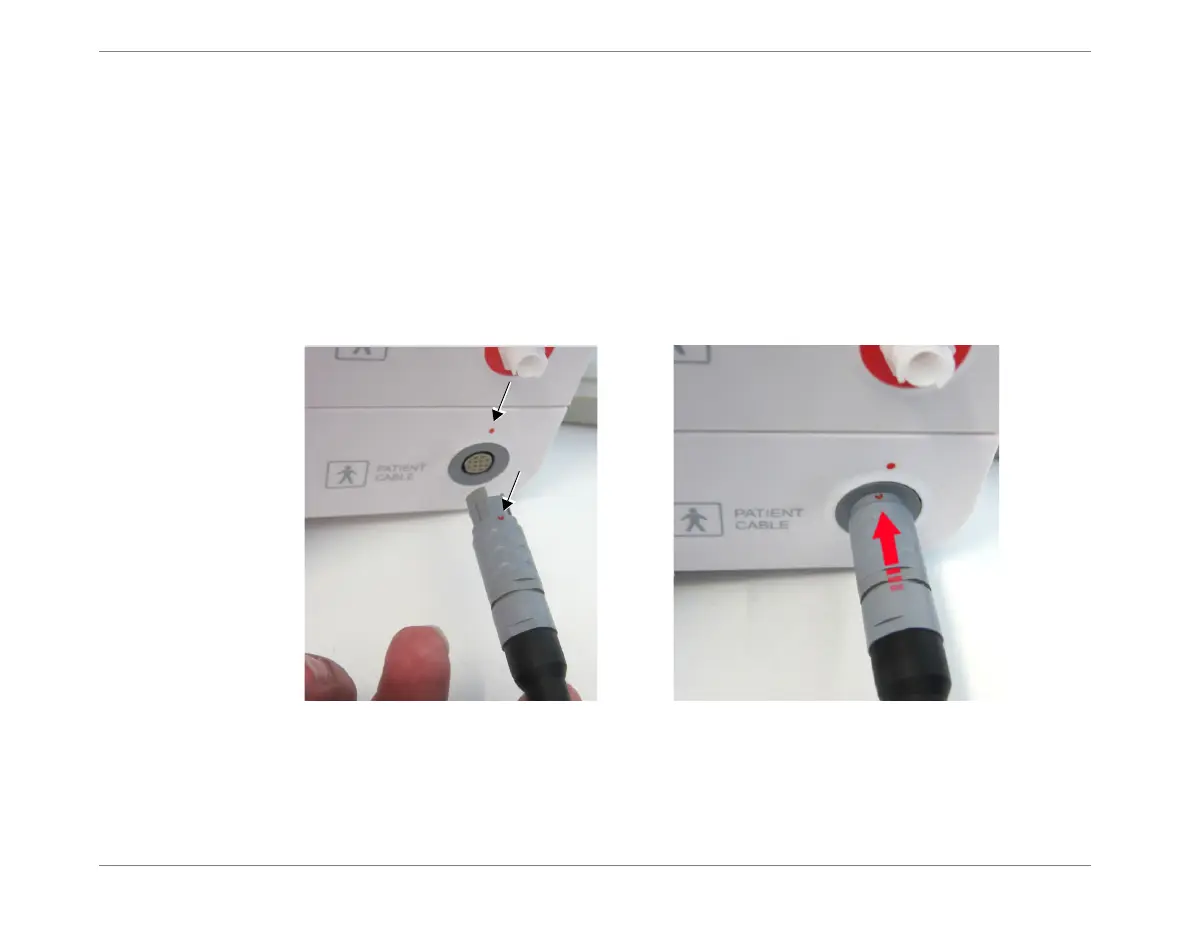
Both the connector and the connector socket have an orientation mark (red dot) to assist in correct
positioning.
To Connect the Starling Patient Cable
1. Holding the cable in one hand, align the two orientation marks (Figure 4-7).
2. Carefully push the connector into the socket, then turn it
clockwise
until it is fully
locked.
3. Proceed to Chapter 5 – Patient Monitoring for instructions on patient preparation,
attaching Starling Sensors and monitoring procedures.
Note
When required, follow the instructions below for connecting additional items (NIBP air hose, SPO
2
cable) to the Monitor.
Figure 4-7 Connecting the Starling Patient Cable













 To Next Page