©2020 Baxter International Inc. 3- 31
Patient Management Window
Deleting a Patient File
The Starling Monitor provides the user with the option to delete a Patient File, if required.
To Delete a Patient File
1. Select the required Patient File and make sure the Patient Management Window
displays the correct details regarding the file to be deleted.
2. Tap the Delete button.
3. When prompted, enter the following password: AllowMe101
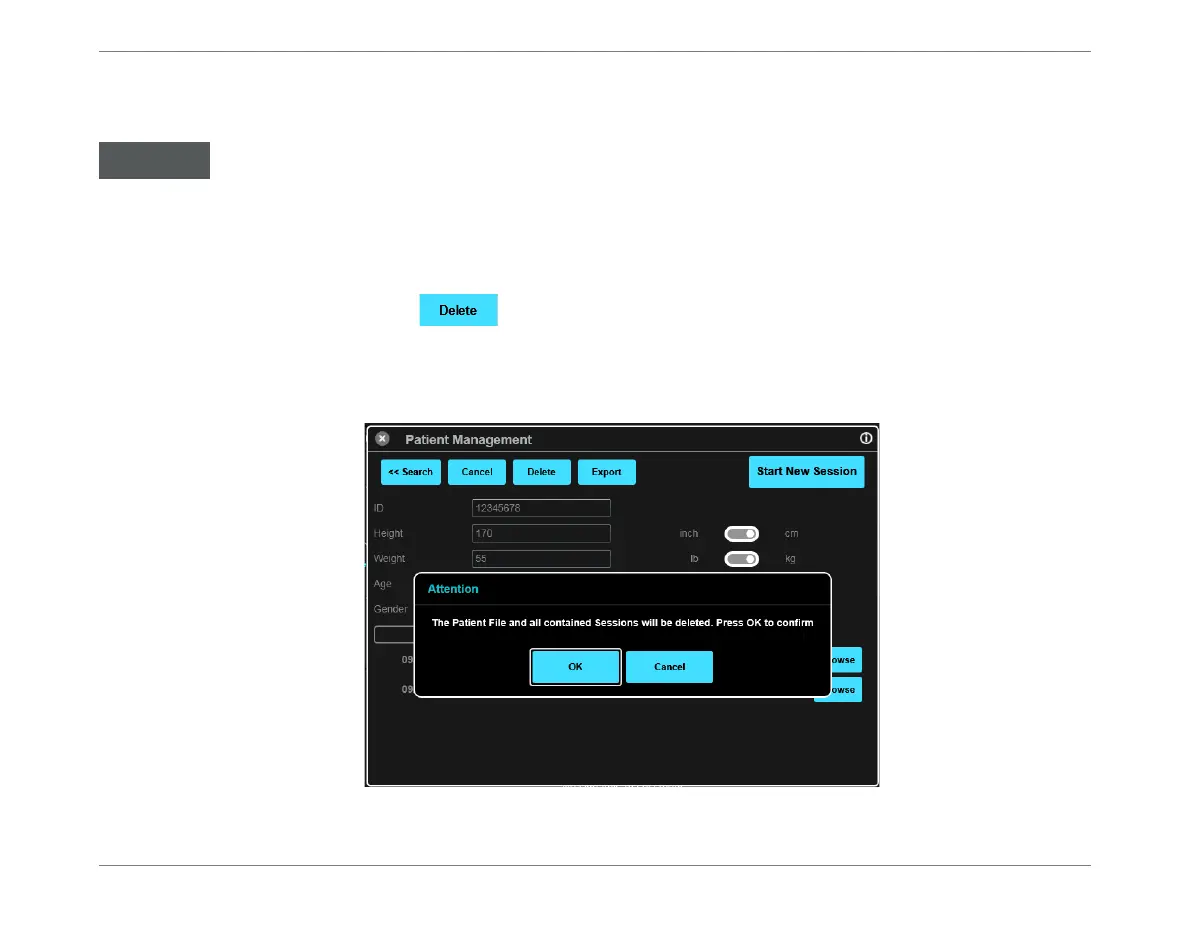
A message is displayed warning that the Patient file - together with all Monitoring
Sessions it contains - will be deleted. See the example below.
4. Tap OK to confirm the Delete command.
The delete process is irreversible!
Always make sure the CORRECT Patient is currently selected before proceeding.
Figure 3-25 Warning Message - Patient File and All Sessions in File will be Deleted













 To Next Page