3-14 Starling Monitor - User Guide
Home Screen
Controlling the Trends Display
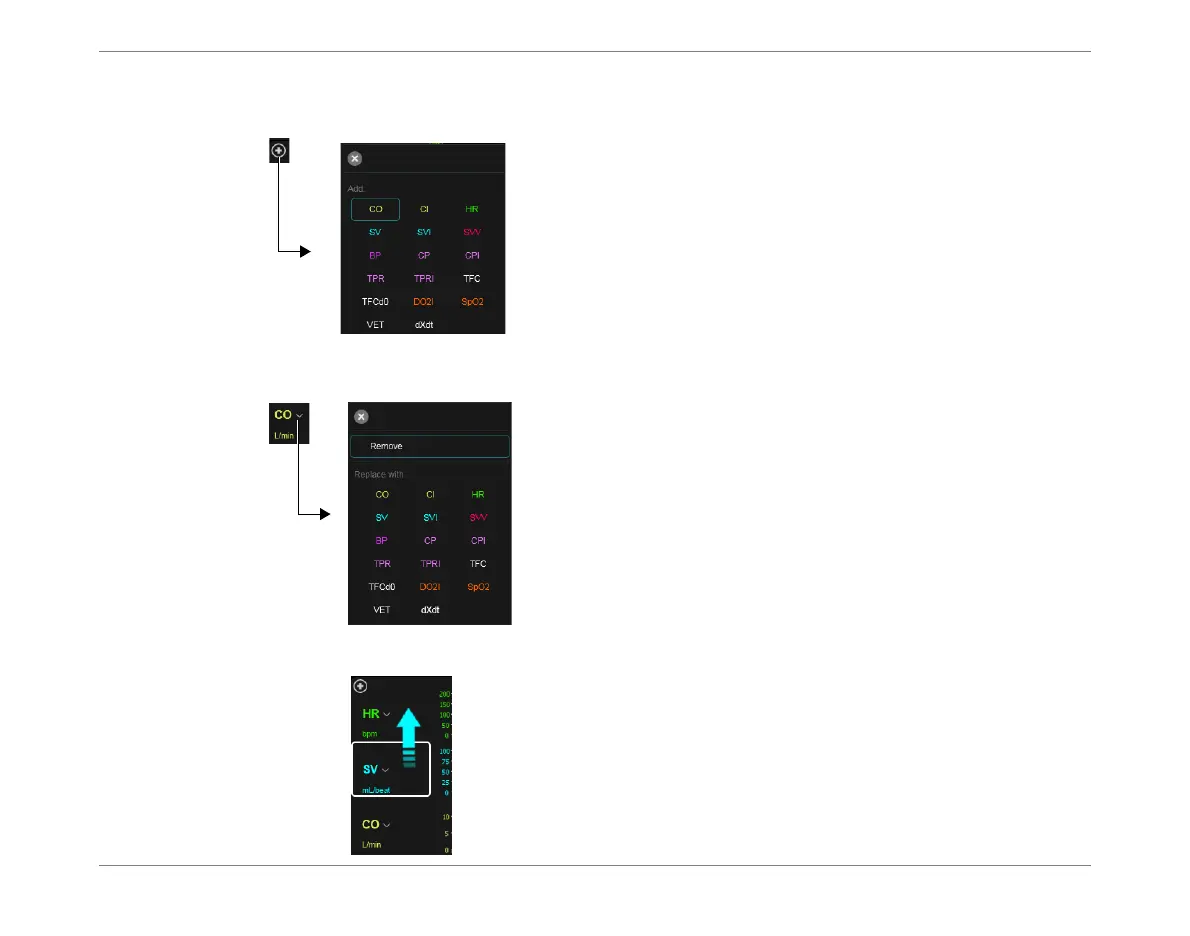
Add a Trend parameter
Trends: Add drop-down menu.
Tap to select required parameter for display.
The parameter is added to the Trends area (only).
Note
A maximum of 6 parameters can be displayed in the Trends area.
Remove or Replace a Trend parameter
Trends Remove/Replace drop-down menu.
Tap Remove to remove currently-selected parameter
from Trends area
OR
Select required replacement parameter.
Drag a Trend parameter to a New Position
Tap-and-drag a listed parameter to the required
position.
The parameter moves to the new position in the list; the
screen refreshes, showing the corresponding change in
the Trends area.













 To Next Page