©2020 Baxter International Inc. 5- 11
Monitoring a Patient
In the waveforms display (lower portion of screen), 4 waveforms are now displayed
(3 ECG and 1
Bioreactance
).
Additionally, the Start Session button is now enabled
(indicates a count-down in secs until monitoring starts automatically).
Note
In the event of incorrect Sensor placement, see note below.
When the system is ready, a message indicates "System is Ready for Monitoring".
4. Tap the Start Session button.
The Home Screen opens, as shown in Figure 5-9.
Note
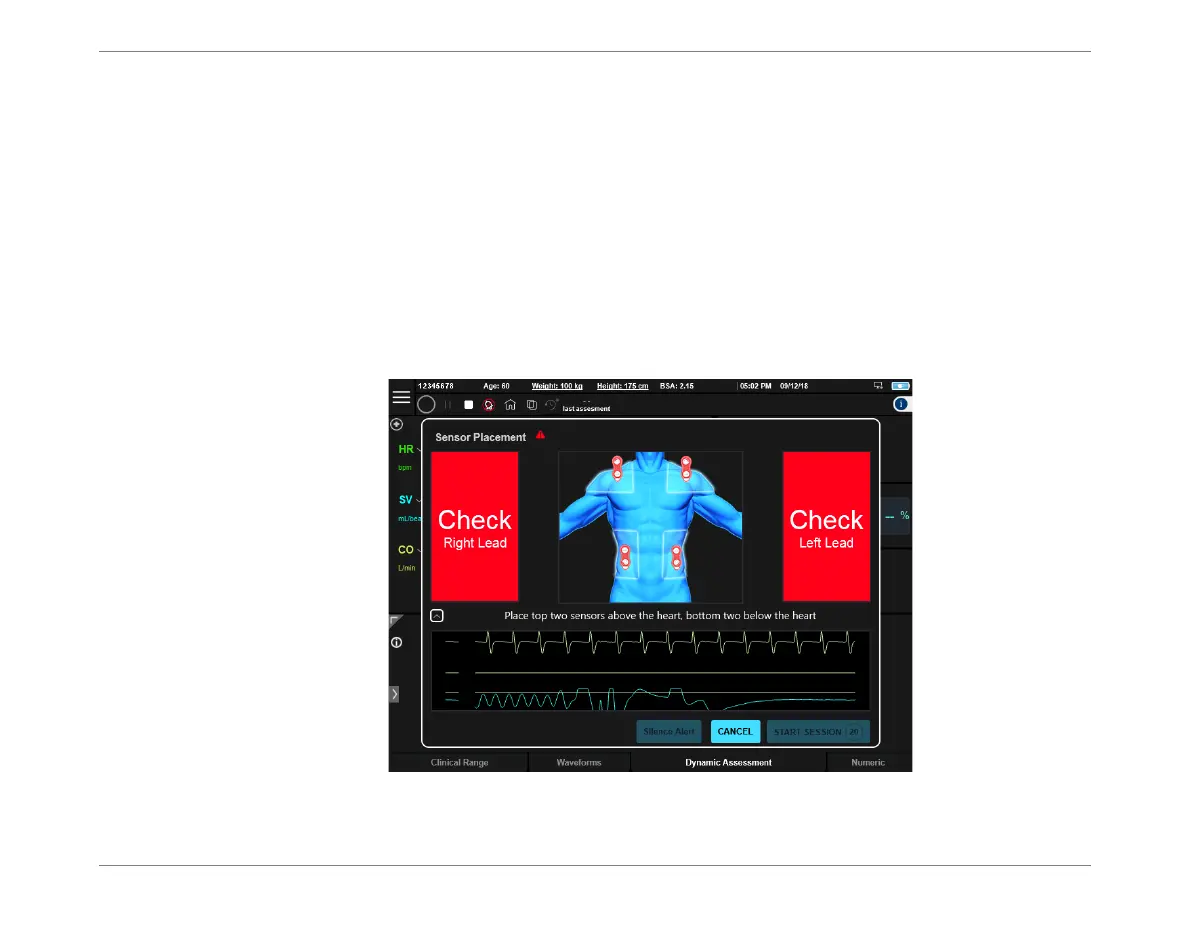
If the event of incorrect Sensor placement, the screen display prompts the user to check the
appropriate lead (right, left, or both) - see Figure 5-8.
Figure 5-8 Sensor Placement - Error Display













 To Next Page