5-34 Starling Monitor - User Guide
Monitoring a Patient
Setting Alerts
The Starling Monitor provides the user with the option to turn the Audible Alert function On or
Off, as required.
When the Audible Alert option is set to On, in the event that, for example, one of the Starling
Sensor leads becomes disconnected, the system will emit an audible beep to alert the user of
the situation.
Note
The current Audible Alert status is indicated by the Alert icon displayed in the Controls toolbar
(Figure 3-4 on page 3-9). Whenever the Audible Alert option is set to Off, the icon shows red
accordingly, indicating the Off status.
To Set the Audible Alert Function to ON
1. Access the Main Menu, Session Controls & Settings option.
2. Scroll to Other, then tap More.
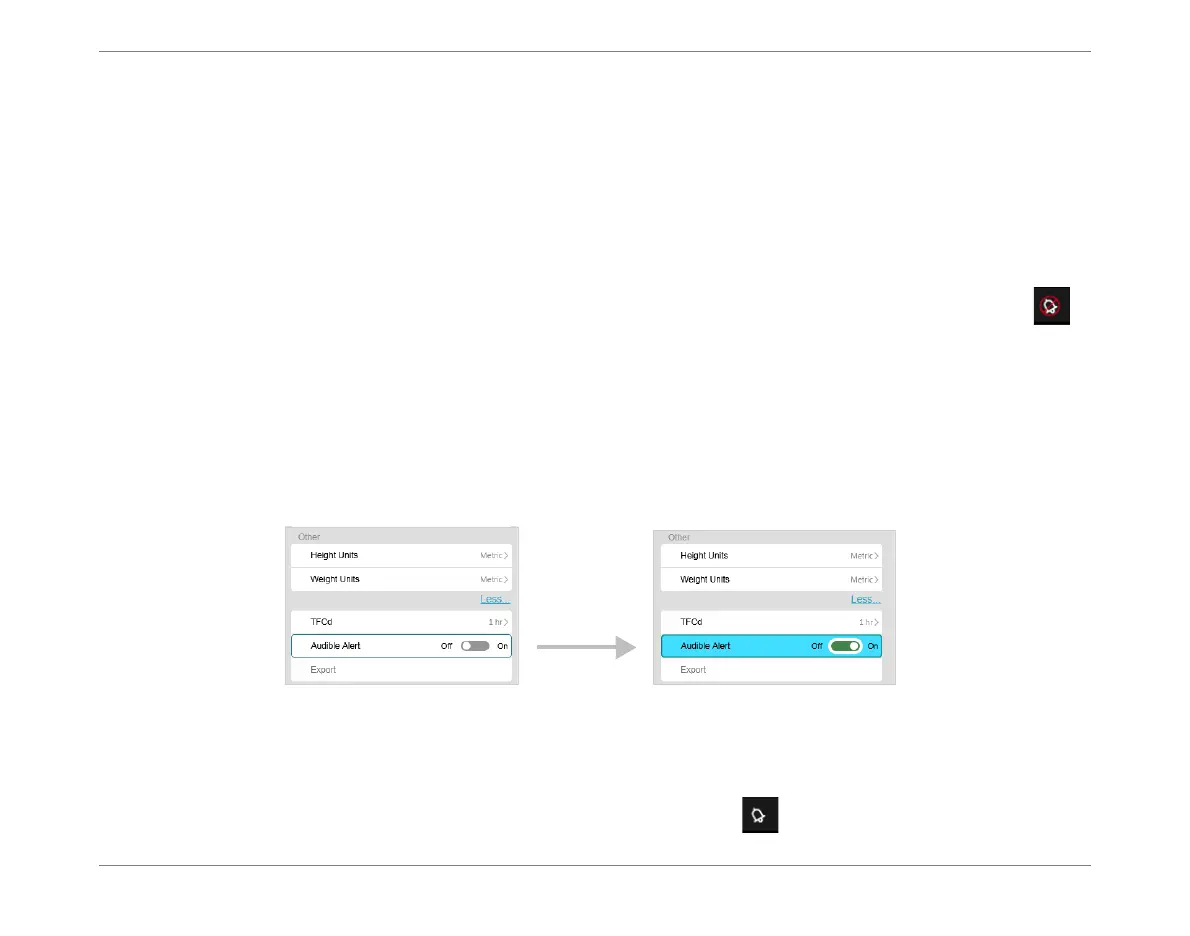
The Audible Alert option currently shows Off (Figure 5-29, left).
3. Tap the listed Audible Alert option.
The Audible Alert option is now turned On (Figure 5-29, right).
The icon in the Controls toolbar indicates the ON status.
Figure 5-29 Setting Audible Alert to ON













 To Next Page