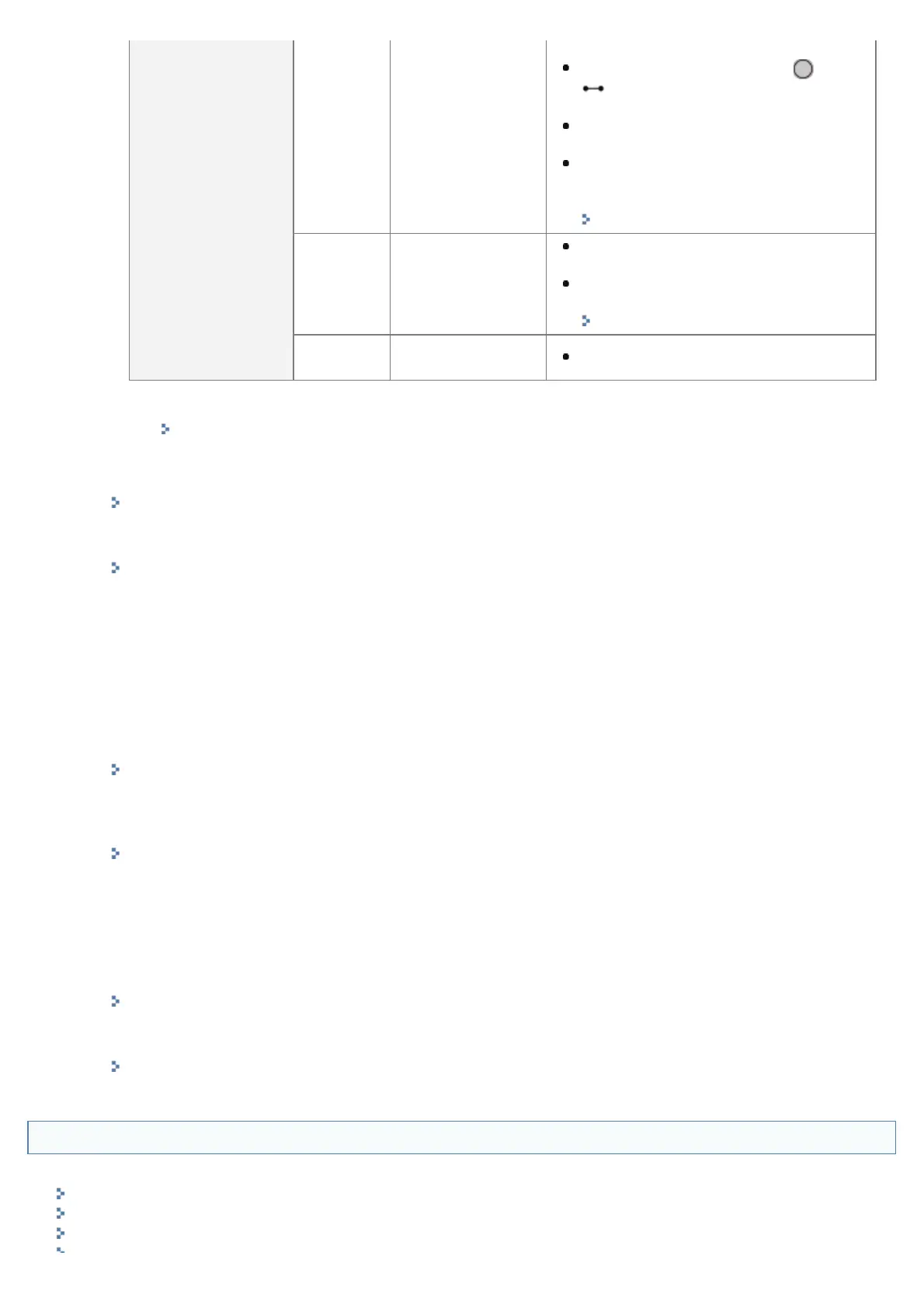
Toner Cartridge
1-9%
The toner cartridge
needs to be
replaced soon
Printing will continue or stop.
If printing has stopped, press [
] (
: Online) on the printer control
panel and printing will continue.
Have a replacement toner cartridge
ready.
We recommend that you replace the
toner cartridge before doing a large
amount of printing.
"Replacing the Toner Cartridge"
0%
The toner cartridge
has reached the
end of its life
The printer stops printing, and you
cannot continue the job.
Replace the toner cartridge with a new
one.
"Replacing the Toner Cartridge"
<Insert
Cartridge>
The toner cartridge
is not installed
Install the toner cartridge properly.
*
Whether the printer continues or stops printing when the toner cartridge needs to be replaced soon
depends on the setting for [Warning Step] in the [Setup] menu.
"[Setup] Menu ([Control Menu] Options)"
(3) [Message Board]
It displays messages from the administrator.
"Display/Change Message Board Messages and Support Links"
(4) [Support Link]
It displays links to information concerning printer support.
"Display/Change Message Board Messages and Support Links"
(5) [Language]
You can change the screen display language from the drop-down list.
(6) [Mail to System Manager]
You can send e-mail to the system manager.
(7) Update Button
Refresh the portal page display to the latest status.
(8) [Status Monitor/Cancel]
You can check and change the status of jobs the printer is processing. You can also check device status.
"[Status Monitor/Cancel] Menu"
(9) [Settings/Registration]
You can set/change the various printer settings. The items that can be set/changed differ depending on whether
you log in as administrator or end user.
"[Settings/Registration] Menu"
(10) [Box]
When the optional SD card is installed, you can print, copy and send documents that are saved in the printer's
box.
(11) [Direct Print]
Using the printer, you can print PDF files, PS/EPS files, image files and XPS files that are saved to the computer
you are using as is, without opening them.
"Printing without the Printer Driver (Direct Print)"
(12) [Service Management Service]
It displays the SMS (Service Management Service) screen.
"MEAP "
[Status Monitor/Cancel] Menu
The following pages are in the [Status Monitor/Cancel] menu.
Print: [Job Status] Page
Print: [Job History] Page
E-Mail RX: [Job History] Page
㻡㻟㻞㻌㻛㻌㻥㻣㻜



 To Next Page