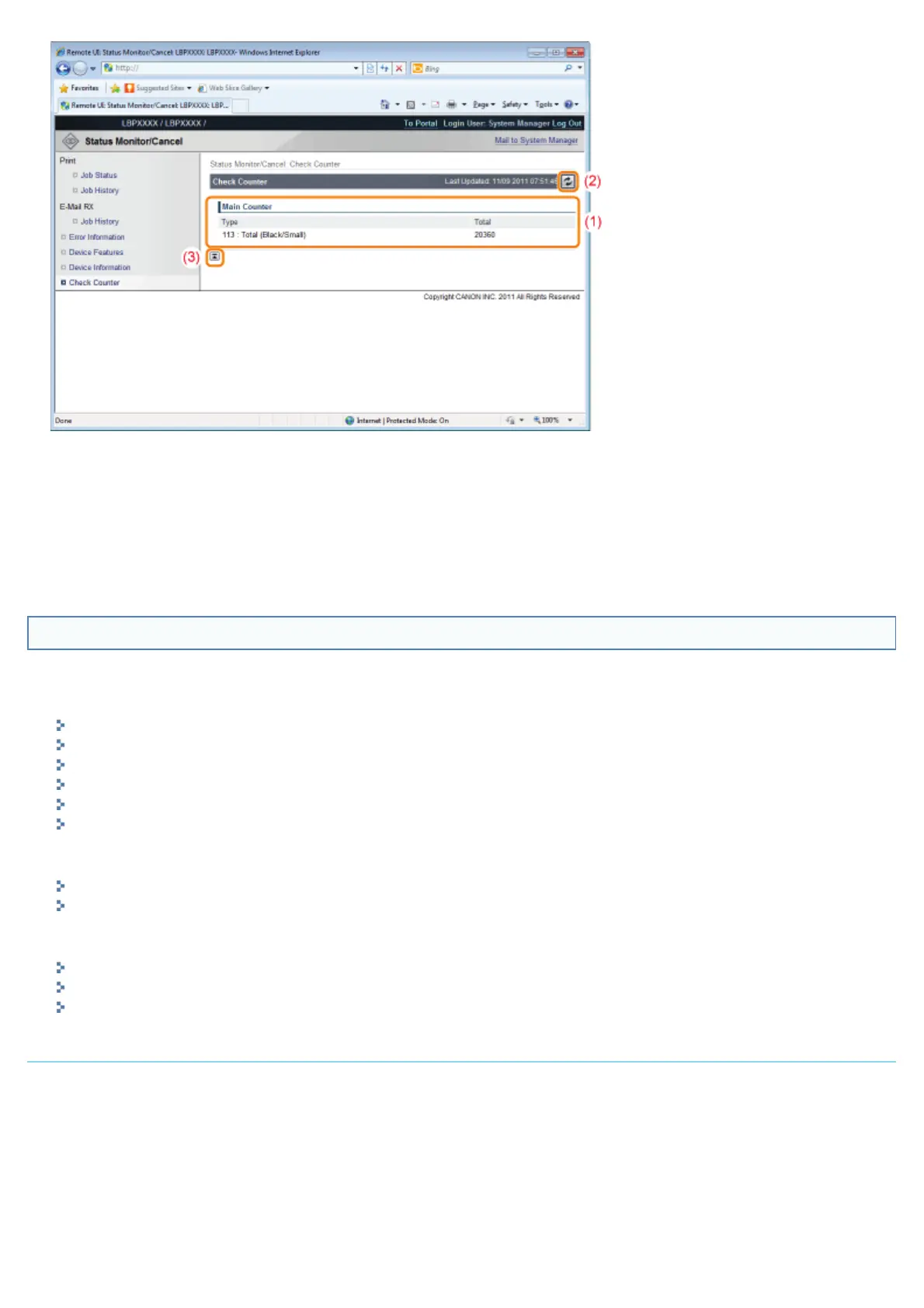
(1) [Main Counter]
The number of pages printed for each counter is displayed.
(2) Update Button
It refreshes the [Check Counter] page display to the latest status.
(3) [Back to Page Top]
It moves the scroll box up to the top of the page.
[Settings/Registration] Menu
The following pages show the settings that can be checked using the [Settings/Registration] menu.
[Preferences]
[Control Menu] Page
[Paper Source Menu] Page
[Network] Page
[Layout Menu] Page
[Quality Menu] Page
[User Maintenance Menu] Page
[Output/Control]
[Utility Menu] Page
[Device Control] Page
[Management Settings]
[Department ID Management] Page
[Security] Page
[License/Other] Page
[Control Menu] Page
It displays the operation settings for energy-saving mode (Sleep Mode) and when errors occur.
For details on the settings, see "[Setup] Menu ([Control Menu] Options)."
㻡㻟㻤㻌㻛㻌㻥㻣㻜



 To Next Page