Section 4: Tutorial
4 - 44 Euphonix CS3000/2000 Operation Manual
LF
PWR
M1
4 Band EQ
EQ1
Combiner
∑
PAN
Line Input 1
L1
Line Input 2
L2
Line Input 4
BUS
Line Input 3
L3
L4
STEREO 1 BUS
L R
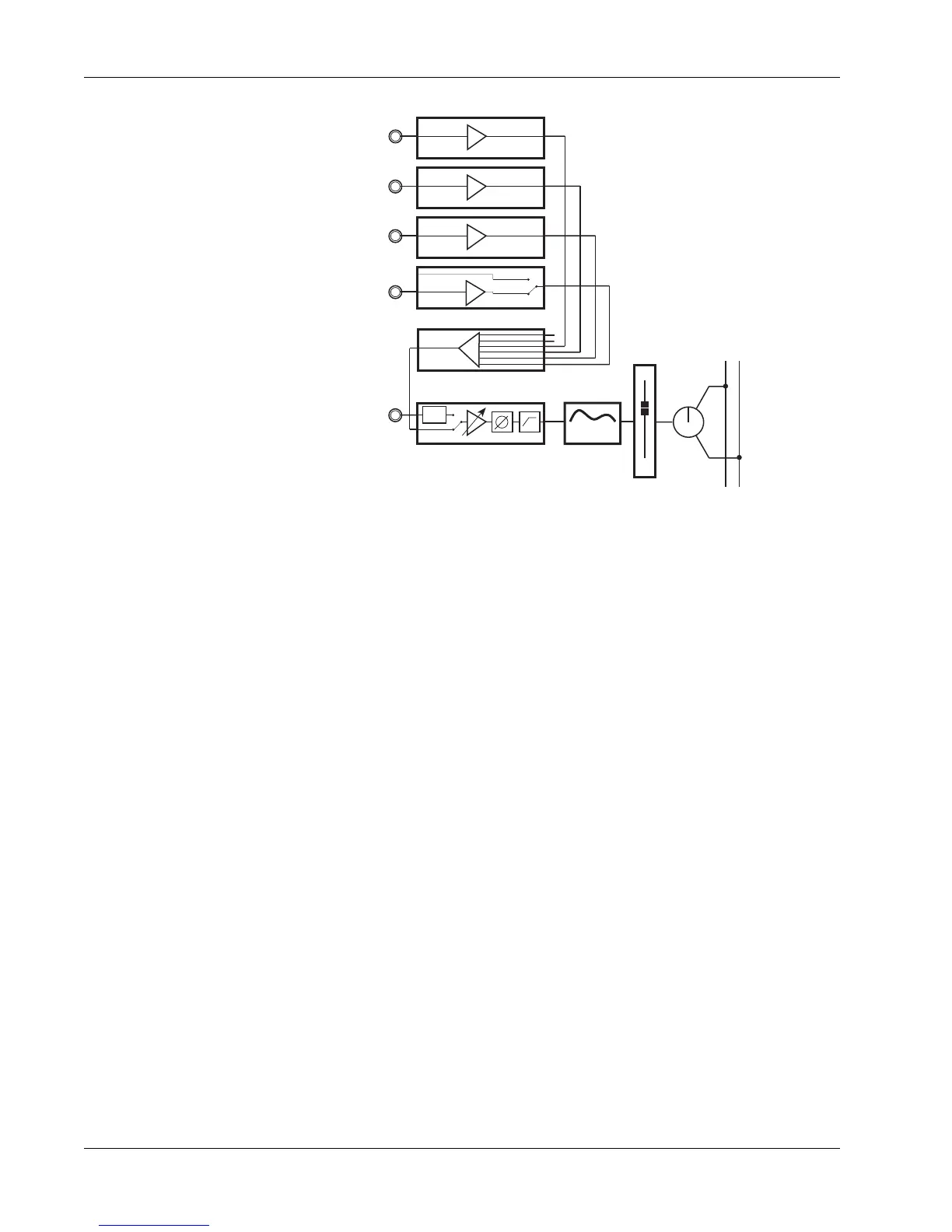
This is the signal flow diagram we’ve constructed in Example 2:
Note also that you still have M2 free for an additional input, with EQ, to the
stereo buses via the upper fader! The versatile architecture of the Euphonix
console makes this type of routing flexibility possible.
Example 3 - Feed a microphone signal to the DIR2 output and thus the
multitrack input without using a fader.
This is a very useful mode for feeding sources directly to the multitrack
without using console faders thus reducing the signal path. With this routing
scheme, the inputs (in this case a microphone), will feed that channel’s group
output only. A source in channel 16’s M1 input for example will feed multitrack
input 16 without repatching.
First, go to the Combiner menu by pressing the channel block key, [F4] (Route)
then [F4] again (CMB). Select M1 as its input using the DSC Dedicated Assign
keys.
If you have assigned an EQ to M1, the feed to the Combiner follows the EQ.
Press [Esc] once then [F3] to select the DIR2 menu. Using the SpinKnob, spin
to CMB and press [F4].



 To Next Page