¾ 3-3-11 ¾
Installing DLS Console
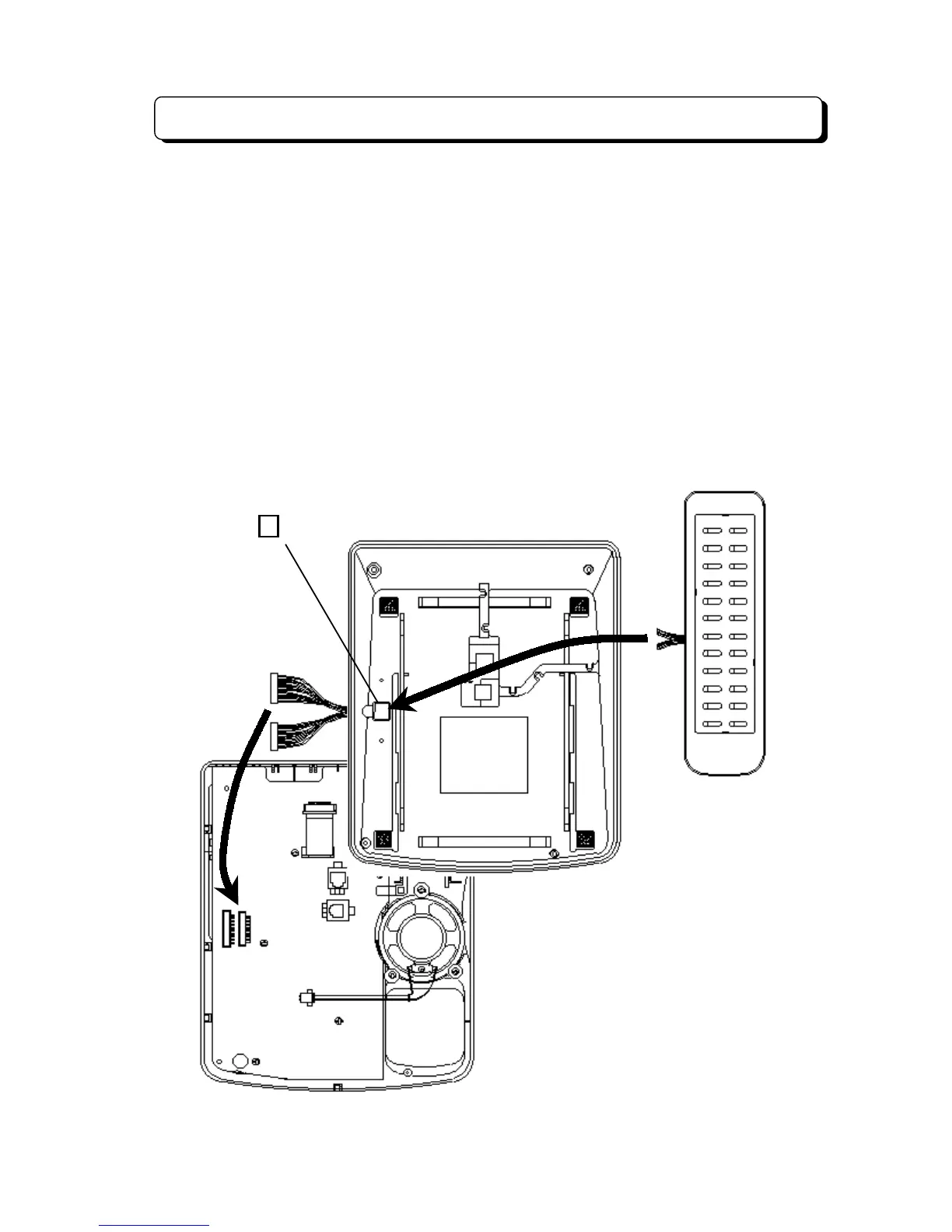
To install the DLS Consoles (BDL DLS for 2nd Model TEL):
Step 1:
Turn the telephone upside down and remove the four screws from each corner.
Step 2:
Lift the upper housing off the telephone base.
Step 3:
On the lower housing, use a blunt object to remove the plastic filter piece that covers the hole for
DLS connector.
Step 4:
Install the DLS connector cable from the back of lower housing.
Step 5:
Insert the connectors on the DLS cable into the connectors DLCN1 and DLCN2 on the NX7E-
ANU-B PCB in the upper housing.
Step 6:
Reassemble the telephone and reinsert the four screws removed in step 1.
Step 7:
Mount the metal bracket between the telephone and DLS console and secure it with four screws
provided.
DLS Console
DLCN1
DLCN2
Remove the plastic filter



 To Next Page