9
Replacing toner cartridges and staple cartridges and emptying punch scrap box
9-14 CS193/CS173/CS163
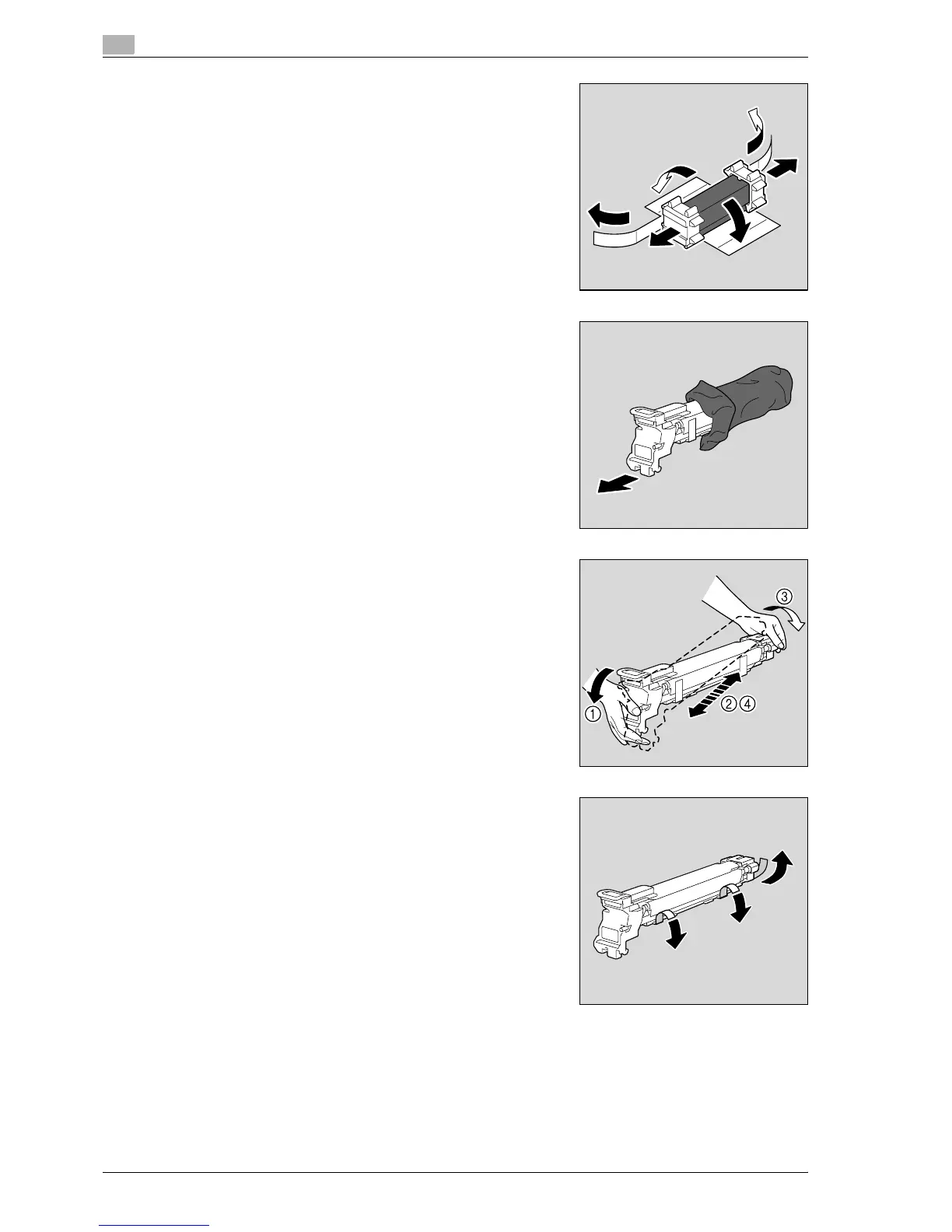
6 Peel off the tape, and then remove the packing material.
7 Remove the imaging unit from the black protective bag.
8 Tilt the imaging unit to the left and lightly shake it twice in the
direction of the tilt, and then tilt the unit to the right and lightly
shake it twice in the direction of the tilt.
9 Peel off the tape.



 To Next Page