12
Utility mode
12-70 CS193/CS173/CS163
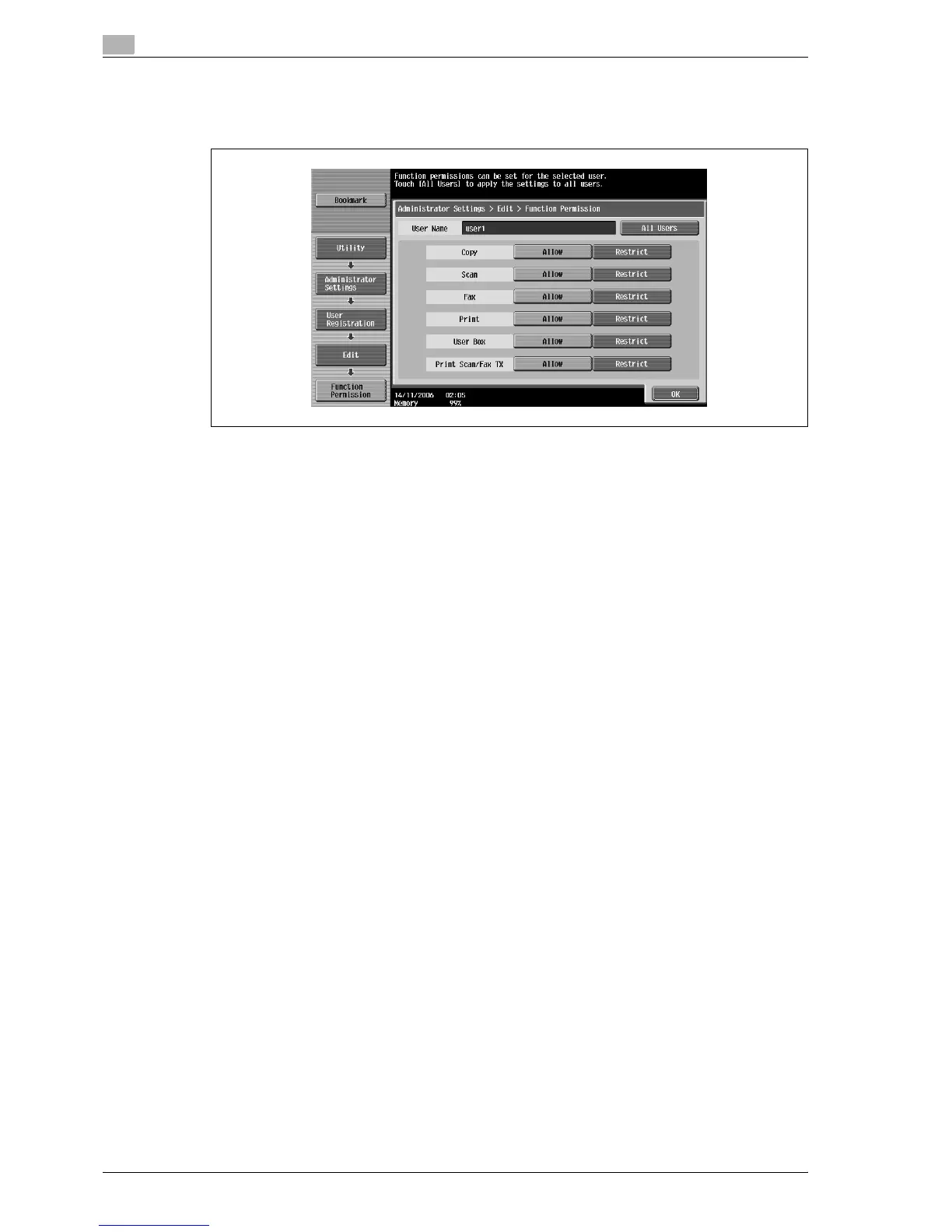
24 Touch the button for the desired setting for each operation.
– To permit the operation to be performed, touch [Allow].
– To prohibit the operation to be performed, touch [Restrict].
– Touch [All Users] to apply the settings in the current screen to all registered users. Touch [All Users],
touch [OK], and then touch [OK] in the next screen that appears.
– With "Print Scan/Fax TX", printing can be prevented when scanning or faxing a document saved in
a box.
– Depending on the function limitation settings that are specified, a different Basic screen may appear
when logging on. The Basic screen that appears changes in the following order: Copy % Scan %
Fax % Box.
– If no operation is permitted, user authentication cannot be performed.
25 Touch [OK].
The function permissions are set.
26 Touch [OK].
– To cancel the settings in the current screen, touch [Cancel].
– To delete the selected user information, touch [Delete] in the User Registration screen.



 To Next Page