12
Utility mode
12-74 CS193/CS173/CS163
– If "Account Name & Password" was selected, the same account name cannot be used more than
once.
– The screen that appears differs depending on the setting selected for "Account Track Input
Method".
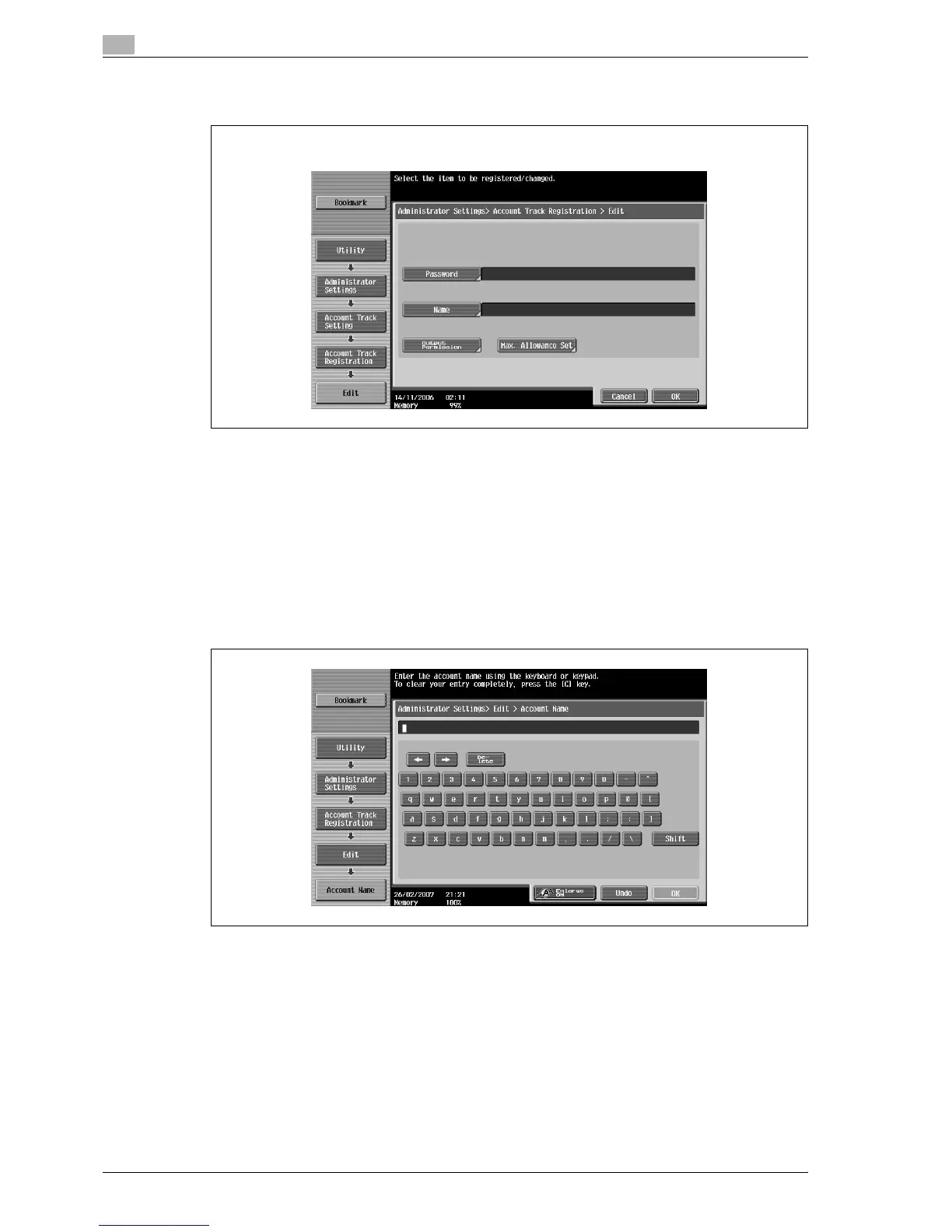
6 Touch [Account Name].
The Account Name screen appears.
7 Type in the account name (up to 8 characters long), and then touch [OK].
– For details on typing in text, refer to "Entering text" on page 13-3.
– If [Name] was displayed, type in the account name (up to 20 characters), and then touch [OK].
– If "Account Track Input Method" was set to "Account Name & Password", the same account name
cannot be registered more than once.
The account name is set.
8 Touch [Password].
– If "Account Track Input Method" was set to "Password Only", the same password cannot be
registered more than once.
The Password screen appears.
9 Type in the password (up to 8 characters long), and then touch [OK].
A screen for retyping the password appears.
If "Password Only" was selected:



 To Next Page