CS193/CS173/CS163 12-75
Utility mode
12
10 Retype the password specified in step 9, and then touch [OK].
The user password is set.
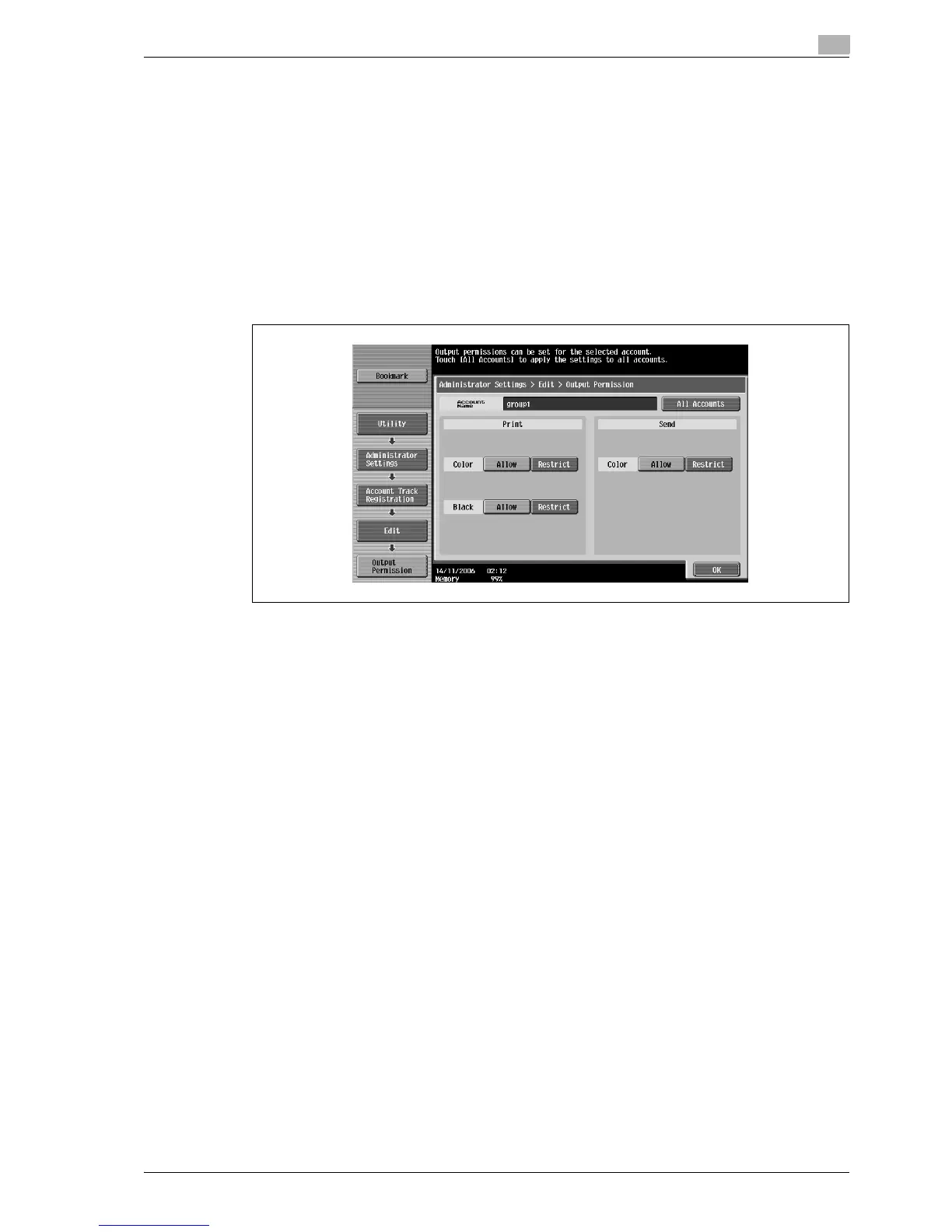
11 Touch [Output Permission].
The Output Permission screen appears.
12 Touch a button under "Print" or "Send" to specify the desired settings.
– To permit printing by the account, touch [Allow].
– To prohibit printing by the account, touch [Restrict].
– Touch [All Accounts] to apply the settings in the current screen to all registered accounts. Touch [All
Accounts], touch [OK], and then touch [OK] in the next screen that appears in order to display a
message and apply the settings to all accounts. At this time, do not turn off the machine with the
main power switch.
– If color printing is restricted, printing is not possible with the "Auto Color", "Full Color", "2 Color" or
"Single Color" settings.
– If black printing is restricted, printing is not possible with the "Auto Color" or "Black" setting.
– If both color and black printing are restricted, the message "Copying is prohibited." appears, even
if authentication was completed correctly.
– If "Color" is set to "Restrict" under "Send", color scanning is not possible.
13 Touch [OK].
The output permissions are set.
14 Touch [Max. Allowance Set].
The Max. Allowance Set screen appears.



 To Next Page