MFP OPTIONS: B064 SERIES 15 February 2006
1-140
1.22.4 USB 2.0 (B525-01)
ACCESSORY CHECK
Check the accessories and their quantities against this list:
Description Q’ty
1. USB 2.0 PCB......................................................................... 1
Installation Procedure
!CAUTION
Switch the machine off and unplug the machine before starting the
following procedure.
1. Remove the rear upper cover (! x 2).
2. Remove the controller cover (! x 10).
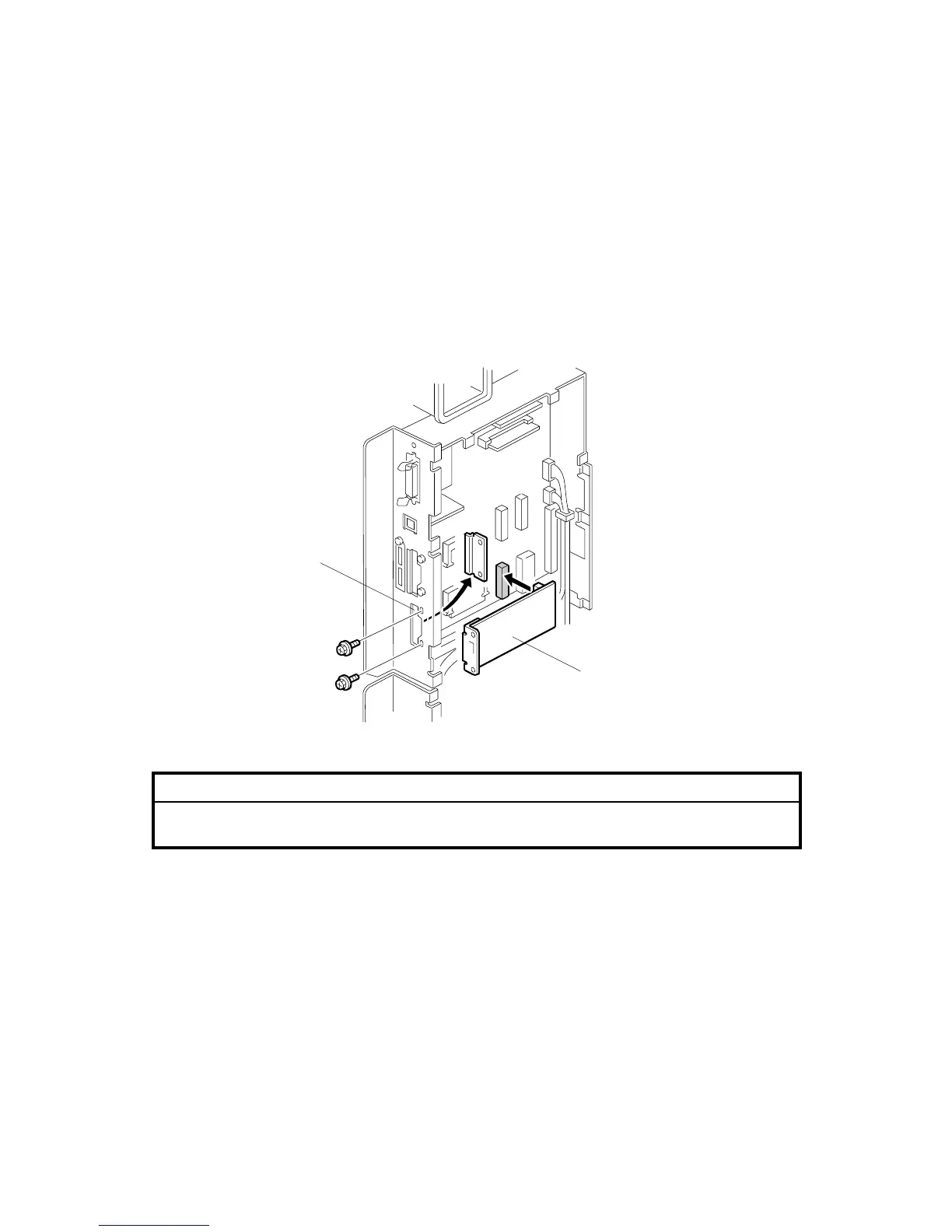
3. Remove the slot cover [A] (! x 2).
4. Insert the USB board [B] into the PCI slot.
5. Fasten the slot cover to the USB board (! x 2).
6. Use SP5990-005 to print a Self-Diagnostic Report with the system settings and
confirm that the machine correctly recognizes the interface.
B064I202.WMF
[A]
[B]



 To Next Page