MFP OPTIONS: B246 SERIES 15 February 2006
1-178
Installation
!CAUTION
Before you start this procedure, turn the machine off and disconnect the
power plug from the power source.
• Remove the rear upper and lower covers (! x 2 ea.) (☛3.3.2)
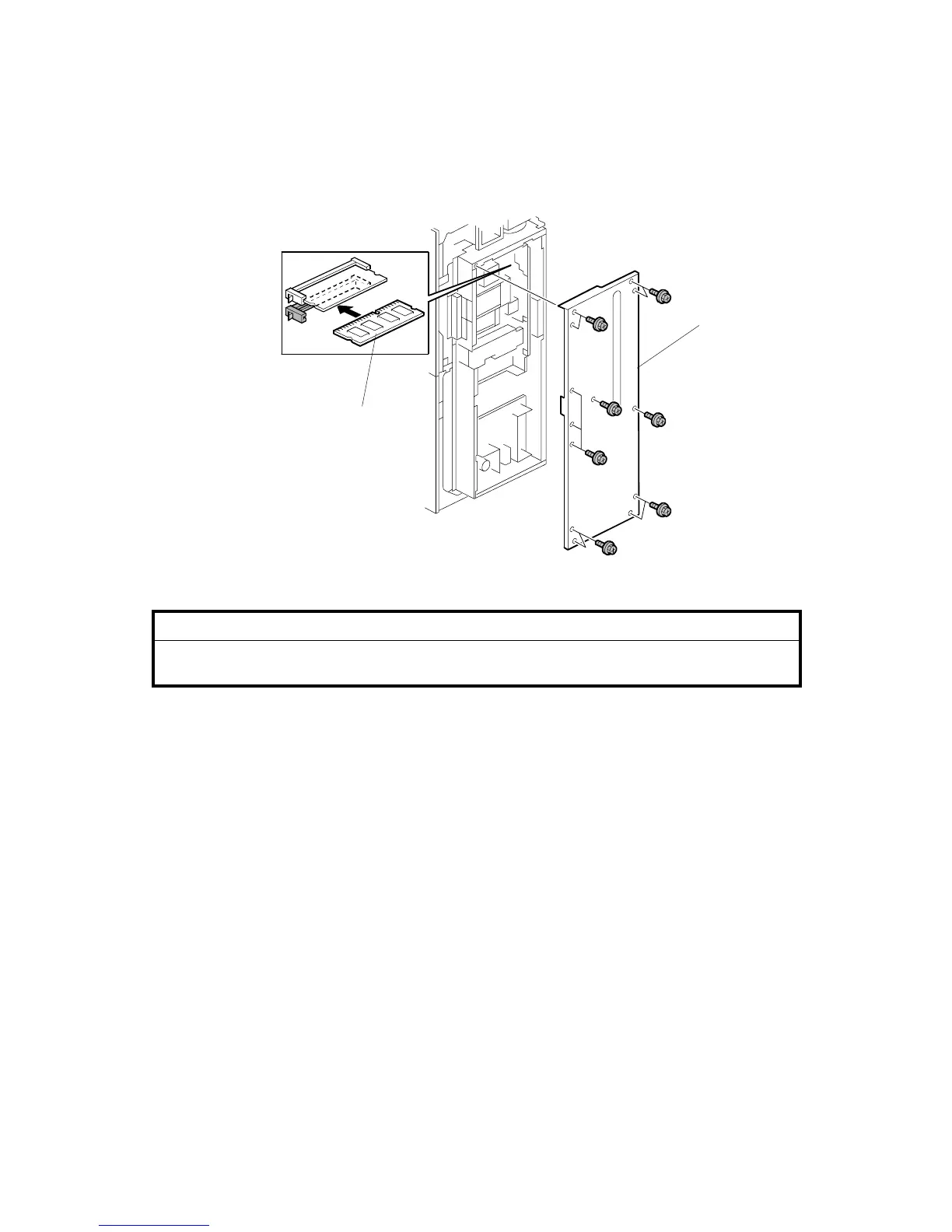
1. Remove the controller box cover [A] (! x 13).
2. Insert the 256 MB memory DIMM [B] into the empty slot.
3. Reattach the controller box cover.
B841I101.WMF
[A]
[B]



 To Next Page