Rovema CMK Operator’s Manual
Section 8: Maintenance
200246 CMK Operators Manual (02/06/2006) 8-12
Other Maintenance Procedures
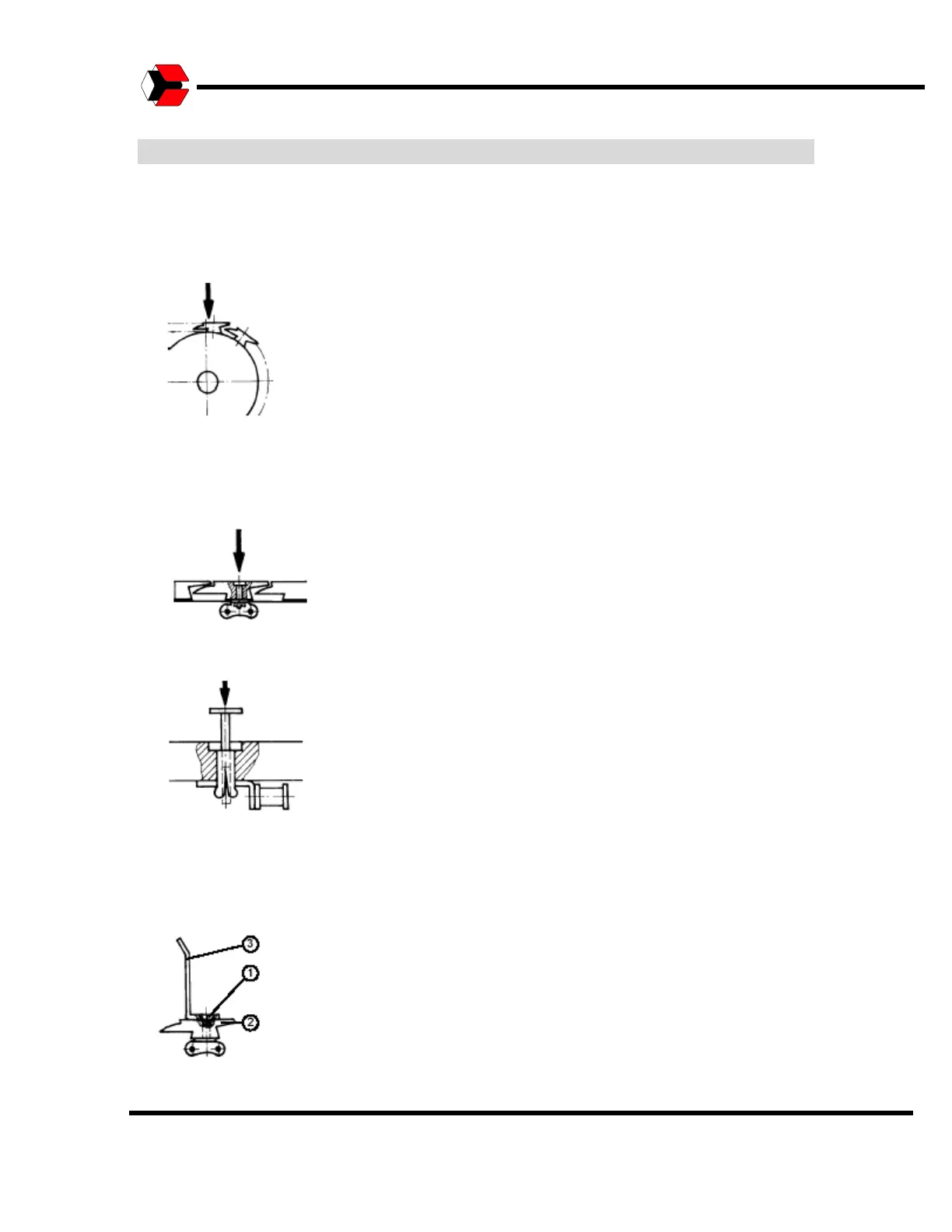
Changing the plastic segments on the product supply conveyor
• In jog mode, move the faulty segment up to the product supply conveyor deflection. The faulty
segment should be on the sprocket as shown below.
• Use the piercing tool (Ø 4 mm) to puncture the expanding pin of the plug-in bolt.
• Replace the faulty segment.
• Put the new plug-in bolt in position and push it in flush with the upper edge of the segment.
• Remove the screws (1).
• Remove the Bar (2).
• Replace the side wall (3) of segment.
• Insert the bar (2) again and hold it in place.
• Screw in the screws (1).



 To Next Page