DRUM LEARN MODE
By default, the note values for the drum instruments map to the standard GM notes for a
drum kit. The assigned notes for each drum instrument can be changed per track in
DRUM LEARN mode.
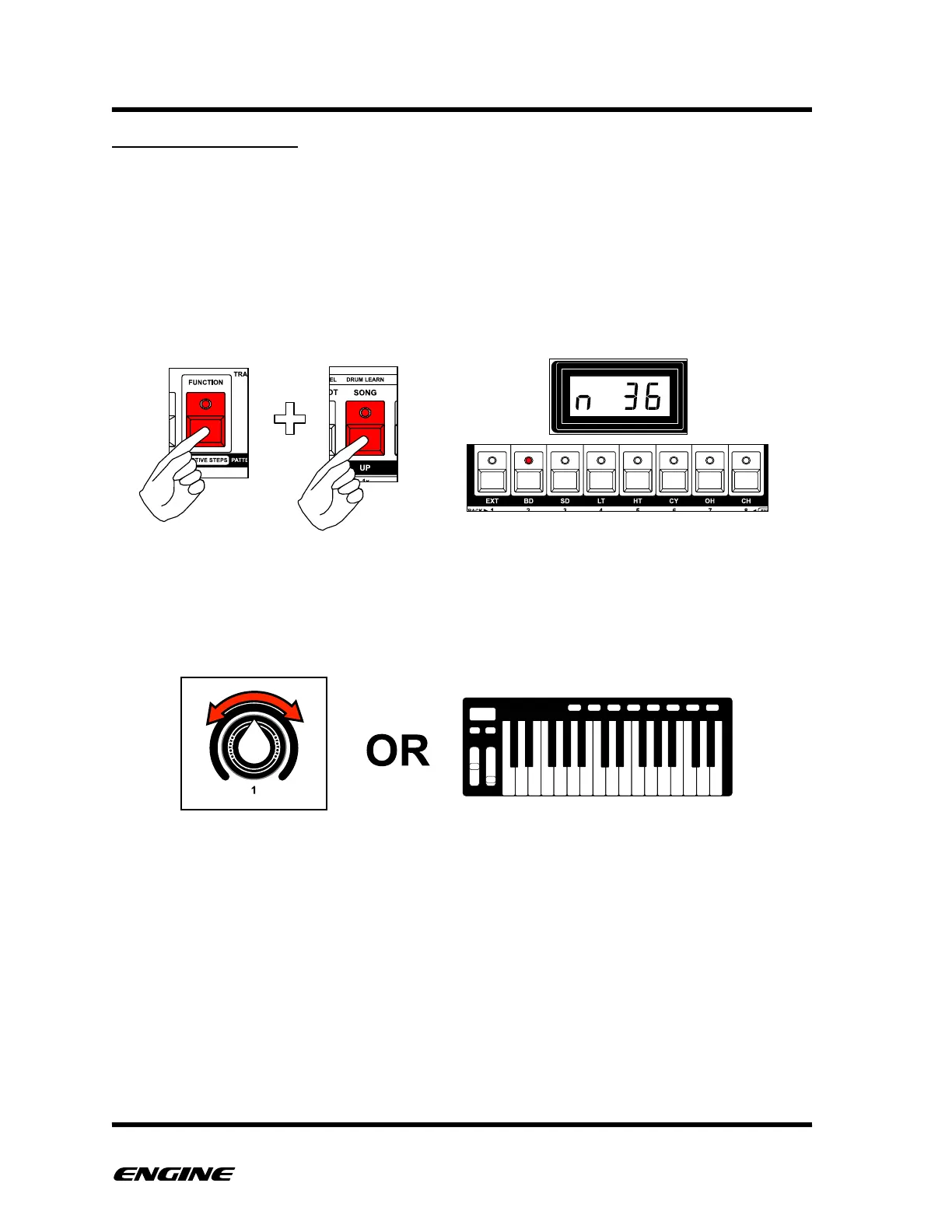
To enter DRUM LEARN mode, press and hold (or double click) the FUNCTION button
and then press and hold the DRUM LEARN (song) button. The current selected drum
instrument is shown on the white keys of the mini keyboard and the current note
assignment for the selected instrument is shown on the LED display.
To change the note assignment, while in DRUM LEARN mode, turn control knob 1, click
BACKWARD/FORWARD or send a MIDI note from an external MIDI controller.
Use the white mini keyboard buttons to switch instruments while in DRUM LEARN mode,
to quickly set the MIDI note for multiple instruments.
To switch between the two groups of eight drum instruments, hold the DRUM SELECT
button and then click the BACKWARD or FORWARD button. The current group is
displayed on the BACKWARD or FORWARD LED.



 To Next Page