EasyManua.ls Logo

Social Entropy Engine - Changing the Lfo Shape

Social Entropy Engine
251 pages
Print Icon
To Next Page IconTo Next Page
To Previous Page IconTo Previous Page
Loading...
PATTERNS
CHANGING THE LFO SHAPE
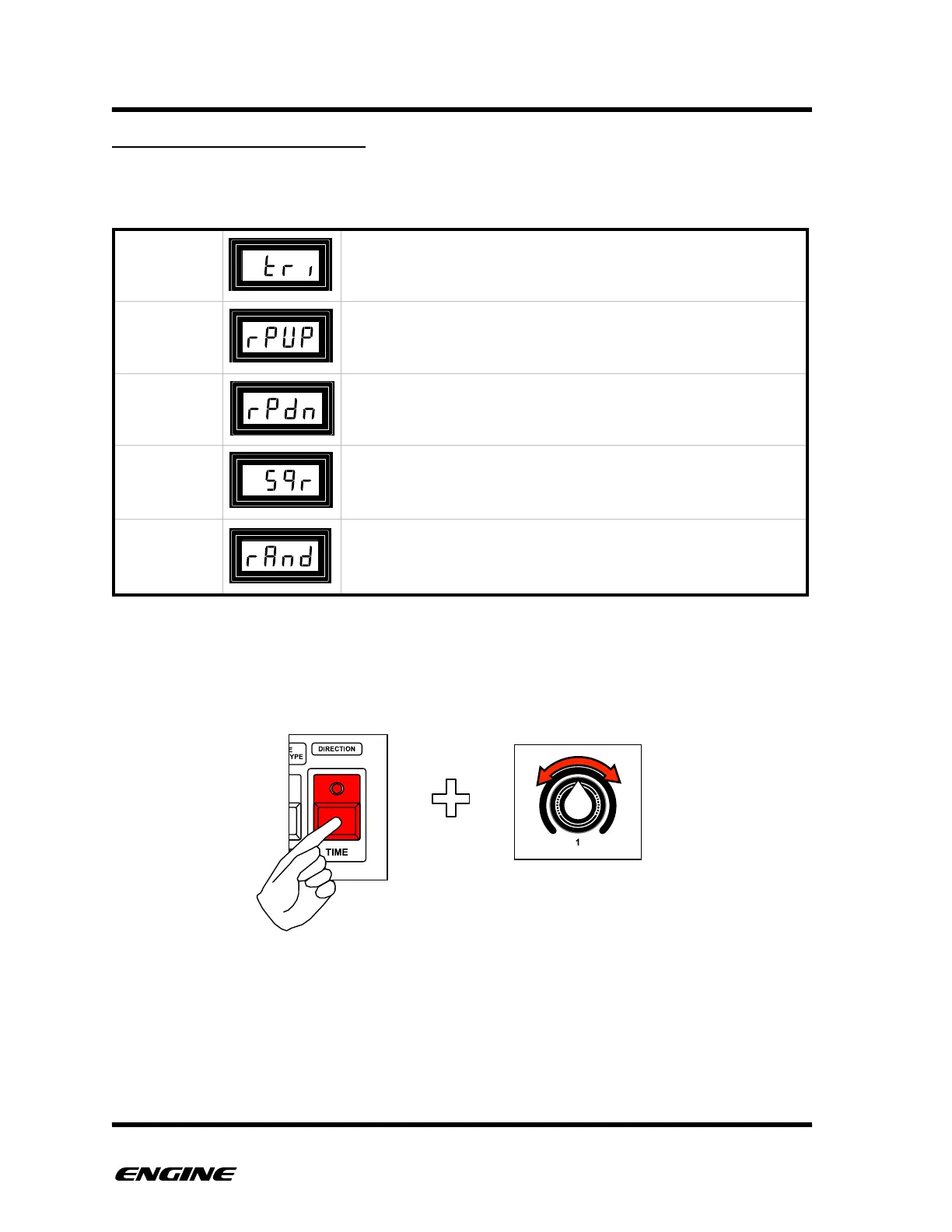
The shape of the LFO can be changed to create different modulations.
The available shapes are:
To change the LFO shape, while in ARPEGGIO mode, press the TIME button. The current
shape will be displayed on the LED display. To change the shape, turn control knob 1.
The new shape will be displayed on the LED display.

TRIANGLE
Triangular shaped wave with equal time rising and falling
RAMP UP
The shape of a rising sawtooth wave.
RAMP
DOWN
The shape of a falling sawtooth wave.
SQUARE
A square wave shape, with only maximum and minimum values
generated.
RANDOM
A random wave shape, sometimes known as (random) sample
and hold.
USER GUIDE 147

Table of Contents