SKIPPING PATTERN STEPS
It is possible to generate interesting pattern variations and timings by setting some steps to
be skipped during playback. This capability is a more "advanced" function of TIME
mode.
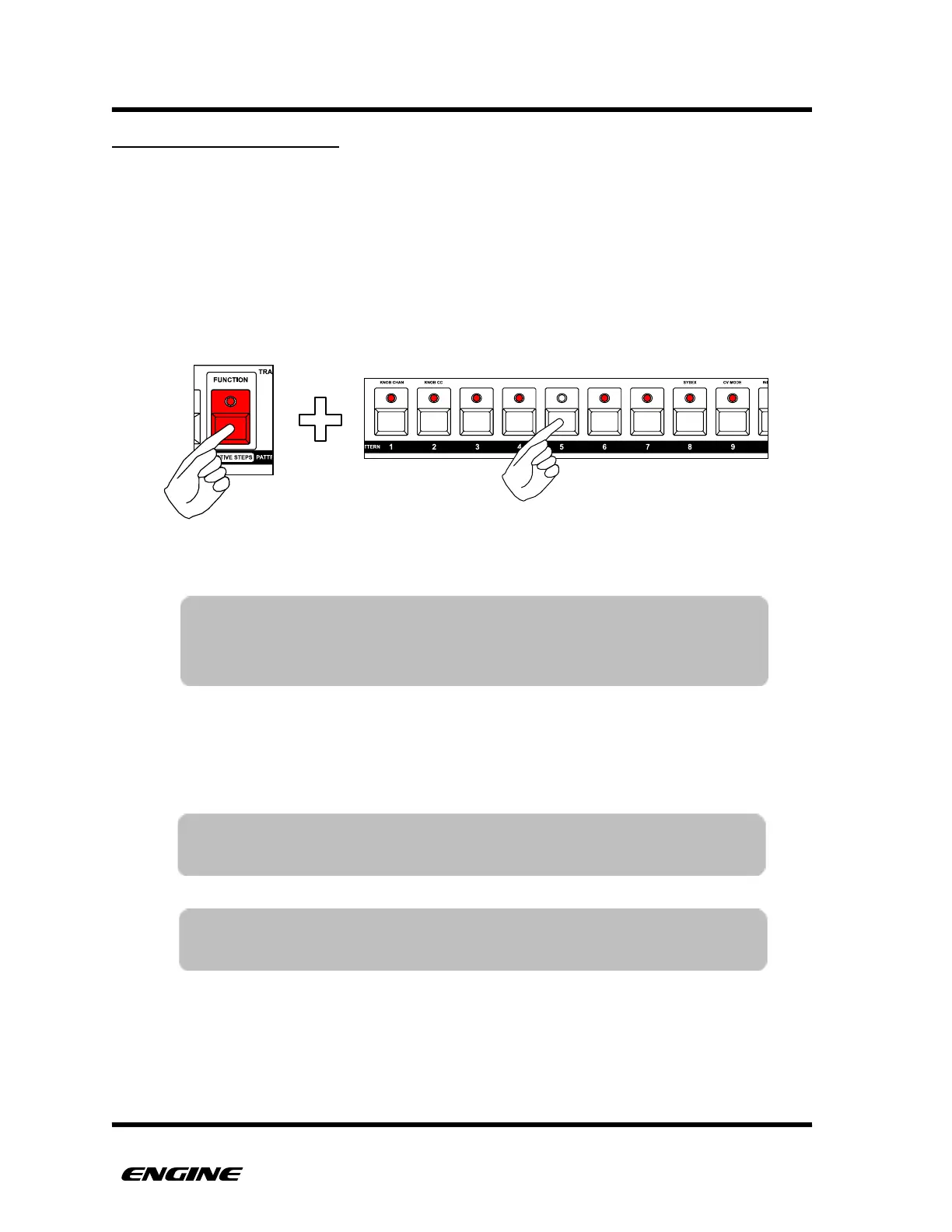
To see the current active steps, while in TIME mode, press and hold the FUNCTION
button. The active steps will be shown with brightly lit pattern step LEDs. While
continuing to hold the FUNCTION button, you can deactivate steps by clicking pattern
step buttons.
Skipped steps will be immediately deactivated, even while the sequencer is running. This
means it is possible for a pattern lose sync with other playing tracks. In this case it may
be useful to realign the pattern using the REALIGN function.
TIP: You can automatically set the last step and all previous steps to
active by double-clicking a pattern step button.
NOTE: Setting the last step using the PATTERN LENGTH function will
automatically reactivate any skipped steps.
TIP: You can also quickly specify a range of steps to be active by
holding one step button and then clicking a second button to
specify the range. All other steps will be set to inactive.



 To Next Page