CV/GATE OUTPUT MODE
Each track can be configured to send out CV using either Volt/Octave or Hz/Volt and
Gate using either positive trigger or negative trigger. This allows the CV outputs to be
used with a wide range of different analog devices. Each of the eight tracks can have a
different setting for CV MODE.
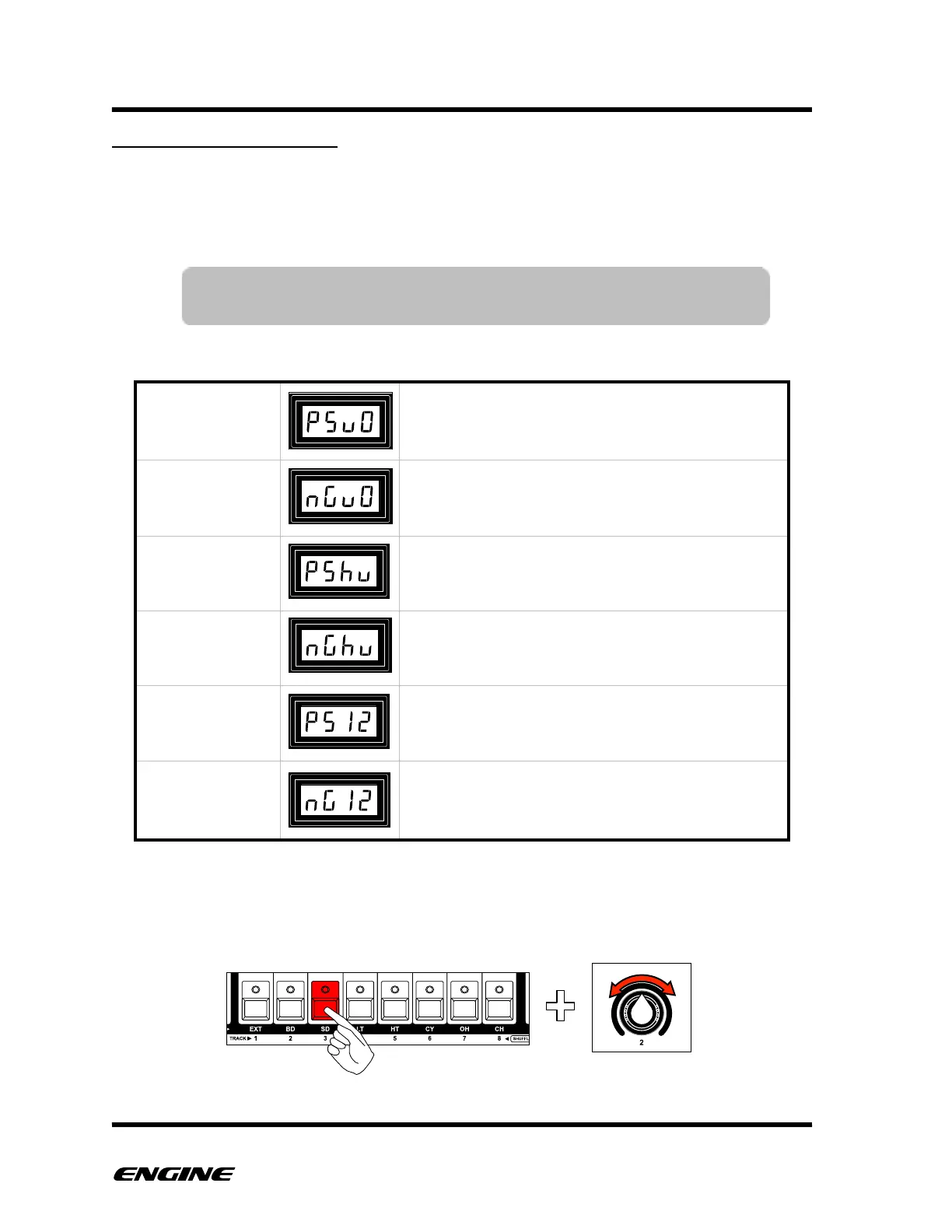
The available modes are:
To set the CV MODE for a track, press and hold the track button you wish to configure.
Rotate control knob 2 to select the desired mode.
The current CV/Gate output mode will be shown on the LED display.!
Positive gate, 1 volt per octave
Negative gate, 1 volt per octave
Positive gate, hertz per volt
Negative gate, hertz per volt
POSITIVE GATE,
1.2V/OCTAVE
Positive gate, 1.2 volts per octave
NEGATIVE GATE,
1.2V/OCTAVE
Negative gate, 1.2 volts per octave
NOTE: The CV MODE can only be set when the CV/Gate expansion
board is installed and enabled.
MIDI IMPLEMENTATION CHART"



 To Next Page