MUTING INDIVIDUAL CONTROLLERS
Individual controllers can be muted within a CONTROL type pattern to create pattern
variations.
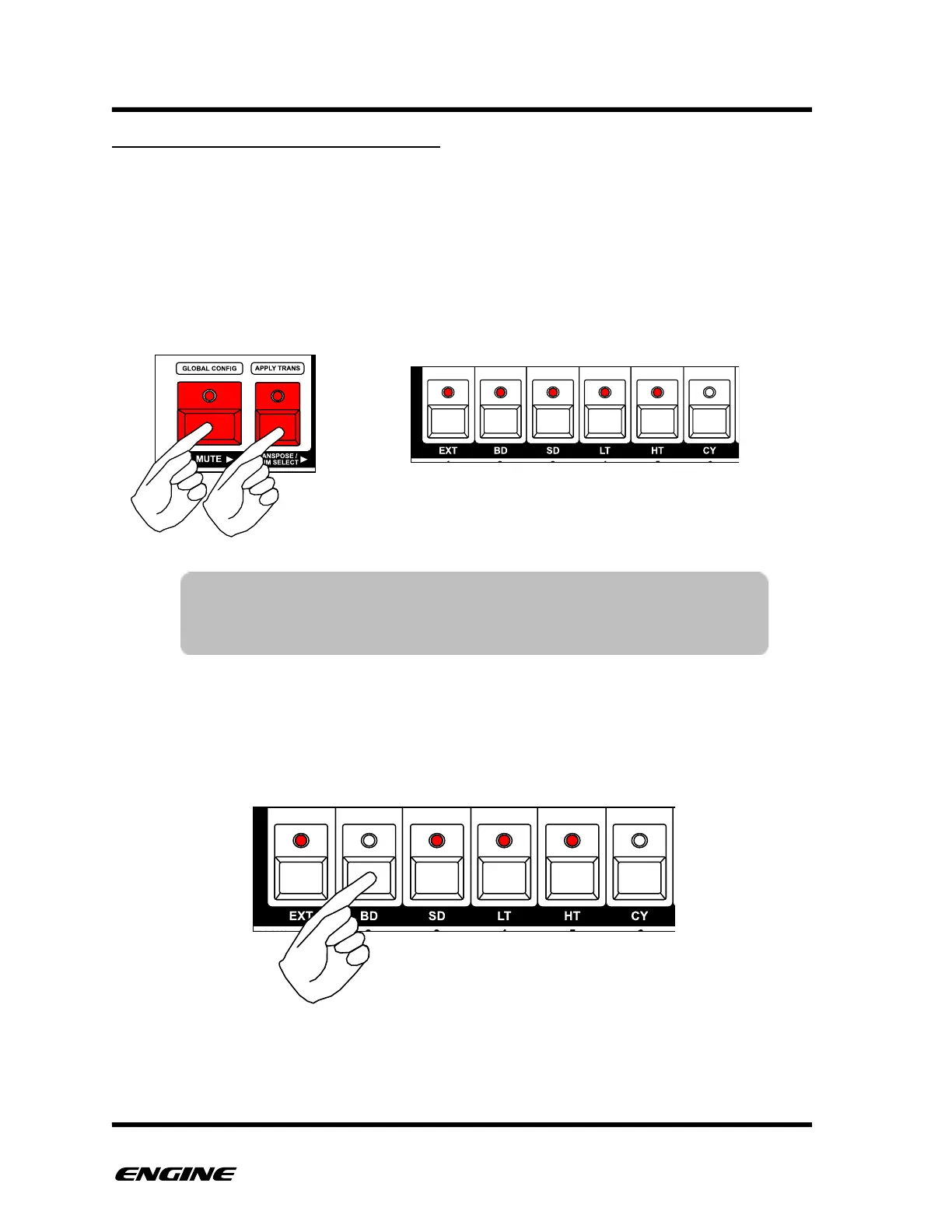
To enter CONTROL MUTE mode, press and hold (or double click) the TRANSPOSE/
DRUM SELECT button, then press and hold (or double click) the MUTE button. The
current mute status for each controller is shown on the LEDs of the first six white mini
keyboard buttons. Unmuted controllers are shown as lit LEDs, while muted controllers are
shown as unlit LEDs.
To change the control mutes, while in control mute mode, click the white mini keyboard
buttons to mute or unmute controllers.
TIP: The MUTE and TRANSPOSE/DRUM SELECT buttons can be
double clicked to pin the control mute function. This is useful for
live performance when muting and unmuting individual controls.



 To Next Page